 PluginStats
Git Graph installs statistics
By mhutchie · VS Code Marketplace · Other
View a Git Graph of your repository, and perform Git actions from the graph.
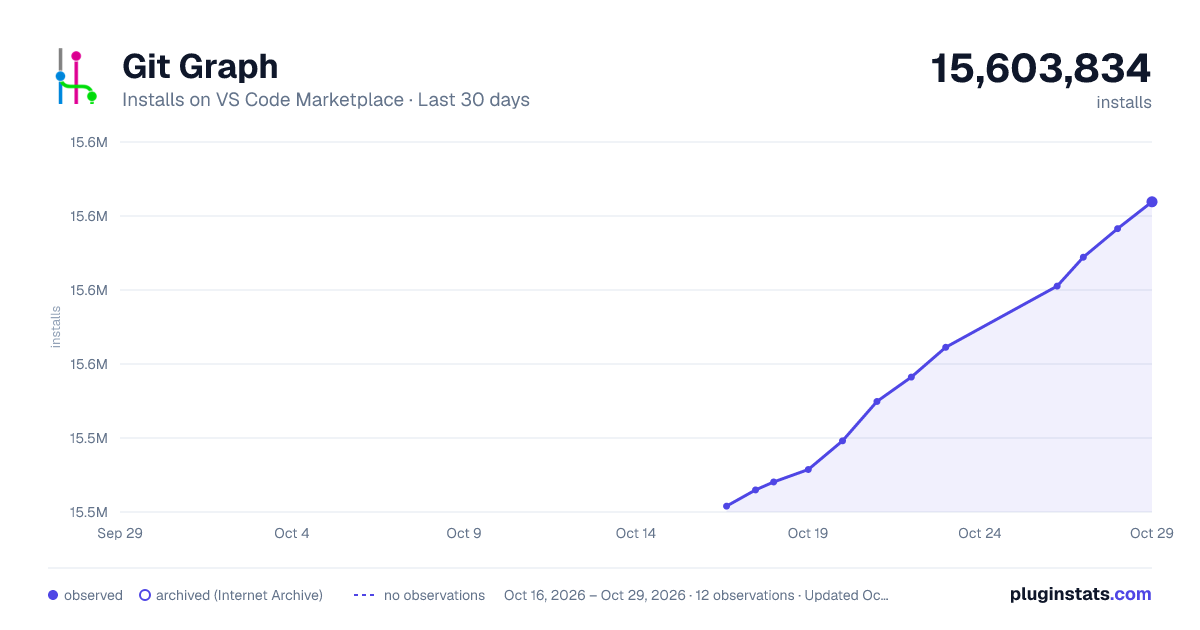
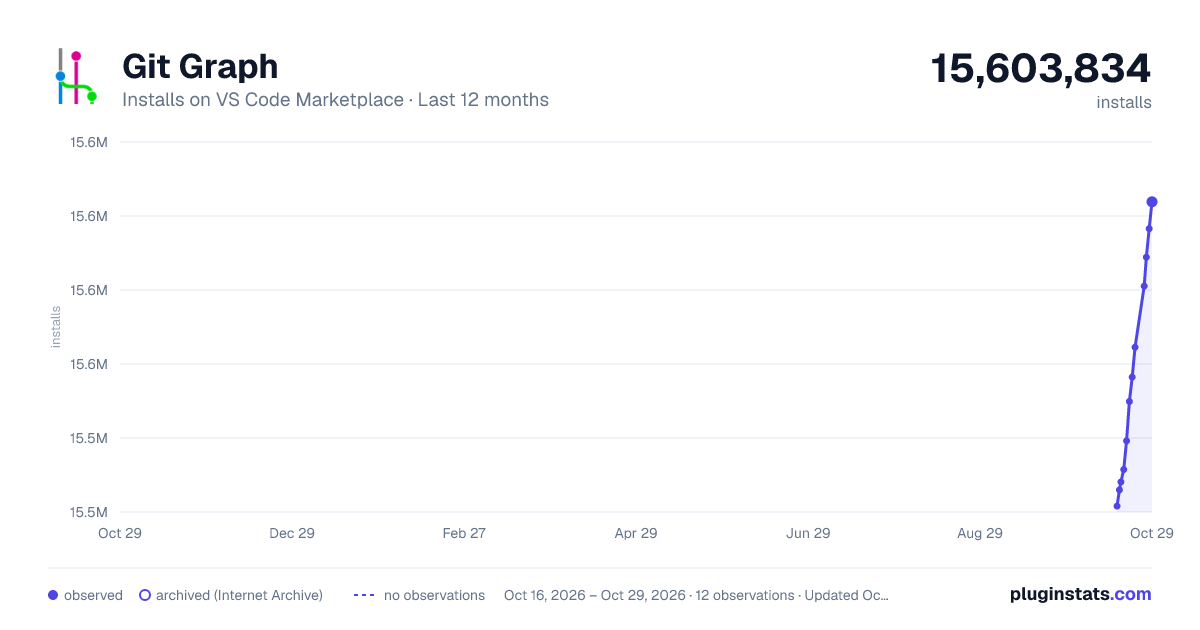
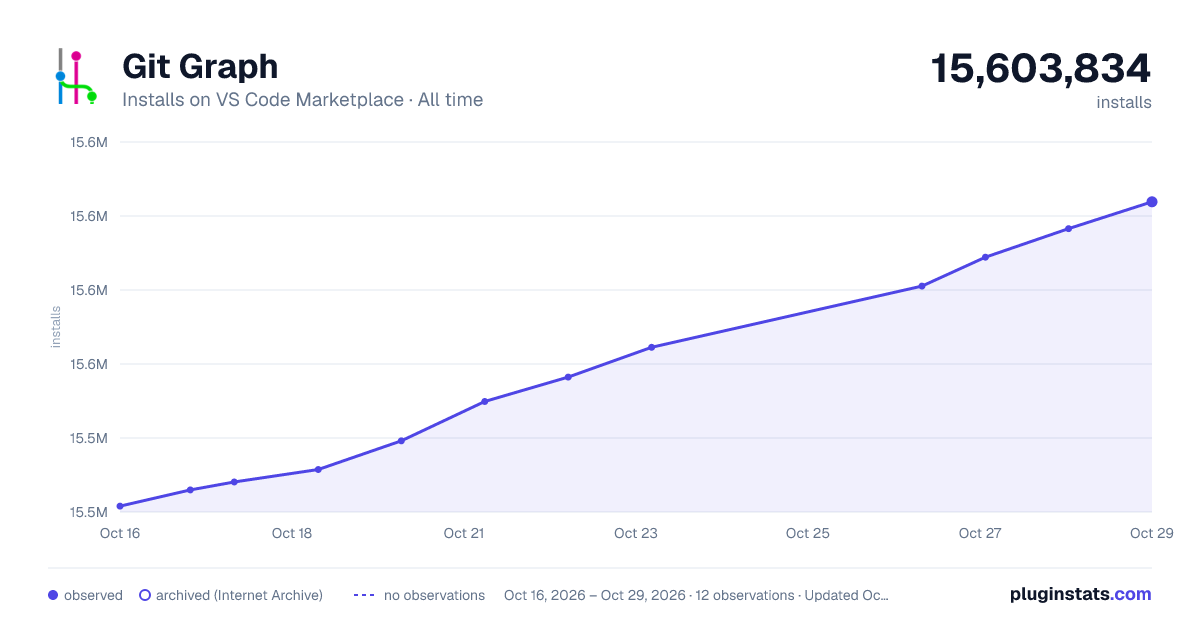
Git Graph has 15,528,116 recorded installs on VS Code Marketplace.
It ranks #72 of 2,500 tracked VS Code Marketplace listings by installs.
It is rated 4.9 out of 5 from 679 ratings.
PluginStats has 3 daily observations since Oct 16, 2026; the latest is from Oct 18, 2026.
Rating: 4.94 / 5 from 679 ratings
About Git Graph
Git Graph extension for Visual Studio Code
View a Git Graph of your repository, and easily perform Git actions from the graph. Configurable to look the way you want!
Features
• Git Graph View: • Display: • Local & Remote Branches • Local Refs: Heads, Tags & Remotes • Uncommitted Changes • Perform Git Actions (available by right clicking on a commit / branch / tag): • Create, Checkout, Delete, Fetch, Merge, Pull, Push, Rebase, Rename & Reset Branches • Add, Delete & Push Tags • Checkout, Cherry Pick, Drop, Merge & Revert Commits • Clean, Reset & Stash Uncommitted Changes • Apply, Create Branch From, Drop & Pop Stashes • View annotated tag details (name, email, date and message) • Copy commit hashes, and branch, stash & tag names to the clipboard • View commit details and file changes by clicking on a commit. On the Commit Details View you can: • View the Visual Studio Code Diff of any file change by clicking on it. • Open the current version of any file that was affected in the commit. • Copy the path of any file that was affected in the commit to the clipboard. • Click on any HTTP/HTTPS url in the commit body to open it in your default web browser. • Compare any two commits by clicking on a commit, and then CTRL/CMD clicking on another commit. On the Commit Comparison View you can: • View the Visual Studio Code Diff of any file change between the selected commits by clicking on it. • Open the current version of any file that was affected between the selected commits. • Copy the path of any file that was affected between the selected commits to the clipboard. • Code Review - Keep track of which files you have reviewed in the Commit Details & Comparison Views. • Code Review's can be performed on any commit, or between any two commits (not on Uncommitted Changes). • When a Code Review is started, all files needing to be reviewed are bolded. When you view the diff / open a file, it will then be un-bolded. • Code Reviews persist across Visual Studio Code sessions. They are automatically closed after 90 days of inactivity. • View uncommitted changes, and compare the uncommitted changes with any commit. • Hover over any commit vertex on the graph to see a tooltip indicating: • Whether the commit is included in the HEAD. • Which branches, tags and stashes include the commit. • Filter the branches shown in Git Graph using the 'Branches' dropdown menu. The options for filtering the branches are: • Show All branches • Select one or more branches to be viewed • Select from a user predefined array of custom glob patterns (by setting git-graph.customBranchGlobPatterns) • Fetch from Remote(s) _(available on the top control bar)_ • Find Widget allows you to quickly find one or more commits containing a specific phrase (in the commit message / date / author / hash, branch or tag names). • Repository Settings Widget: • Allows you to view, add, edit, delete, fetch & prune remotes of the repository. • Configure "Issue Linking" - Converts issue numbers in commit messages into hyperlinks, that open the issue in your issue tracking system. • Configure "Pull Request Creation" - Automates the opening and pre-filling of a Pull Request form, directly from a branches context menu. • Support for the publicly hosted Bitbucket, GitHub and GitLab Pull Request providers is built-in. • Custom Pull Request providers can be configured using the Extension Setting git-graph.customPullRequestProviders (e.g. for use with privately hosted Pull Request providers). Information on how to configure custom providers is available here. • Export your Git Graph Repository Configuration to a file that can be committed in the repository. It allows others working in the same repository to automatically use the same Git Graph configuration. • Keyboard Shortcuts (available in the Git Graph View): • CTRL/CMD + F: Open the Find Widget. • CTRL/CMD + H: Scrolls the Git Graph View to be centered on the commit referenced by HEAD. • CTRL/CMD + R: Refresh the Git Graph View. • CTRL/CMD + S: Scrolls the Git Graph View to the first (or next) stash in the loaded commits. • CTRL/CMD + SHIFT + S: Scrolls the Git Graph View to the last (or previous) stash in the loaded commits. • When the Commit Details View is open on a commit: • Up / Down: The Commit Details View will be opened on the commit directly above or below it on the Git Graph View. • CTRL/CMD + Up / CTRL/CMD + Down: The Commit Details View will be opened on its child or parent commit on the same branch. • If the Shift Key is also pressed (i.e. CTRL/CMD + SHIFT + Up / CTRL/CMD + SHIFT + Down), when branches or merges are encountered the alternative branch is followed. • Enter: If a dialog is open, pressing enter submits the dialog, taking the primary (left) action. • Escape: Closes the active dialog, context menu or the Commit Details View. • Resize the width of each column, and show/hide the Date, Author & Commit columns. • Common Emoji Shortcodes are automatically replaced with the corresponding emoji in commit messages (including all gitmoji). Custom Emoji Shortcode mappings can be defined in git-graph.customEmojiShortcodeMappings. • A broad range of configurable settings (e.g. graph style, branch colours, and more...). See the 'Extension Settings' section below for more information. • "Git Graph" launch button in the Status Bar • "Git Graph: View Git Graph" launch command in the Command Palette
Extension Settings
Detailed information of all Git Graph settings is available here, including: descriptions, screenshots, default values and types.…
Description from the VS Code Marketplace listing.
- action
- diff
- git
- graph
- visualise
Where Git Graph sits in the listing
Each band is one page of 20. Installs on a log scale. Placement is projected from installs, so it can differ from the marketplace's own sort order. Hover a dot to see the listing.


Charts
Images: 30d · 1y · all time · 1600×900 dark

Adoption over time


7/30/90-day growth


Filled points are observed values; hollow points come from Internet Archive snapshots of the listing page. Dashed segments span periods with no observations — values between points are not interpolated.
Recent observations
Full history (3)Similar VS Code Marketplace Other plugins
Data source
Install counts, average rating, and rating counts come from the public Visual Studio Marketplace gallery API. Installs are cumulative and exclude updates.
Listing: https://marketplace.visualstudio.com/items?itemName=mhutchie.git-graph. First seen Oct 16, 2026; last successful collection Oct 18, 2026. See the methodology.