 PluginStats
CodeSnap-plus installs statistics
By huibizhang · VS Code Marketplace · Other
📸 Take beautiful screenshots of your code in VS Code! And you can hightlight the line just by click.
CodeSnap-plus has 102,859 recorded installs on VS Code Marketplace, ranking #2324 of 2,501 tracked listings.
Rating: 5.00 / 5 from 7 ratings
About CodeSnap-plus
CodeSnap-plus
(Fork from CodeSnap-luo)
📸 Take beautiful screenshots of your code in VS Code! And you can hightlight the line just by click the line number.
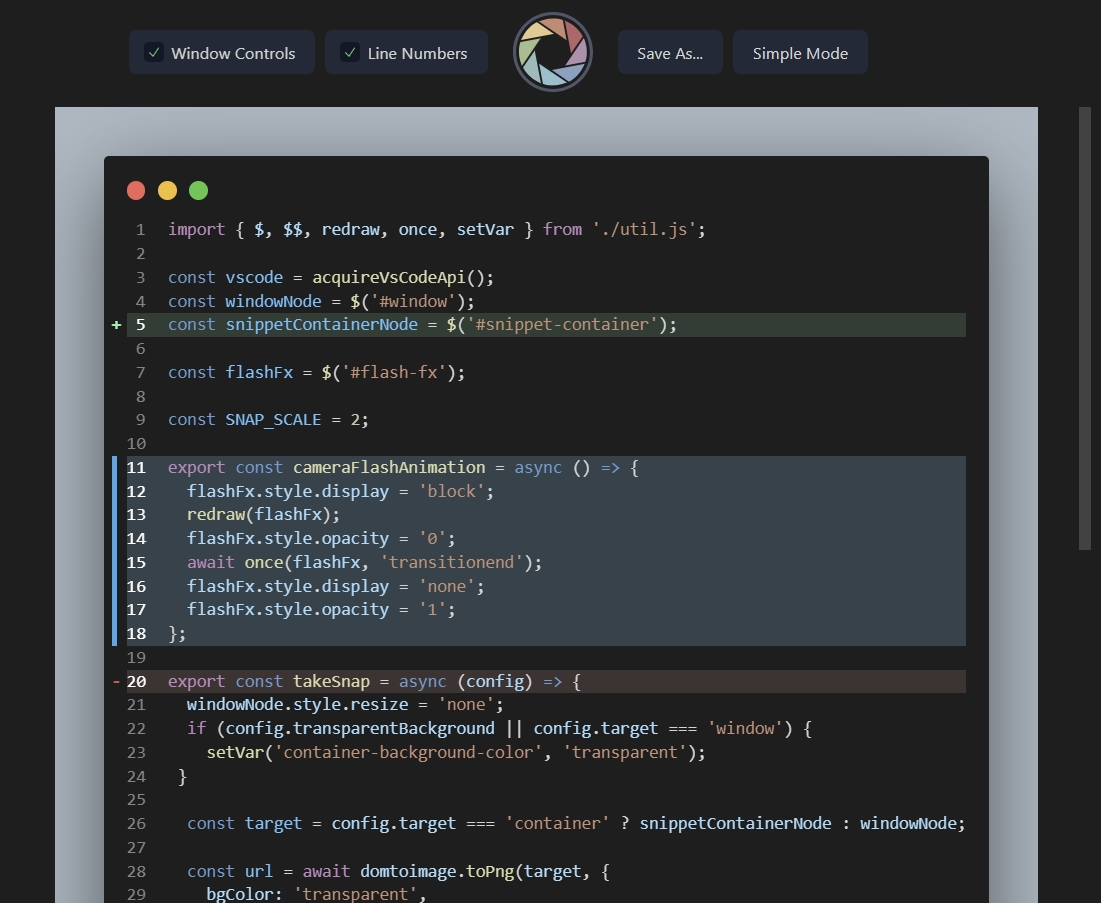
Features
- Can hightlight the line if you click line number
- hightlight have 3 styles:
- focus
- git-add
- git-remove
(For usage, can see the Hightlight Usage Instructions)
- Original features of CodeSnap
- Quickly save screenshots of your code
- Copy screenshots to your clipboard
- Show line numbers
- Many other configuration options
Basic Usage Instructions
- Open the command palette (Ctrl+Shift+P on Windows and Linux, Cmd+Shift+P on OS X) and search for
CodeSnap-plus. - Select the code you'd like to screenshot.
- Adjust the width of the screenshot if desired.
- Click the shutter button to save the screenshot to your disk.
Tips:
- You can also start CodeSnap by selecting code, right clicking, and clicking CodeSnap
- If you'd like to bind CodeSnap to a hotkey, open up your keyboard shortcut settings and bind
codesnap-plus.startto a custom keybinding. - If you'd like to copy to clipboard instead of saving, click the image and press the copy keyboard shortcut (defaults are Ctrl+C on Windows and Linux, Cmd+C on OS X), or bind
codesnap.shutterActiontocopyin your settings
Hightlight Usage Instructions
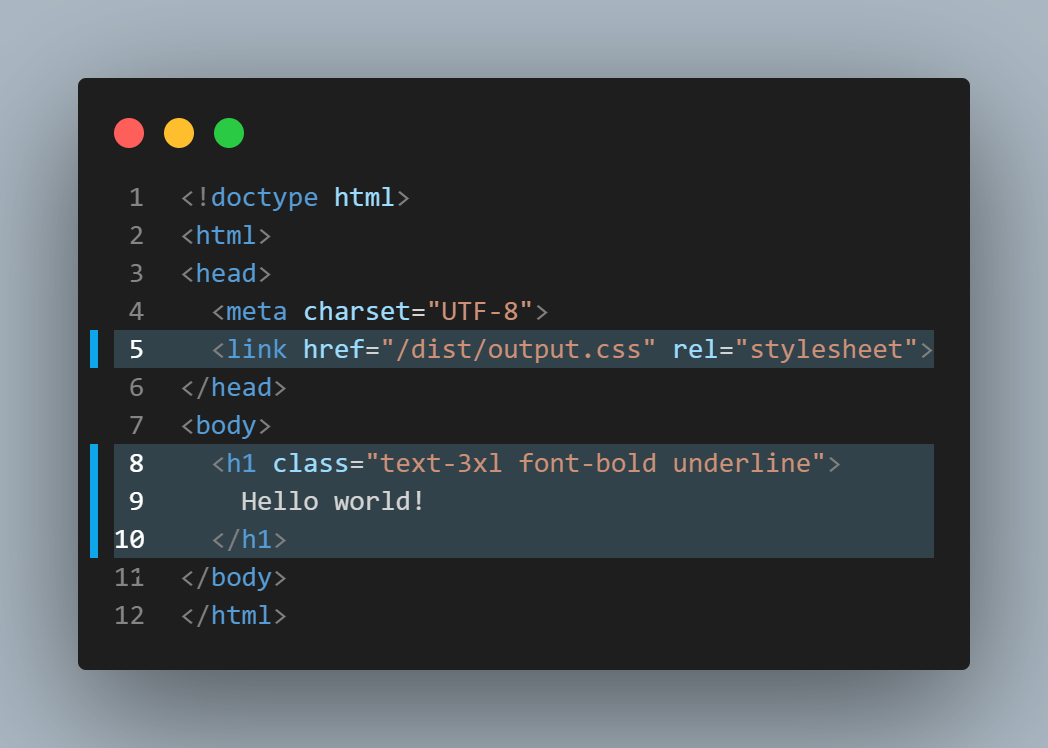
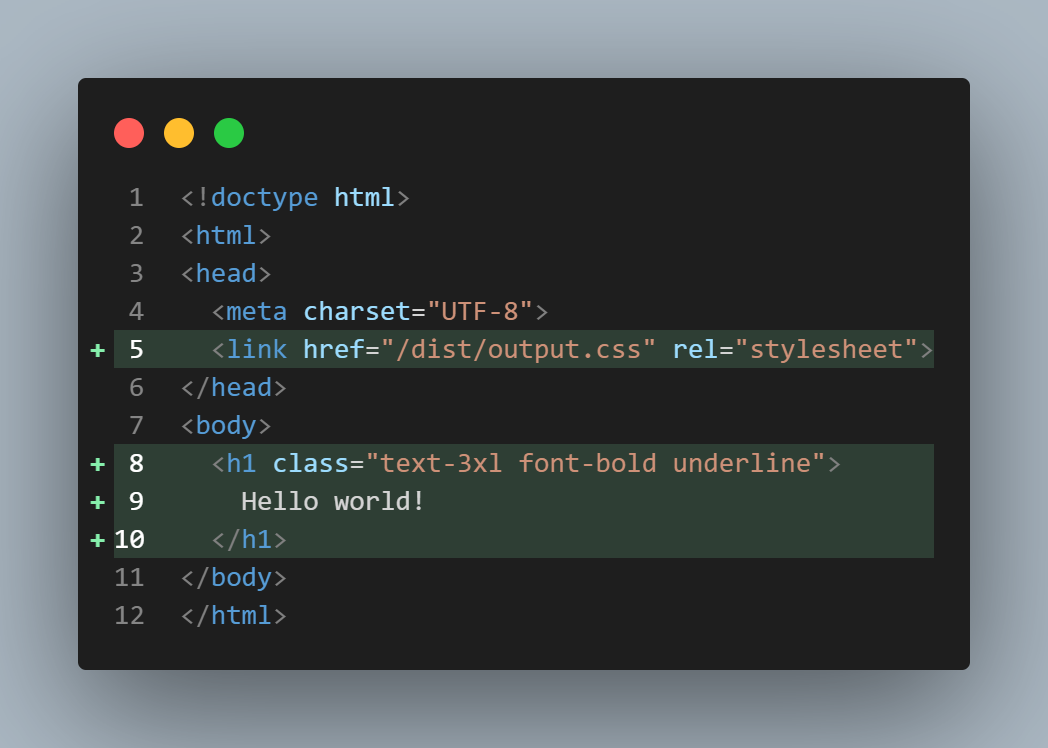
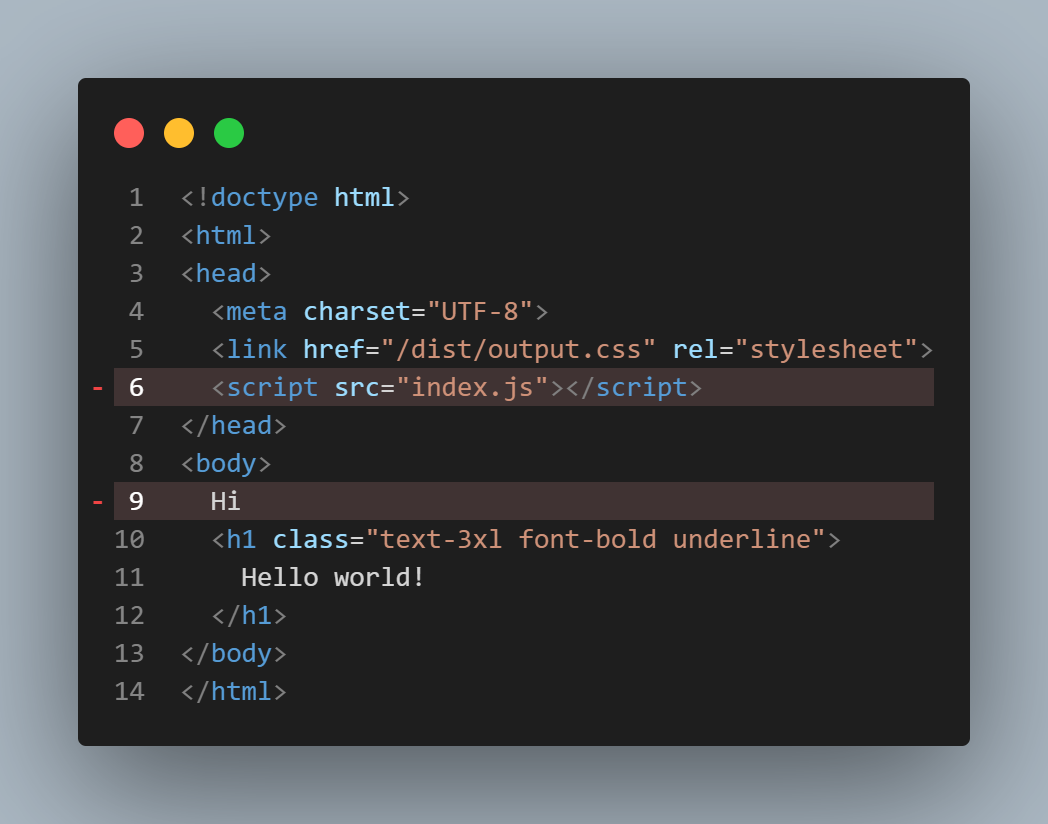
If you want to hightlight the line just click the line number, and the line will be hightlighted.
- Click once: Style focus
- Click twice: Style git-add
- Click thrice: Style git-remove
- Click four times: No hightlight
Examples
Hightlight Style: Focus
Hightlight Style: Git-Add
Hightlight Style: Git-Remove
Material Theme + Operator Mono
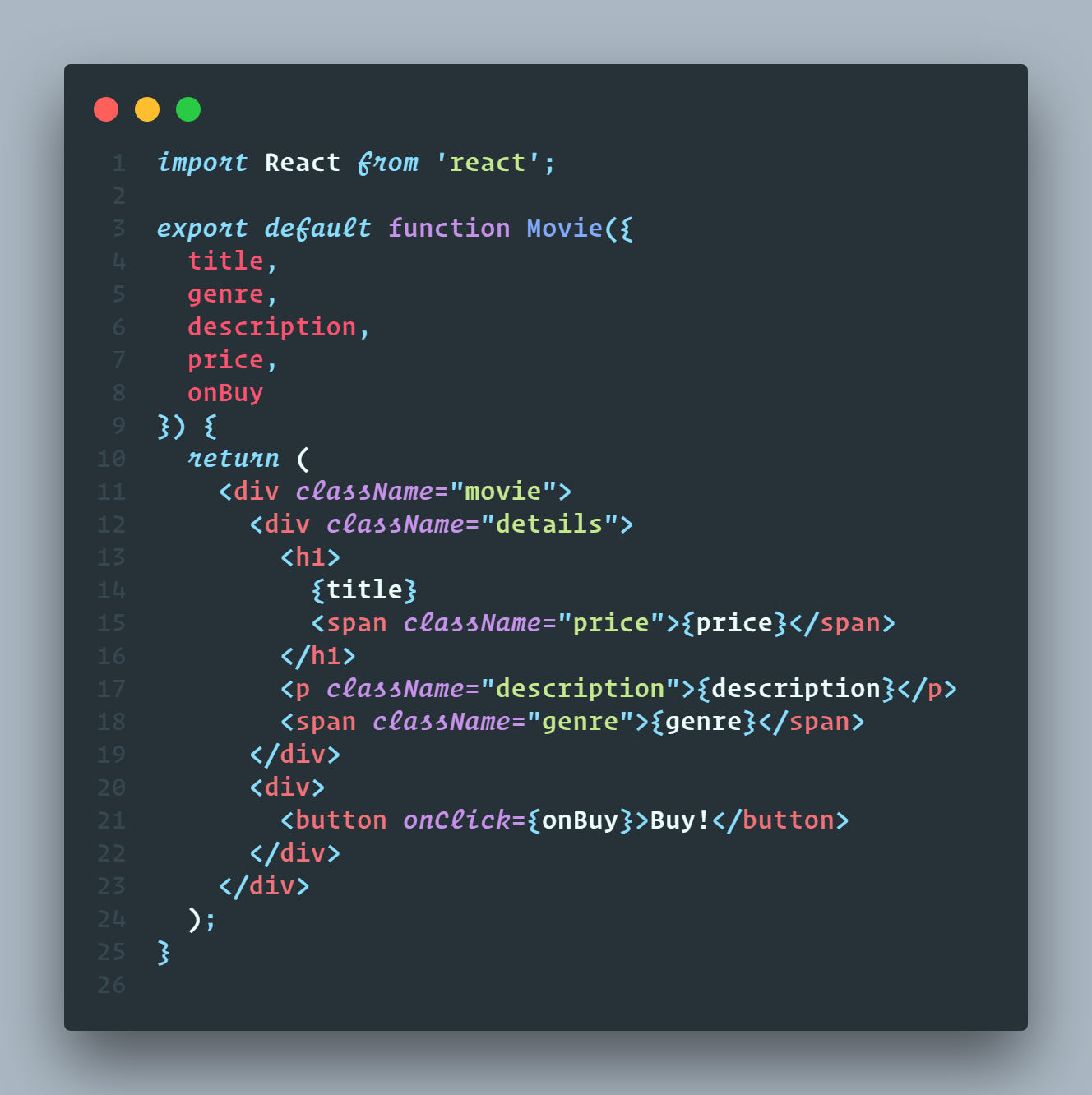
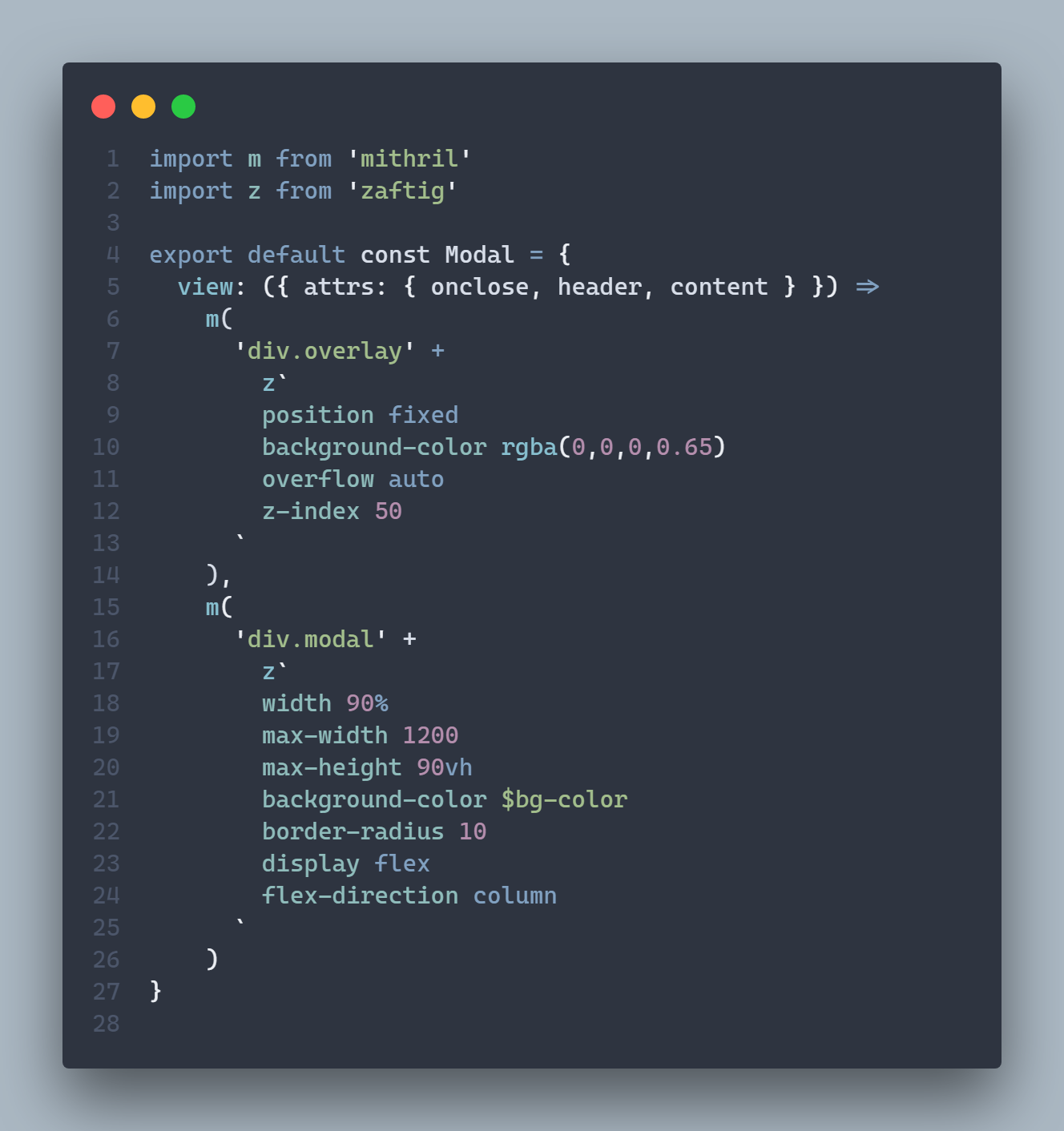
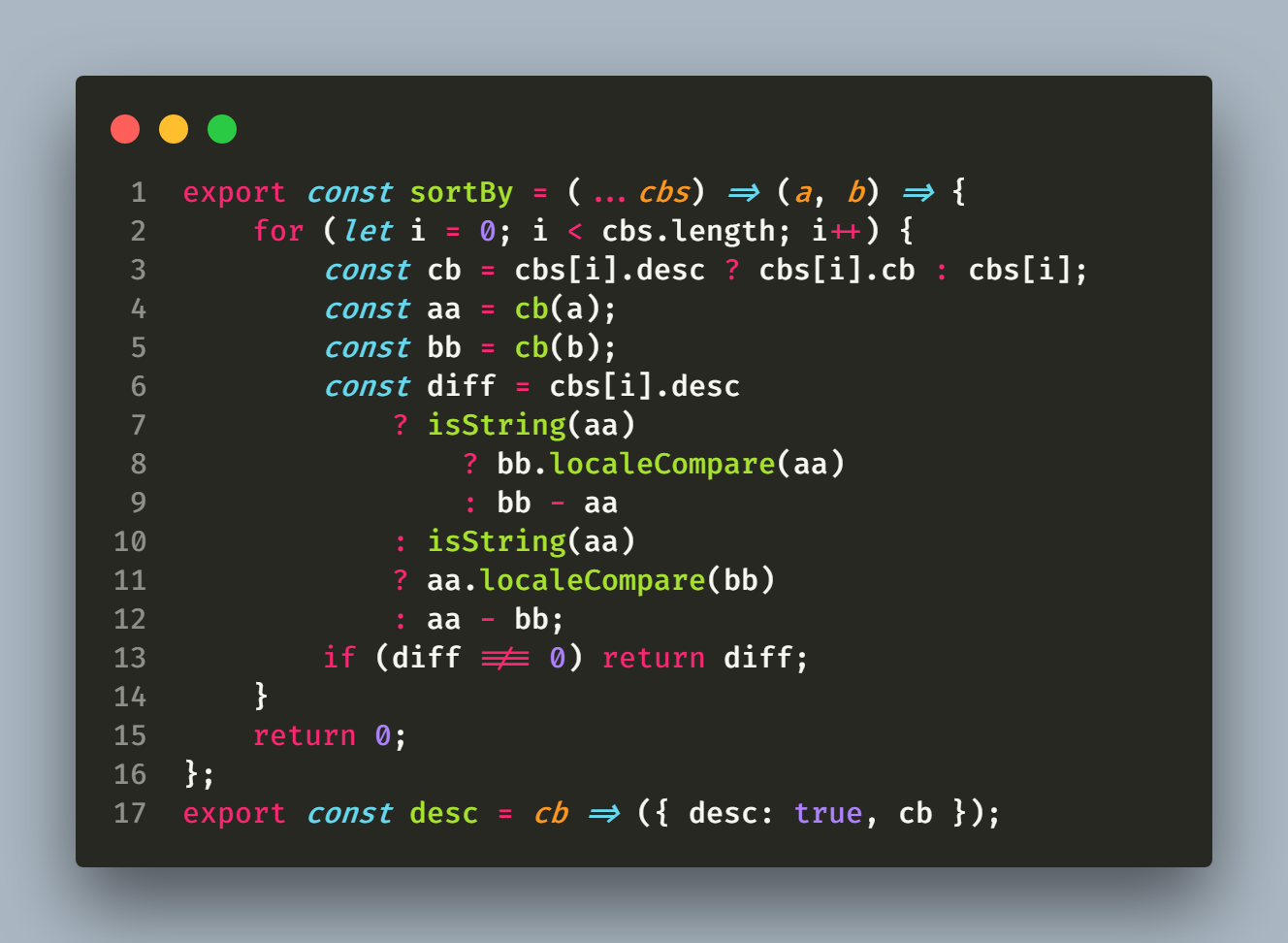
Monokai + Fira Code
Configuration
CodeSnap is highly configurable. Here's a list of settings you can change to tune the way your screenshots look:
codesnap-plus.backgroundColor: The background color of the snippet's container. Can be any valid CSS color.
codesnap-plus.boxShadow: The CSS box-shadow for the snippet. Can be any valid CSS box shadow.
codesnap-plus.containerPadding: The padding for the snippet's container. Can be any valid CSS padding.
codesnap-plus.roundedCorners: Boolean value to use rounded corners or square corners for the window.
codesnap-plus.showWindowControls: Boolean value to show or hide OS X style window buttons.
codesnap-plus.showWindowTitle: Boolean value to show or hide window title folder_name - file_name.
codesnap-plus.showLineNumbers: Boolean value to show or hide line numbers.
codesnap-plus.realLineNumbers: Boolean value to start from the real line number of the file instead of 1.
codesnap-plus.transparentBackground: Boolean value to use a transparent background when taking the screenshot.
codesnap-plus.target: Either container to take the screenshot with the container, or window to only take the window.
codesnap-plus.shutterAction: Either save to save the screenshot into a file, or copy to copy the screenshot into the clipboard.
codesnap-plus.toolMode: Either advaced to the tools on toolbar, or simple to only show the shutter button.
Acknowledgements
The great Polacode, for the initial concept.
Carbon for some design inspiration.
Description from the VS Code Marketplace listing.
- carbon
- clipboard
- codesnap-plus
- polacode
- screenshot
- share
- snap
- snippet
README badge
Show your rank in a README or on your website. The badge updates automatically.
Charts
Images: 30d · 1y · all time · 1600×900 dark
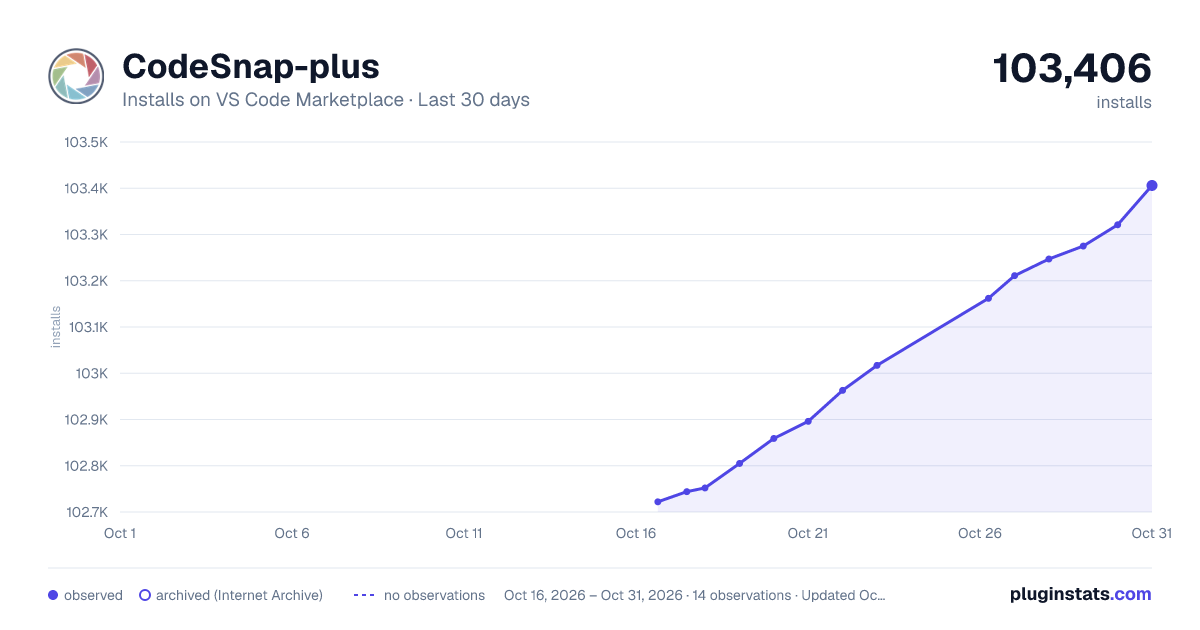
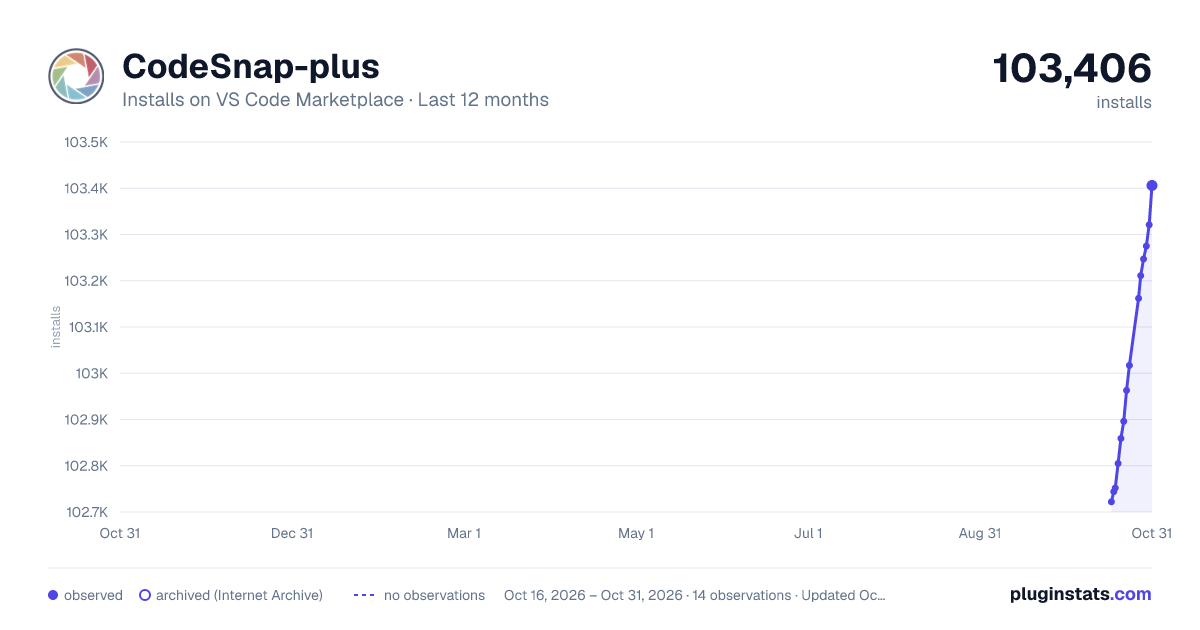
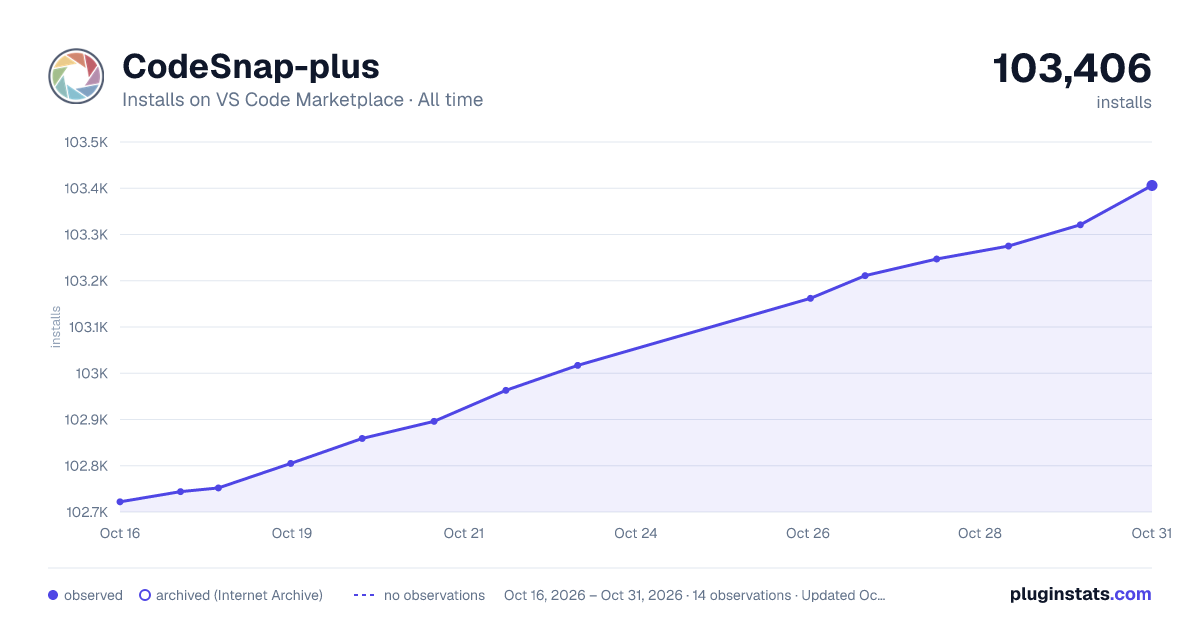

Adoption over time
7/30/90-day growth
Ranking history
Ratings over time
Listing placement
Listing placement
Filled points are observed values; hollow points come from Internet Archive snapshots of the listing page. Dashed segments span periods with no observations — values between points are not interpolated.
Each band is one page of 20. Installs on a linear scale. Placement is projected from installs, so it can differ from the marketplace's own sort order. Hover a dot to see the listing.
Recent observations
Full history (5)Similar VS Code Marketplace Other plugins
All 20 CodeSnap-plus alternativesData source
Install counts, average rating, and rating counts come from the public Visual Studio Marketplace gallery API. Installs are cumulative and exclude updates.
Listing: https://marketplace.visualstudio.com/items?itemName=huibizhang.codesnap-plus. First seen Oct 16, 2026; last successful collection Oct 20, 2026. See the methodology.