 PluginStats
PowerShell Pro Tools installs statistics
By Ironman Software · VS Code Marketplace · Other
Powerful extensions for PowerShell development.
PowerShell Pro Tools has 335,250 recorded installs on VS Code Marketplace.
It ranks #1076 of 2,500 tracked VS Code Marketplace listings by installs.
It is rated 3.2 out of 5 from 25 ratings.
PluginStats has 3 daily observations since Oct 16, 2026; the latest is from Oct 18, 2026.
Rating: 3.16 / 5 from 25 ratings
About PowerShell Pro Tools
PowerShell Pro Tools
PowerShell Pro Tools for VS Code is now free!
PowerShell Pro Tools adds script packaging, Form Designers, variable explorer, VS Code automation and more!
❔ About Powershell Pro Tools 📕 Documentation 🧾 Changelog 🐛 Issues
Installation
Learn More
Features
• Automate Visual Studio Code • Debugging Helpers • Run in new Terminal • One-Click Attach • .NET Decompiler • Enhanced Hover • AST Hover • Variable Value and Type Hover • Generate UI from a Function • Generate Tool from a Function • Compile to Executable • PowerShell Explorer • AST Explorer • Custom Tree View • History Explorer • Host Process Explorer • Modules Explorer • Providers Explorer • Reflection Explorer • Session Explorer • Variables Explorer • Profiler • Pin Session • Sign On Save • RapidSense • Refactoring • Convert to $_ • Convert to $PSItem • Convert to Multiline Command • Convert to Splat • Export Module Member • Extract Function • Extract Selection to File • Generate Function from Usage • Generate Proxy Function • Introduce Using Namespace • Reorder Parameters • Split Pipeline • Rename Symbol • Out-VSCodeGridView • Quick Scripts • Windows Forms Designer
Automate Visual Studio Code
You can automate Visual Studio Code with PowerShell scripts. Script repetitive actions and make your own tools without having to build extensions.
Available Commands
Open Documents
Close Text Editors
Get Document Text
Insert Document Text
Remove Document Text
Setting Text Decorations
Send Text to a Terminal
Showing Messages
Showing Messages with a Response
Showing a Quick Pick List
Showing an Input Box
Setting the Status Bar Message
Debugging Helpers
Run in New Terminal
Execute a PowerShell script in a new terminal instead of the integrated terminal.
One-Click Attach
Attached to external PowerShell hosts for debugging.
See it in action
.NET Decompiler
Decompile .NET types that are loaded into your PowerShell session.
Enhanced Hover
Enhanced hover support provides additional information about symbols within PowerShell scripts.
AST Hover
Variable Value and Type Hover
Generate UI from a Function
The PowerShell: Generate Windows Form command will generate a Windows form based on the function defined within a PS1 file.
Learn More
Generate Tool from a Function
The PowerShell Pro Tools: Generate Tool command will generate a form and compile it to an executable based on the function defined within a PS1 file.
Learn More
Compile to Executable
You can compile PowerShell scripts into executables using the Package Script as Exe function. Customize packaging with a package.psd1 file to create PowerShell 7 executables, services, hide the console window and more.
Learn More
Pin Session
Pin a session to a document to quickly switch between PowerShell instances.
PowerShell Explorer
The PowerShell Explorer displays an tree view with numerous sections developed for different aspects of your PowerShell environment.
AST Explorer
Custom Tree View
History Explorer
Host Process Explorer
Jobs Explorer
Modules Explorer
Providers Explorer
Reflection Explorer
Session Explorer
Variables Explorer
Profiler
Profile the performance of scripts and view the timing within VS Code.
Sign On Save
Sign scripts when they are saved with a configurable code-signing certificate.
RapidSense
Enable high performance, configurable IntelliSense for PowerShell in VS Code.
Learn More
Refactoring
Quickly adjust scripts with refactoring commands.
Convert to $_
Convert to $PSItem
Convert to Multiline Command
Convert to Splat
Export Module Member
Extract Function
Extract Selection to File
Generate Function from Usage
Generate Proxy Function
Introduce Using Namespace
Reorder Parameters
Split Pipeline
Rename Symbol
Out-VSCodeGridView
Out-GridView support for VS Code. Pipe your data directly to Out-VSCodeGridView and view it in the VS Code web view.
Quick Scripts
Bookmark scripts found anywhere on your system and access them in any workspace.
Windows Forms Designer
Design Windows Forms using the Windows Form Designer integrated with VS Code.
Description from the VS Code Marketplace listing.
- csharp
- keybindings
- powershell
- windowsforms
Where PowerShell Pro Tools sits in the listing
Each band is one page of 20. Installs on a log scale. Placement is projected from installs, so it can differ from the marketplace's own sort order. Hover a dot to see the listing.


Charts
Images: 30d · 1y · all time · 1600×900 dark
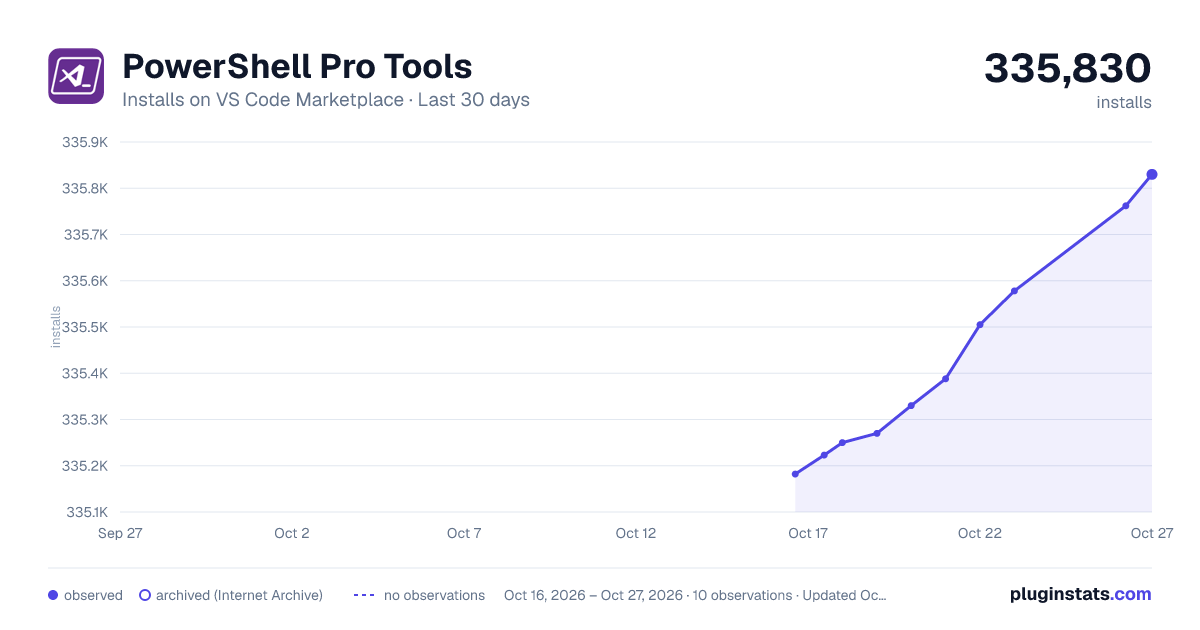
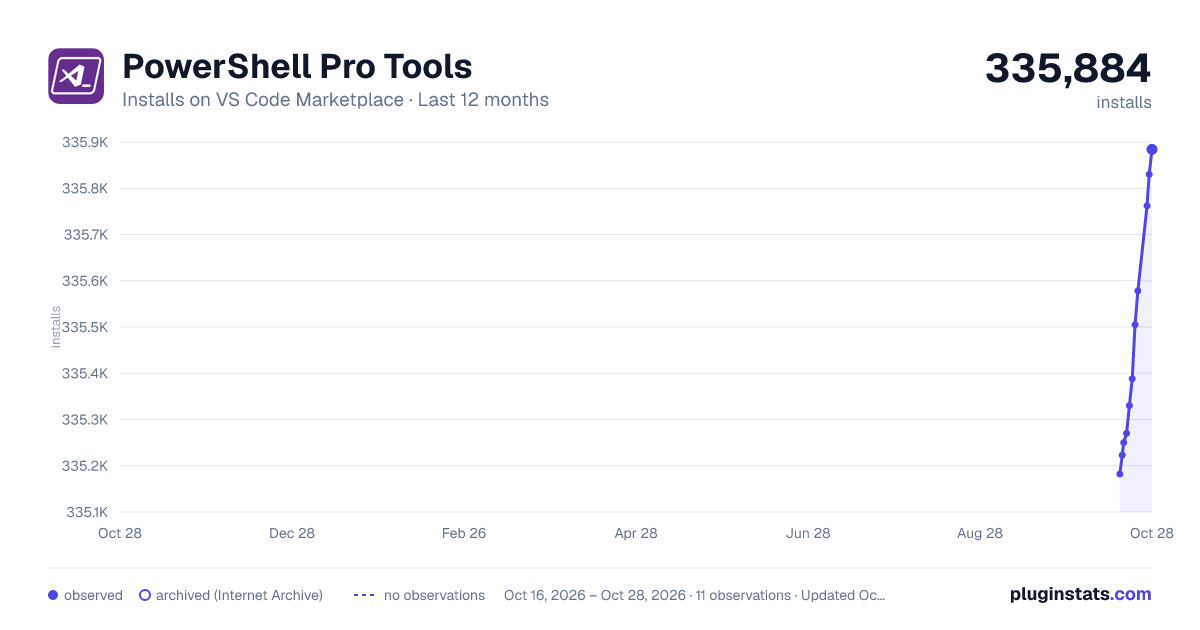
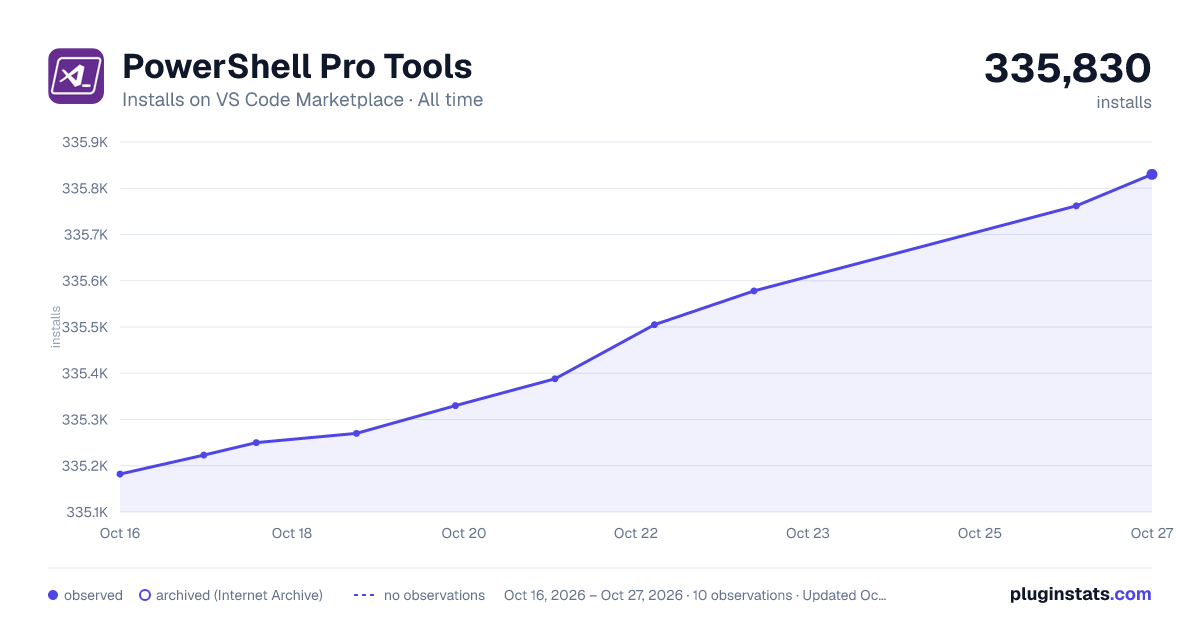

Adoption over time


7/30/90-day growth


Ranking history


Filled points are observed values; hollow points come from Internet Archive snapshots of the listing page. Dashed segments span periods with no observations — values between points are not interpolated.
Recent observations
Full history (3)Similar VS Code Marketplace Other plugins
Data source
Install counts, average rating, and rating counts come from the public Visual Studio Marketplace gallery API. Installs are cumulative and exclude updates.
Listing: https://marketplace.visualstudio.com/items?itemName=ironmansoftware.powershellprotools. First seen Oct 16, 2026; last successful collection Oct 18, 2026. See the methodology.