 PluginStats
Express installs statistics
By Compulim (2 listings) · VS Code Marketplace · Other
Hosts current workspace with Express web server
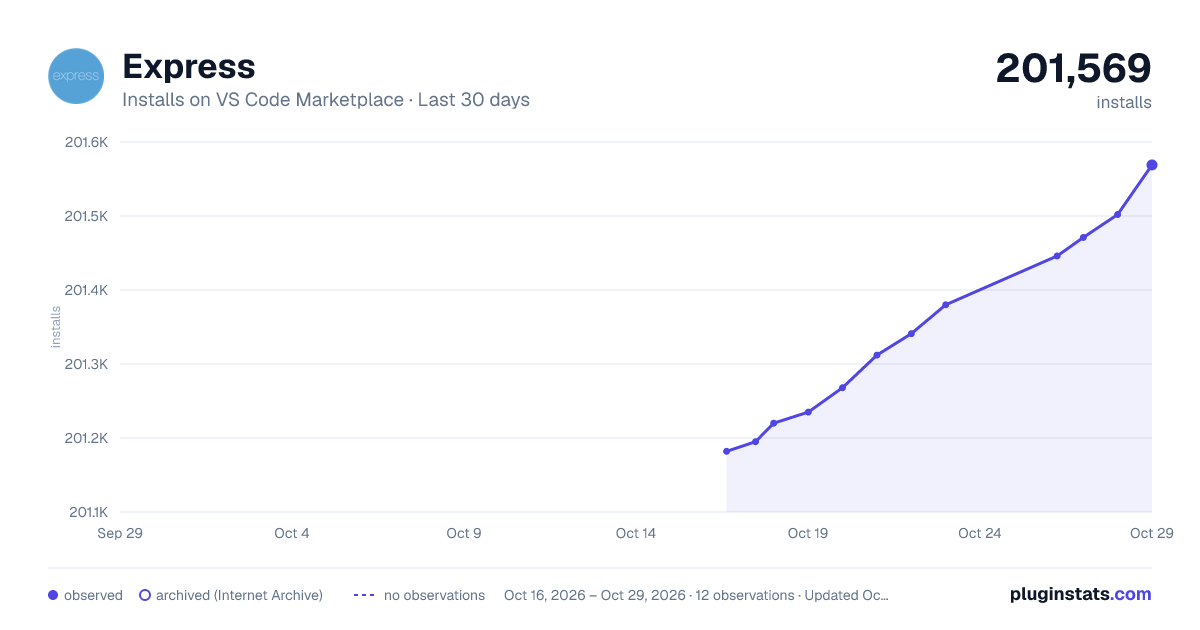
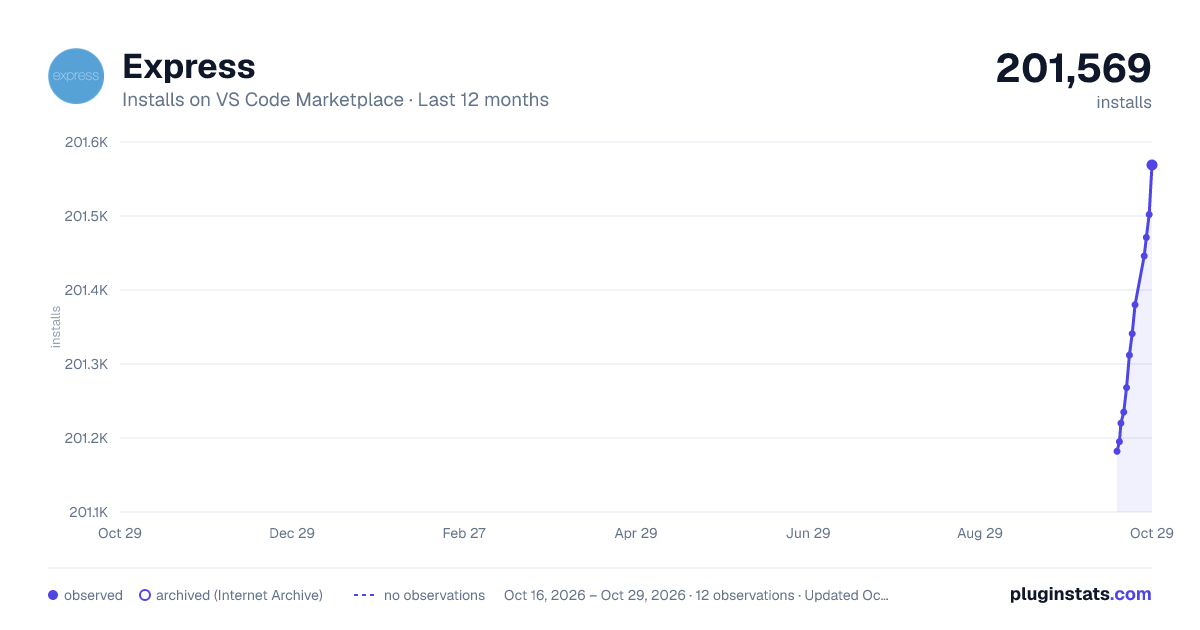
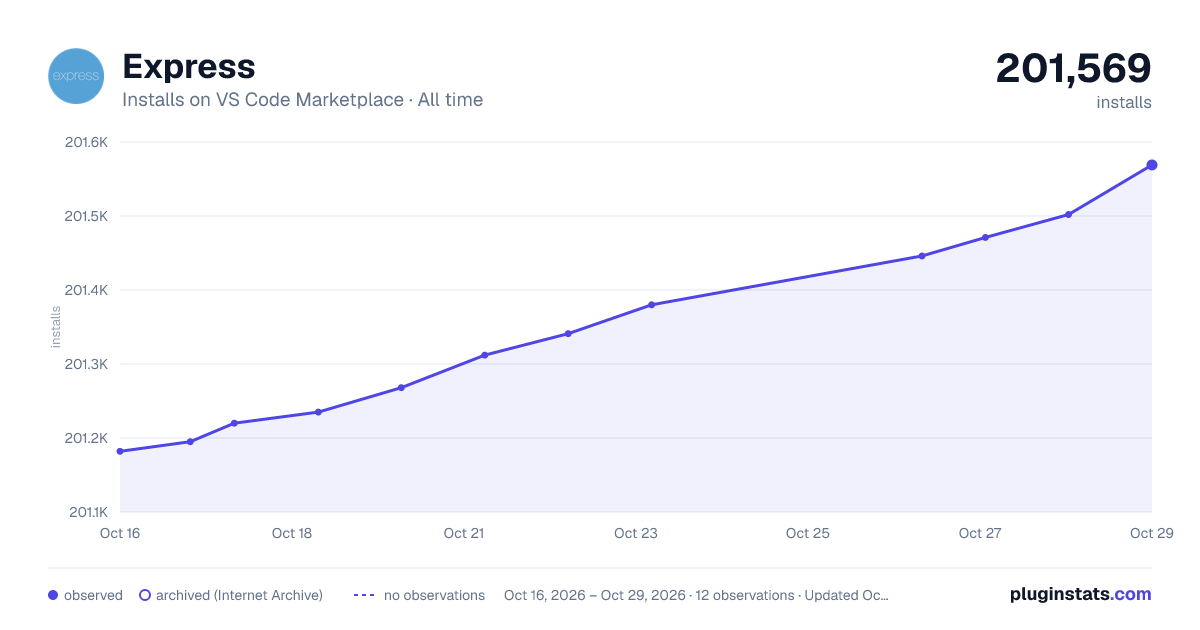
Express has 201,220 recorded installs on VS Code Marketplace.
It ranks #1501 of 2,500 tracked VS Code Marketplace listings by installs.
It is rated 4.5 out of 5 from 6 ratings.
PluginStats has 3 daily observations since Oct 16, 2026; the latest is from Oct 18, 2026.
Rating: 4.50 / 5 from 6 ratings
About Express
Express
Hosts current workspace with Express web server in Visual Studio Code
Usage
To host your current workspace in Express with default port number (80), and then open in your default browser. • Bring up Command Palette (F1, or Ctrl+Shift+P on Windows and Linux, or Shift+CMD+P on OSX) • Type or select "Express: Host current workspace and open in browser"
When Express is up and ready, an icon will show up in the status bar . You can click on it to open your site in browser.
Commands
| Command | Title |
| express.hostWorkspace(portNumber) | Express: Host Current Workspace | | express.hostWorkspaceAndOpenInBrowser(portNumber) | Express: Host Current Workspace and Open in Browser | | express.hostWorkspaceWithRandomPort | Express: Host Current Workspace with Random Port Number | | express.hostWorkspaceWithRandomPortAndOpenInBrowser | Express: Host Current Workspace with Random Port Number and open in browser | | express.openInBrowser | Express: Open Currently Hosted Website in Browser | | express.showOutput | Express: Show Output | | express.stopServer | Express: Stop Server |
Preferences
By default, the Express server is hosted on port 80. You can configure it to different port in preferences.
Tips: Settings can be shared across team when overridden by workspace settings and checked into source control.
Change log
• 0.0.5 (2016-05-31) • Feature: Force close active connections on shutdown • 0.0.4 (2016-03-24): Update extension description • 0.0.3 (2016-03-16) • Show every request in output when server start • 0.0.2 (2016-03-16) • Support both pre-configured or random port number • Call vscode.commands.executeCommand('express.hostWorkspace', 8080) to host on port 8080 • Automatically stop server when extension is being deactivated • 0.0.1 (2016-03-14): First public release
Contributions
Love this extension? Star us!
Want to make this extension even more awesome? Send us your wish.
Hate how it is working? File an issue to us.
Description from the VS Code Marketplace listing.
- express
- expressjs
- hosting
- web
- web server
Where Express sits in the listing
Each band is one page of 20. Installs on a log scale. Placement is projected from installs, so it can differ from the marketplace's own sort order. Hover a dot to see the listing.


Charts
Images: 30d · 1y · all time · 1600×900 dark

Adoption over time


7/30/90-day growth


Filled points are observed values; hollow points come from Internet Archive snapshots of the listing page. Dashed segments span periods with no observations — values between points are not interpolated.
Recent observations
Full history (3)Similar VS Code Marketplace Other plugins
Data source
Install counts, average rating, and rating counts come from the public Visual Studio Marketplace gallery API. Installs are cumulative and exclude updates.
Listing: https://marketplace.visualstudio.com/items?itemName=Compulim.vscode-express. First seen Oct 16, 2026; last successful collection Oct 18, 2026. See the methodology.