 PluginStats
Python Auto Venv installs statistics
By WolfiesHorizon · VS Code Marketplace · Other
Automatically selects the virtual environment found in the directory of your current file.
Python Auto Venv has 146,238 recorded installs on VS Code Marketplace.
It ranks #1885 of 2,500 tracked VS Code Marketplace listings by installs.
PluginStats has 3 daily observations since Oct 16, 2026; the latest is from Oct 18, 2026.
About Python Auto Venv
Python Auto Venv (Archived)
WARNING: This package has been archived due to not having time to support it after the official Python extension to VS Code released an update that removed support for changing the venv path from a local settings file. Anyone who wishes to continue on this project is free to do so under the current licence.
This extension will automatically set the Python virtual environment based on the file that you are currently editing. This is useful for workspaces that contain more than one project with their own virtual environment.
You can find it in the VS Code marketplace here.
Features
Virtual Environment Selection
By opening up a Python script, this extension will figure out the best suitable virtual environment to use based on where the file is located. It effectively solves the issue of intellisense not functioning in a multi-project repository with separate virtual environments.
In order to use pipenv for detecting environments, you must first enable it in the settings for this extension. You can also specify a specific path for pipenv if necessary.
Please note that this extension operates by changing the python.pythonPath property in .vscode/settings.json in the root workspace directory. This means that for the best results, you should avoid having this file checked into version control since it's expected to change frequently and might cause conflicts with other people.
Automatic Installation of Virtual Environments
If you wish for this extension to automatically install virtual environments for you based on detection of for example Pipfile or requirements.txt (this can be configured), you can enable it in the settings by the property pythonautovenv.autoInstall.
Once enabled, it will automatically install one of Pipfile, requirements-dev.txt, or requirements.txt in that specific order. The first file that is detected will be used. You can override these if you desire, but be aware that the names of the files will be used to pick a different installation method. You can read more about the default installation behavior below.
If you wish to enable installation of files with other filenames, you can specify it in the pythonautovenv.installVenvFiles property in settings. However, if the filename doesn't match the expectations of the default installation behavior, you must define a custom installation command (see below for more information).
Manual Installation / Uninstallation of Virtual Environments
Virtual environments can also be installed through the command pythonautovenv.installVenv (Python Auto Venv: Install Virtual Environment) and uninstalled through the command pythonautovenv.uninstallVenv (Python Auto Venv: Uninstall Virtual Environment).
This will work the same as the automatic installation mentioned above, with the exception that it's triggered manually instead.
Custom Install/Uninstall Command
If you wish to use any other method of installing any of these files (or any other files that you might use) you can specify the pythonautovenv.installVenvCommand property in your settings. If the path to the file in particular is needed you can use $1 as an alias inside the command. If this property is empty, the default behavior will be used, which you can read more about below.
If you need even more command over which command is being used for installing virtual enviroments based on the file detected, you can specify them in the pythonautovenv.installVenvCommandForFile property in your settings, which is an object with the key being the file name and the value being the command. The command works exactly like it's mentioned above.
The same information applies to uninstallation using the properties pythonautovenv.uninstallVenvCommand and pythonautovenv.uninstallVenvCommandForFile.
Default Installation Behavior
The default installation behavior will depend on the file detected.
For any Pipfile, Pipenv will be used to install the dependencies using pipenv --bare sync --dev if a Pipfile.lock was found, otherwise pipenv --bare install --dev.
For any file starting with requirements and the .txt file extension will be installed using pip install -r requirements.txt.
Any other file will be ignored by the default installation behaviour.
Default Uninstallation Behavior
The default uninstallation behavior will depend on the file detected.
For any Pipfile, Pipenv will be used to uninstall the virtual environment using pipenv --rm.
For any file starting with requirements and the .txt file extension, the virtual environment will be uninstalled by removing the directory (defined by the pythonautovenv.venvDirectoryNames settings property).
Any other file will be ignored by the default uninstallation behaviour.
Requirements
You must have the Python extension installed with all of its requirements for this extension to work.
This extension also makes use of Pipenv if set to preferred or by installing Pipfile's.
Description from the VS Code Marketplace listing.
- environment
- python
- venv
- virtual
Where Python Auto Venv sits in the listing
Each band is one page of 20. Installs on a log scale. Placement is projected from installs, so it can differ from the marketplace's own sort order. Hover a dot to see the listing.


Charts
Images: 30d · 1y · all time · 1600×900 dark
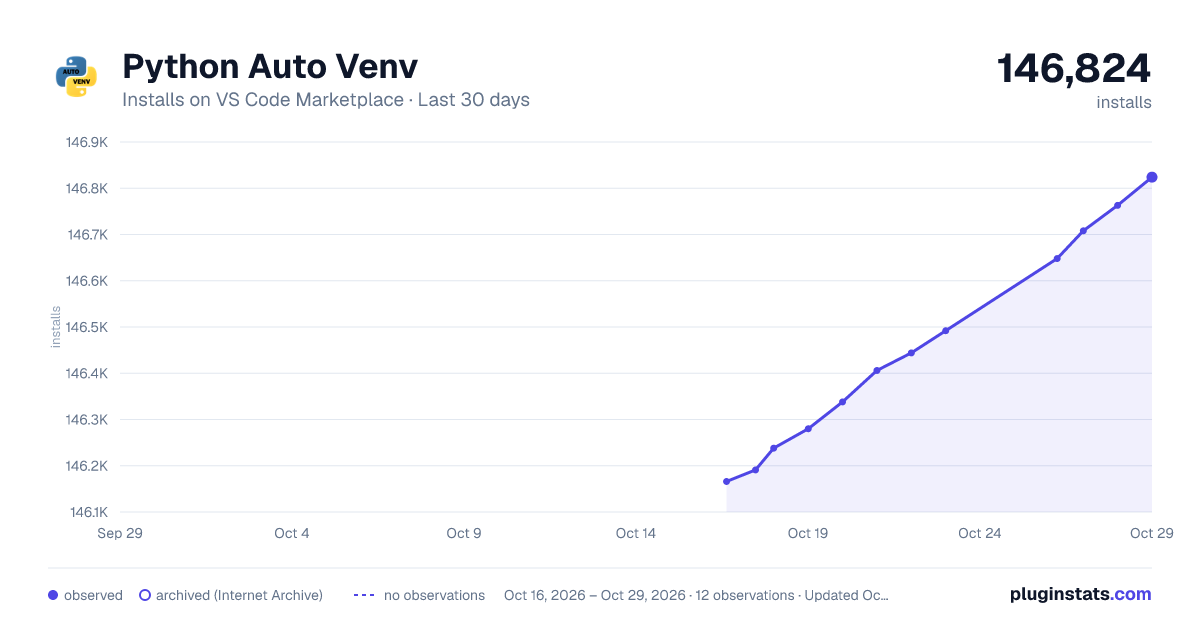
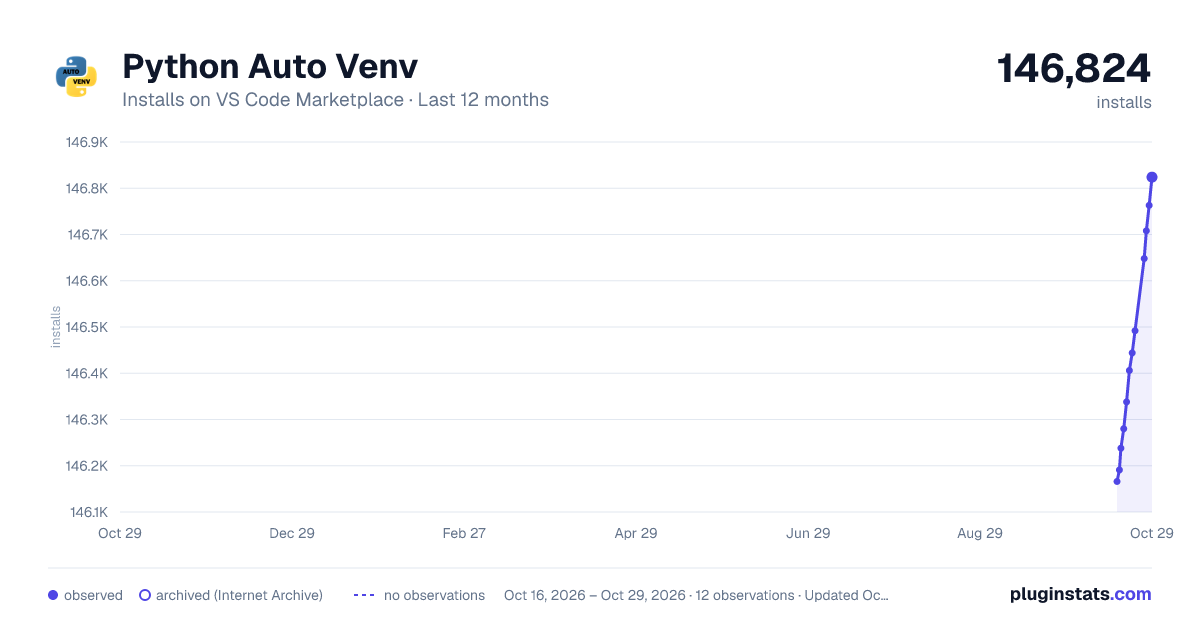
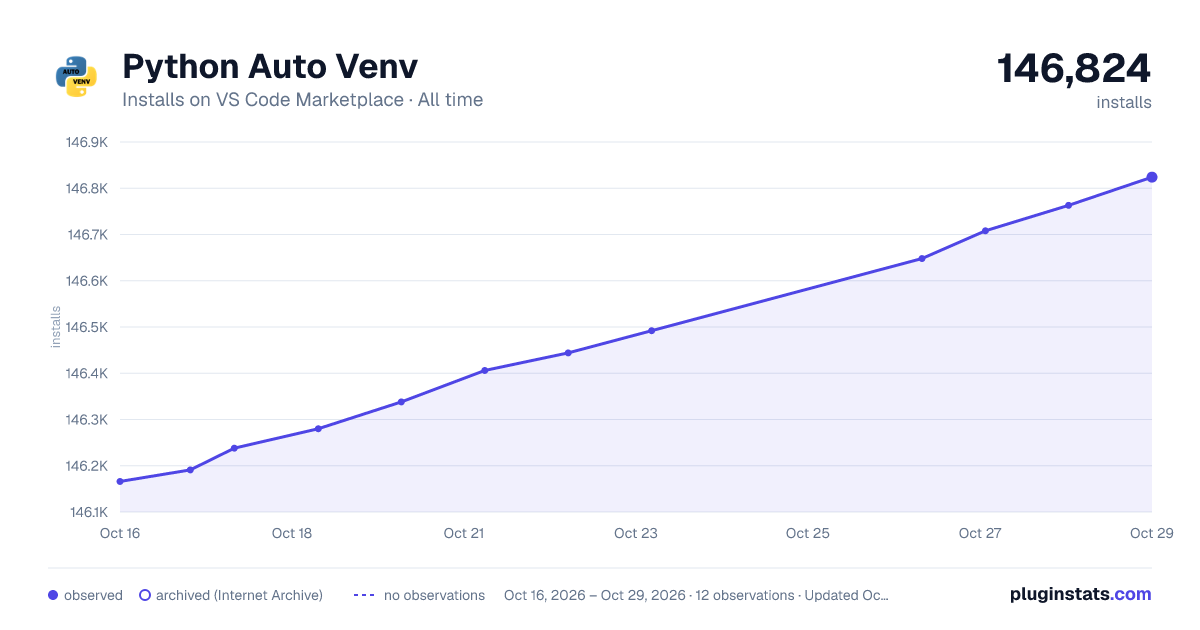

Adoption over time


7/30/90-day growth


Ranking history


Filled points are observed values; hollow points come from Internet Archive snapshots of the listing page. Dashed segments span periods with no observations — values between points are not interpolated.
Recent observations
Full history (3)Similar VS Code Marketplace Other plugins
Data source
Install counts, average rating, and rating counts come from the public Visual Studio Marketplace gallery API. Installs are cumulative and exclude updates.
Listing: https://marketplace.visualstudio.com/items?itemName=WolfiesHorizon.python-auto-venv. First seen Oct 16, 2026; last successful collection Oct 18, 2026. See the methodology.