 PluginStats
Project Manager installs statistics
By Alessandro Fragnani (8 listings) · VS Code Marketplace · Other
Easily switch between projects
Project Manager has 7,622,197 recorded installs on VS Code Marketplace.
It ranks #124 of 2,500 tracked VS Code Marketplace listings by installs.
It is rated 4.8 out of 5 from 145 ratings.
PluginStats has 3 daily observations since Oct 16, 2026; the latest is from Oct 18, 2026.
Rating: 4.77 / 5 from 145 ratings
About Project Manager
What's new in Project Manager 13.1
• Improved Tags support • Improved auto-detected projects support • Fully Open Source again • Adds Profile support • Highlights the current project in the Side Bar • Published to Open VSX • Adds Getting Started / Walkthrough • Organize your projects with Tags • Adds Virtual Workspaces support • Adds Workspace Trust support
Support
Project Manager is an extension created for Visual Studio Code. If you find it useful, please consider supporting it.
Project Manager
It helps you to easily access your projects, no matter where they are located. _Don't miss those important projects anymore_.
You can define your own Projects (also called Favorites), or choose for auto-detect Git, Mercurial or SVN repositories, VSCode folders, or any other folder.
Here are some of the features that Project Manager provides:
• Save any folder or workspace as a Project • Auto-detect Git, Mercurial or SVN repositories • Organize your projects using Tags • Open projects in the same or new window • Identify _deleted/renamed_ projects • A Status Bar which identifies the current project • A dedicated Side Bar
Features
Available Commands
• Project Manager: Save Project Save the current folder/workspace as a new project • Project Manager: Edit Project Edit your projects manually (projects.json) • Project Manager: List Projects to Open List all saved/detected projects and pick one • Project Manager: List Projects to Open in New Window List all saved/detected projects and pick one to be opened in New Window • Project Manager: Filter Projects by Tag Filter the Favorite projects by selected tags
Manage your projects
Save Project
You can save the current folder/workspace as a Project at any time. You just need to type its name.
It suggests a name to you _automatically_ :)
Edit Projects
For easier customization of your project list, you can edit the projects.json file, directly inside Code. Just execute Project Manager: Edit Projects and the projects.json file is opened. Simple as this:
You can use ~ or $home while defining any path. It will be replaced by your HOME folder.
Be sure that the JSON file is well-formed. Otherwise, Project Manager will not be able to open it, and an error message like this should appear. In this case, you should use the Open File button to fix it.
Access
List Projects to Open
Shows your projects and select one to open.
List Projects to Open in New Window
Just like List Projects but always opening in New Window.
Keyboard Focused Users
If you are a keyboard focused user and uses _Vim like_ keyboard navigation, you can navigate thru the project list with your own keybindings.
Just use the when clause "inProjectManagerList", like:
Working with Remotes
The extension support Remote Development scenarios, and you may choose how to use it, depending on your needs
I access Remotes, but most of my work is Local
This is the _regular_ scenario, and that's why you don't need to do anything special for the extension to work. It works out of the box.
When installed locally, you can save any Container, SSH, WSL or Codespaces projects as Favorites. Each one will have its own icon to be properly identified, and when you select them, VS Code will open the remote automatically.
_It just works_
But what if I do most of my work on Remotes
If you normally connect to remotes (like SSH/WSL) and would like to save Favorite projects on that remote, or to be able to auto-detect repos located on that remote, you must activate/install the extension to work on remotes.
You just have to add the lines below on your User Settings.
More details on VS Code documentation
Available Settings
You can choose how your projects are sorted
• Saved: The order that you saved the projects • Name: The name that you typed for the project • Path: The full path of the project • Recent: The recently used projects • Choose if the project list must be grouped by its _kind_ (Favorites, Git, Mercurial, SVN and VS Code). • Should the current project be removed from the list? (false by default) • Should identify _invalid paths_ on project list? (true by default) • Should support symlinks on baseFolders? (false by default) • Should show the parent folder info when projects with same name are detected? (false by default) • Filter Projects Through Full Path (false by default) • Custom projects file (projects.json) location
If you intend to _share_ projects between Stable and Insider installations, or if you store your settings in different locations (cloud services), you can indicate an _alternative_ location (folder path) for the projects.json file.
You can use ~ or $home while defining the folder path. It will be replaced by your HOME folder.
• Automatic Detection of Projects (Git , Mercurial , SVN and VSCode )
Indicates folders or glob patterns to search for projects
Indicates folders or glob patterns to be ignored when searching for projects
Define how deeps it should search for projects
• Exclude the base folders themselves from the auto-detected projects list (false by default)
When enabled, the Any base folders configured in projectManager.any.baseFolders are not returned as projects themselves, only their matching subfolders are.…
Description from the VS Code Marketplace listing.
- folder
- git
- keybindings
- manage
- mercurial
- multi-root ready
- project
- svn
- switch
- workspace
Where Project Manager sits in the listing
Each band is one page of 20. Installs on a log scale. Placement is projected from installs, so it can differ from the marketplace's own sort order. Hover a dot to see the listing.


Charts
Images: 30d · 1y · all time · 1600×900 dark
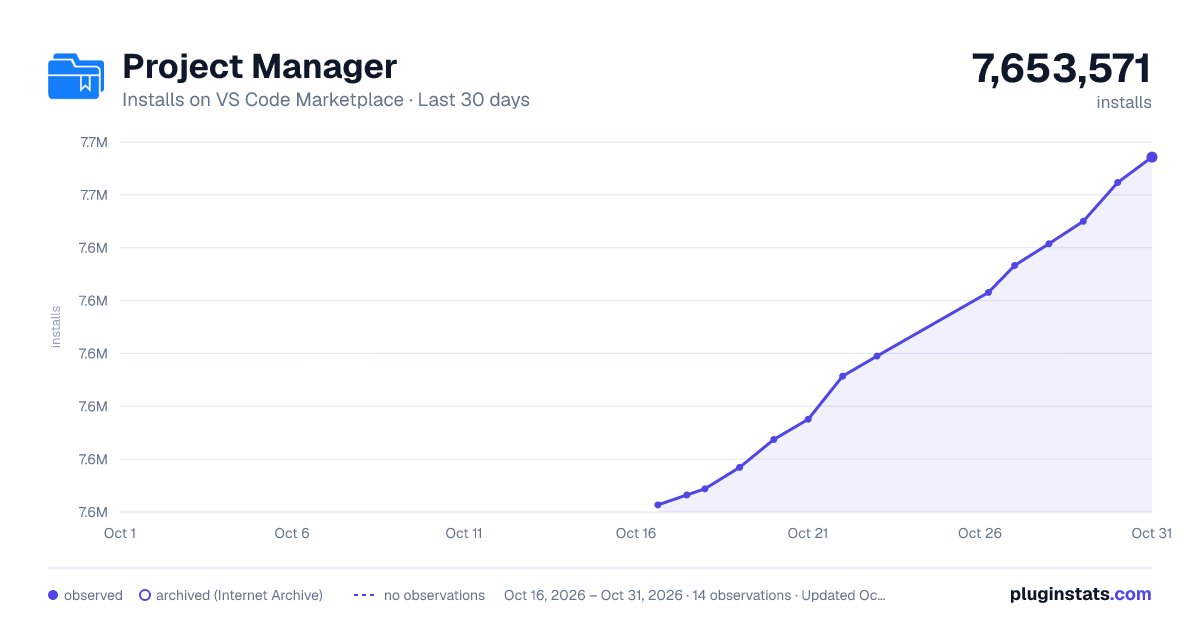
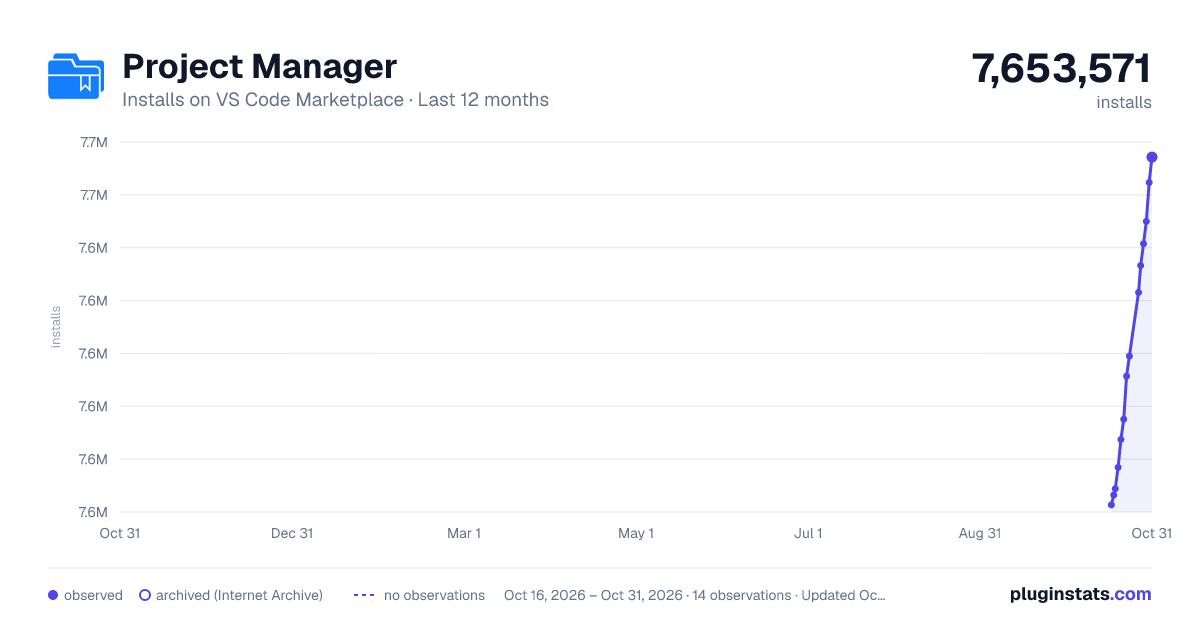
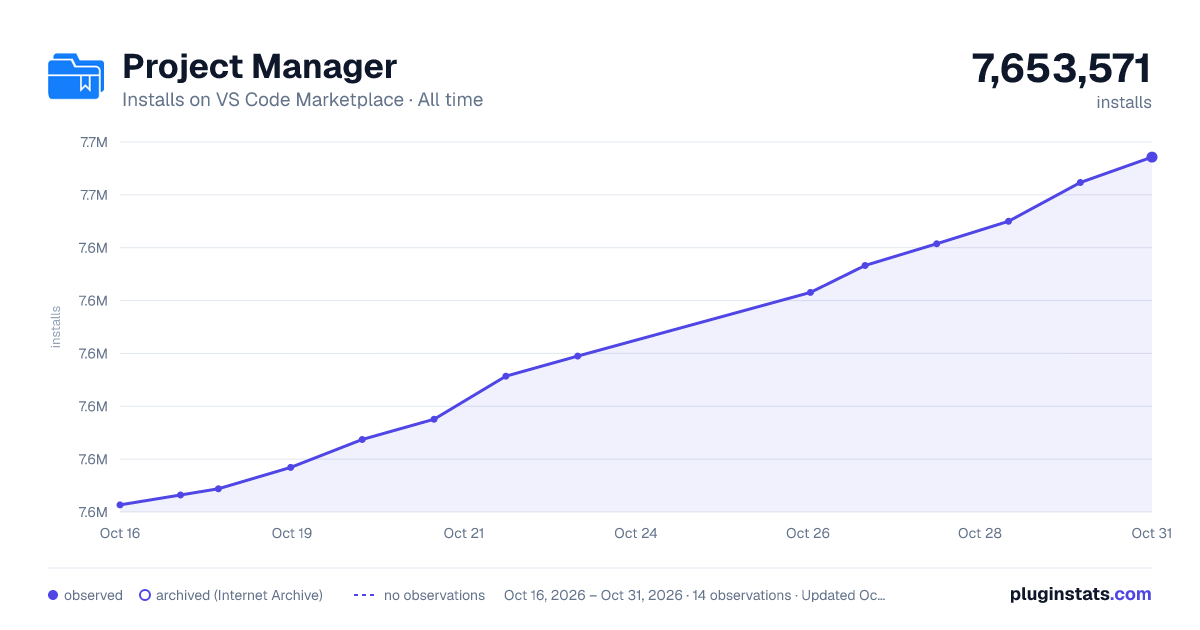

Adoption over time


7/30/90-day growth


Ranking history


Filled points are observed values; hollow points come from Internet Archive snapshots of the listing page. Dashed segments span periods with no observations — values between points are not interpolated.
Recent observations
Full history (3)Similar VS Code Marketplace Other plugins
Data source
Install counts, average rating, and rating counts come from the public Visual Studio Marketplace gallery API. Installs are cumulative and exclude updates.
Listing: https://marketplace.visualstudio.com/items?itemName=alefragnani.project-manager. First seen Oct 16, 2026; last successful collection Oct 18, 2026. See the methodology.