 PluginStats
Error Lens installs statistics
By Alexander (3 listings) · VS Code Marketplace · Other
Improve highlighting of errors, warnings and other language diagnostics.
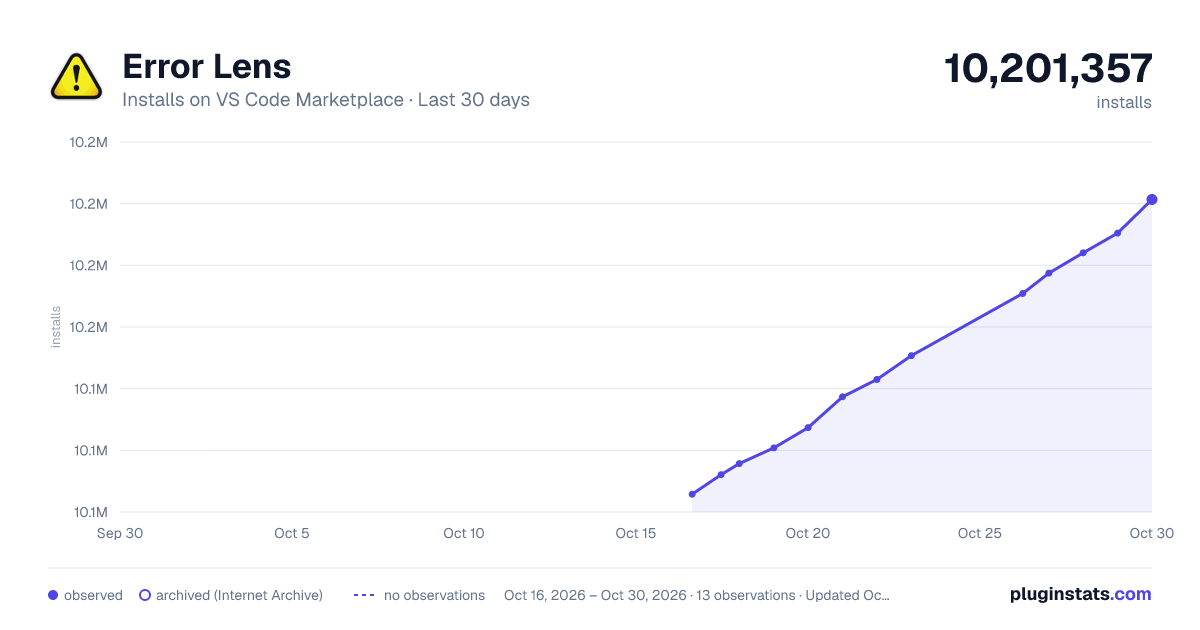
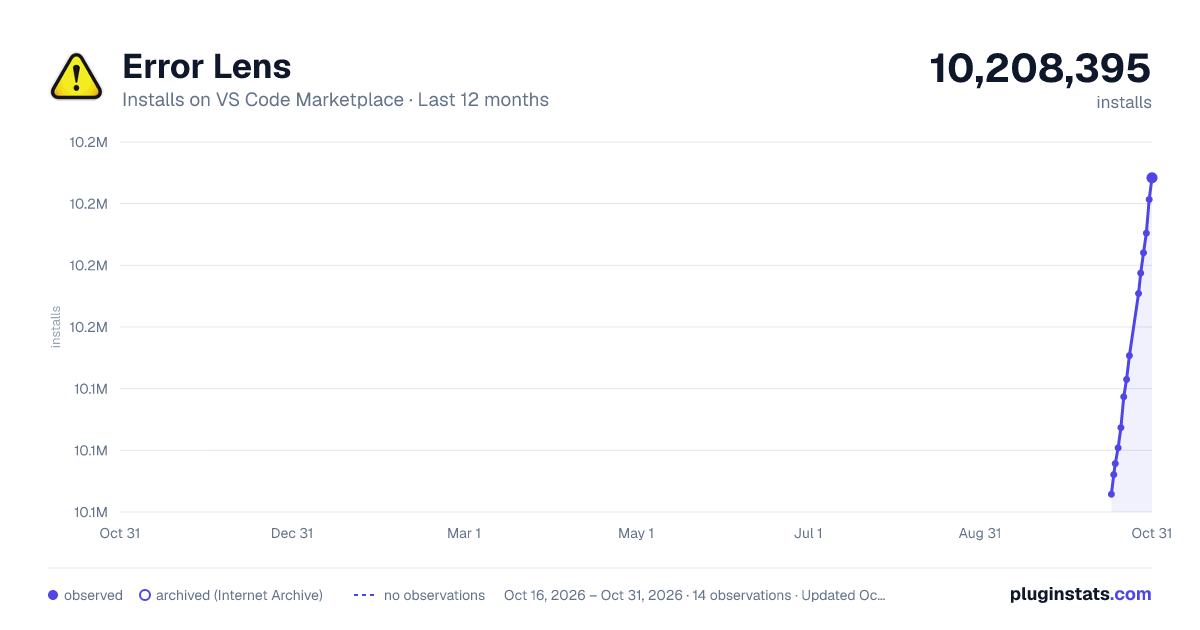
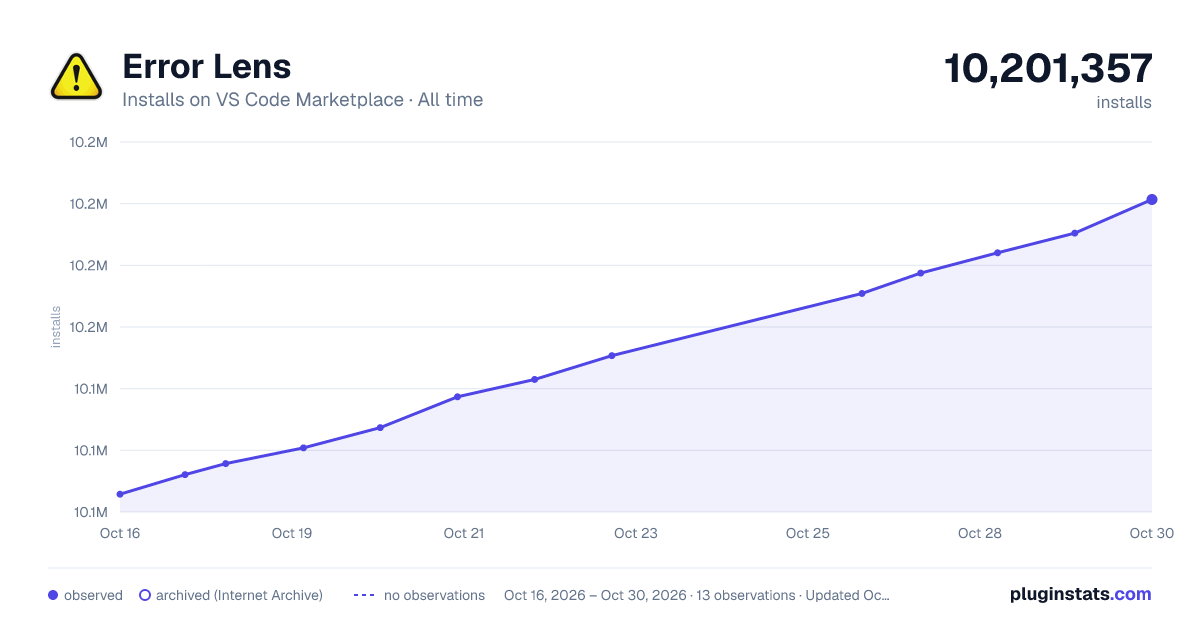
Error Lens has 10,115,700 recorded installs on VS Code Marketplace.
It ranks #98 of 2,500 tracked VS Code Marketplace listings by installs.
It is rated 4.9 out of 5 from 188 ratings.
PluginStats has 3 daily observations since Oct 16, 2026; the latest is from Oct 18, 2026.
Rating: 4.87 / 5 from 188 ratings
About Error Lens
ErrorLens turbo-charges language diagnostic features by making diagnostics stand out more prominently, highlighting the entire line wherever a diagnostic is generated by the language and also prints the message inline.
Features
• Highlight lines containing diagnostics • Append diagnostic as text to the end of the line • Show icons in gutter • Show message in status bar
Commands (15)
|Command|Description| |-|-| |errorLens.toggle|Error Lens: Toggle (Enable/Disable) Everything (toggle global setting "errorLens.enabled")| |errorLens.toggleError|Error Lens: Enable/Disable Errors in "errorLens.enabledDiagnosticLevels" setting.| |errorLens.toggleWarning|Error Lens: Enable/Disable Warnings in "errorLens.enabledDiagnosticLevels" setting.| |errorLens.toggleInfo|Error Lens: Enable/Disable Info in "errorLens.enabledDiagnosticLevels" setting.| |errorLens.toggleHint|Error Lens: Enable/Disable Hint in "errorLens.enabledDiagnosticLevels" setting.| |errorLens.toggleInlineMessage|Error Lens: Toggle global setting "errorLens.messageEnabled".| |errorLens.searchForProblem|Error Lens: Open problem in default browser (controlled by errorLens.searchForProblemQuery setting).| |errorLens.selectProblem|Error Lens: Set editor selection to the problem range (controlled by errorLens.selectProblemType setting).| |errorlens.toggleWorkspace|Error Lens: Exclude/Include current workspace by fs path.| |errorLens.disableLine|Error Lens: Add a comment to disable line for linter rule. Comment format is controlled by "errorLens.disableLineComments" setting.| |errorLens.findLinterRuleDefinition|Error Lens: Search in local linter files (like .eslintrc.json) for the rule definition. Target files are controlled by "errorLens.lintFilePaths" setting.| |errorLens.copyProblemMessage|Error Lens: Copy problem message to the clipboard (at the active cursor).| |errorLens.excludeProblem|Error Lens: Exclude problem (at the active cursor) (write into settings).| |errorLens.copyProblemCode|Error Lens: Copy problem code to the clipboard (at the active cursor).| |errorLens.updateEverything|Error Lens: Update all decorations. Supports args {"kind": "update" \| "clear"}|
Settings (76)
Error Lens extension settings start with errorLens.
|Setting|Default|Description| |-|-|-| |enabled|true|Controls all decorations and features (except commands).| |respectUpstreamEnabled|\{"enabled":true, "inlineMessage":true, "gutter":true, "statusBar":false\}|When enabled - extension will take into account global VSCode setting #problems.visibility#. (1.85.0 changelog).| |enabledInMergeConflict|true|Controls if decorations are shown if the editor has git merge conflict indicators >>>>>>.| |fontFamily|""|Font family of inline message. demo. May break #errorLens.alignMessage#| |fontWeight|"normal"|Font weight of inline message. ("normal" is alias for 400, "bold" is alias for 700). demo| |fontStyleItalic|false|When enabled - shows inline message in italic font style. demo| |fontSize|""|Font size of inline message (CSS units). Use negative value to have it relative to the editor's fontSize (e.g. -3px). May break #errorLens.alignMessage#. demo.| |margin|"4ch"|Distance between the last word on the line and the start of inline message (CSS units). demo| |alignMessage|\{"start":0, "end":0, "minimumMargin":4, "padding":\[0, 0\], "useFixedPosition":true\}|Align inline error message (either by starting position or ending position). Only works for monospace fonts. Set "start" and "end" to 0 to disable. ❗Will conflict with other extension decorations. demo| |border|\["", "", "", ""\]|Border of the inline message. Examples: 1px solid, 1px dashed, 2px dotted, 1px solid #00000050... Set to empty string to disable. demo| |padding|""|Padding of the inline message. Visible when #errorLens.messageBackgroundMode# is set to "message". demo| |borderRadius|"0.2em"|Border radius of the inline message. Visible when #errorLens.messageBackgroundMode# is set to "message". demo| |enabledDiagnosticLevels|\["error", "warning", "info"\]|Customize which diagnostic levels(severity) to highlight. demo| |messageTemplate|"$message"|Template used for all inline messages. Whitespace between items is important. List of variables: - $message - diagnostic message text - $count - Number of diagnostics on the line - $severity - Severity prefix taken from #errorLens.severityText# - $source - Source of diagnostic e.g. "eslint" - $code - Code of the diagnostic demo| |messageMaxChars|500|Cut off inline message if it's longer than this value. (Improves performance when the diagnostic message is long). demo| |maxInlineMessages|1000|Limit inline messages to the lines currently visible in the editor when a file has more lines with problems than this value. VSCode creates a separate set of CSS rules for every distinct inline message, so a file with thousands of problems can freeze the editor for a long time. Line highlighting, gutter icons, problem range decorations, hovers and status bar are not affected. 0 - no limit.| |severityText|\["⛔", "⚠", "ℹ", "🍏"\]|Replaces $severity variable in #errorLens.messageTemplate#. demo| |messageEnabled|true|Controls whether inline message is shown or not (Including background highlight). demo| |messageBackgroundMode|"line"|Controls how inline message is highlighted in the editor (entire line / only message / none). demo| |problemRangeDecorationEnabled|false|When checked - highlight the entire problem range. demo| |editorHoverPartsEnabled|\{"messageEnabled":false, "sourceCodeEnabled":false, "buttonsEnabled":false\}|Controls which parts of the editor hover tooltip to show.| |statusBarIconsEnabled|false|When enabled - shows highlighted error/warning icons in status bar. demo| |statusBarIconsPriority|-9000|Move status bar icons left or right by adjusting the number priority.| |statusBarIconsAlignment|"left"|Choose on which side the icons status bar is on: left or right.| |statusBarIconsTargetProblems|"all"|Which problems to use for counting problems at icons status bar.|…
Description from the VS Code Marketplace listing.
- diagnostic
- error
- gutter
- highlight
- inline
- message
- problem
- problems
- status bar
- warning
Where Error Lens sits in the listing
Each band is one page of 20. Installs on a log scale. Placement is projected from installs, so it can differ from the marketplace's own sort order. Hover a dot to see the listing.


Charts
Images: 30d · 1y · all time · 1600×900 dark

Adoption over time


7/30/90-day growth


Filled points are observed values; hollow points come from Internet Archive snapshots of the listing page. Dashed segments span periods with no observations — values between points are not interpolated.
Recent observations
Full history (3)Similar VS Code Marketplace Other plugins
Data source
Install counts, average rating, and rating counts come from the public Visual Studio Marketplace gallery API. Installs are cumulative and exclude updates.
Listing: https://marketplace.visualstudio.com/items?itemName=usernamehw.errorlens. First seen Oct 16, 2026; last successful collection Oct 18, 2026. See the methodology.