 PluginStats
Git Blame installs statistics
By Wade Anderson (2 listings) · VS Code Marketplace · Other
See git blame information in the status bar or in-line.
Git Blame has 3,890,226 recorded installs on VS Code Marketplace, ranking #210 of 2,501 tracked listings.
Rating: 4.42 / 5 from 53 ratings
About Git Blame
Git Blame
Features: • See Git blame information in the status bar for the currently selected line. • See Git blame information in-line for your currently selected line. • See Git blame information on the last selected line in your editor. • Quick link to open the latest commit on the current line in the most popular online git tools. • Open git show for the latest commit on the current line in an editor terminal. • Commands that can be bound to custom keyboard shortcuts. • Support for both SHA-1 and SHA-256 repositories.
How to use
Git Blame adds git blame information to your vscode compatible view. See information about what commit last changed a line and how long ago it was. Click the message to see more information about the commit. It is possible to edit all of these information messages in the settings. There are multiple tokens available. These are described below.
Git Blame works very well with WSL but does not work with the web browser based editors.
Commands
Show quick info
The command gitblame.quickInfo opens a information message with the current line's blamed commit's information.
View last change online
The command gitblame.online opens the configured url for the current line's online tool.
Copy hash to clipboard
The command gitblame.addCommitHashToClipboard copies the current line's blamed commit hash to the clipboard.
Copy tool URL to clipboard
The command gitblame.addToolUrlToClipboard copies the tool url for the current line's blamed commit to the clipboard.
Git show for current line hash
The command gitblame.gitShow shows the current comit in a terminal using git show $HASH.
Configuration
gitblame.commitUrl
Type: string
Default value: "${tool.protocol}//${gitorigin.hostname}${gitorigin.port}${gitorigin.path}${tool.commitpath}${hash}"
Url where you can see the commit by hash
If set to an empty value it will try to guess the URL based on your remote origin. Can only support servers that don't require auth.
Available tokens: • ${hash} - the commit hash • ${file.path} - path to the final file • ${file.path.result} - path to the final file • ${file.path.source} - path to the original file • ${file.line} - the line number of the line in the final file • ${file.line.result} - the line number of the line in the final file • ${file.line.source} - the line number of the line in the original file • ${project.defaultbranch} - the current project's default branch • ${project.currentbranch} - the current project's current branch • ${project.currenthash} - the current project's current branch's HEAD • ${project.name} - your project name (e.g. project_name in https://github.com/user/project_name.git) • ${project.remote} - the current default remote's URL with the protocol, port-specifiers, and trailing .git stripped. (e.g. github.com/user/project_name in https://github.com/user/project_name.git) • ${gitorigin.hostname} - the git origin domain (e.g. github.com in https://github.com/ckb-next/ckb-next.git) • ${gitorigin.hostname,n} - the nth part of the git origin domain (e.g. if the git origin is https://github.com/ckb-next/ckb-next.git ${gitorigin.hostname,1} will return com) • ${gitorigin.path} - the git origin path (e.g. /ckb-next/ckb-next.git in https://github.com/ckb-next/ckb-next.git) • ${gitorigin.path,n} - the nth part of the git origin path (e.g. if the git origin is https://github.com/ckb-next/ckb-next.git ${gitorigin.path,1} will return ckb-next.git) • ${gitorigin.port} - the git origin port (if it uses http/https) including : prefix when set to a value • ${tool.protocol} - http: or https: • ${tool.commitpath} - /commit/ or /commits/
gitblame.pluralWebPathSubstrings
Type: string[]
Default value: ["bitbucket", "atlassian"]
An array of substrings that, when present in the git origin URL, replaces commit with commits in the gitblame.commitUrl token tool.commitpath. Set the value to something that matches anything to recreate the old gitblame.isWebPathPlural-setting.
gitblame.ignoreWhitespace
Type: boolean
Default value: false
Use the git blame -w flag.
gitblame.infoMessageFormat
Type: string
Default value: "${commit.hash} ${commit.summary}"
Message that appears when the gitblame.quickInfo command executes (when you click the status bar message).
gitblame.statusBarMessageFormat
Type: string
Default value: "Blame ${author.name} (${time.ago})"
Message in the status bar about the current line's git blame commit. (Available tokens)[#message-tokens].
gitblame.statusBarMessageNoCommit
Type: string
Default value: "Not Committed Yet"
Message in the status bar about the current line when no commit can be found. No available tokens.
gitblame.statusBarPositionPriority
Type: number
Default value: 500
Priority where the status bar view should be placed. Higher value should be placed further to the left.
gitblame.inlineMessageFormat
Type: string
Default value: "Blame ${author.name} (${time.ago})"
Message on the current line in the editor about the line's git blame commit. (Available tokens)[#message-tokens].
gitblame.inlineMessageNoCommit
Type: string
Default value: "Not Committed Yet"
Message on the current line when no commit can be found. No available tokens.
gitblame.inlineMessageEnabled
Type: boolean
Default value: false
To enable the inline git blame view. Shows blame information at the end of the current line if available.
gitblame.inlineMessageMargin
Type: number
Default value: 2
The amount of margin between line and inline blame view
gitblame.currentUserAlias
Type: string or null
Default value: null
Replaces ${author.name} and ${committer.name} when the git config user.email matches the author's or committer's email address.
gitblame.delayBlame
Type: number
Default value: 0
This setting adds a delay (in milliseconds) before the blame is displayed
gitblame.parallelBlames
Type: number
Default value: 2…
Description from the VS Code Marketplace listing.
- bitbucket
- blame
- codeberg
- git
- gitblame
- github
- gitlab
README badge
Show your rank in a README or on your website. The badge updates automatically.
Charts
Images: 30d · 1y · all time · 1600×900 dark
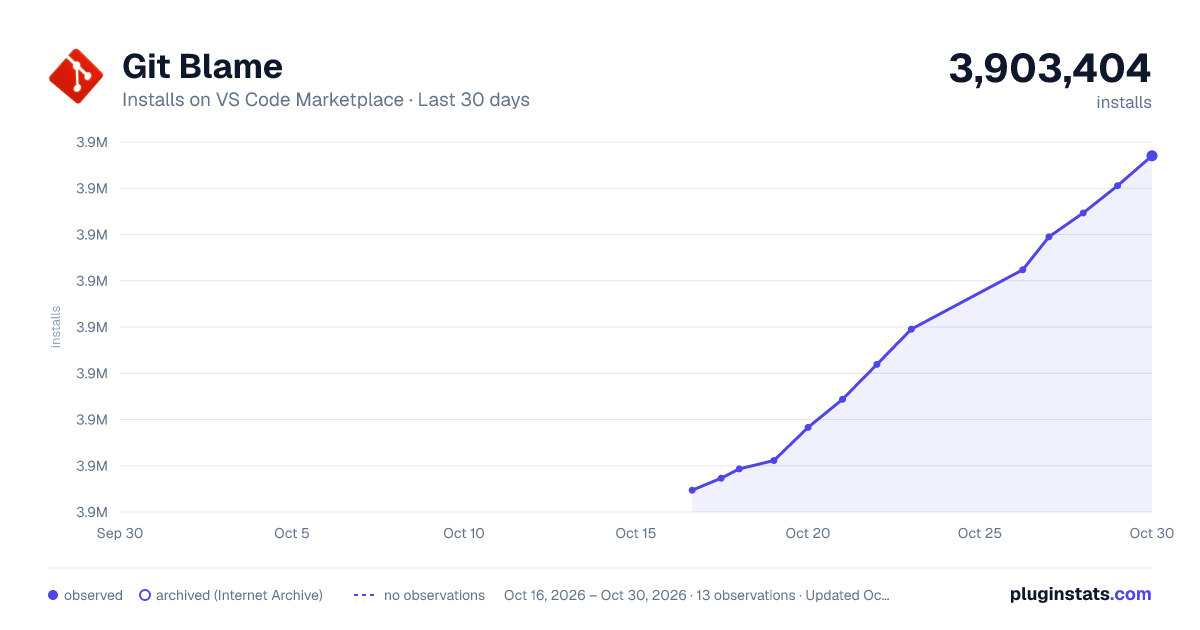
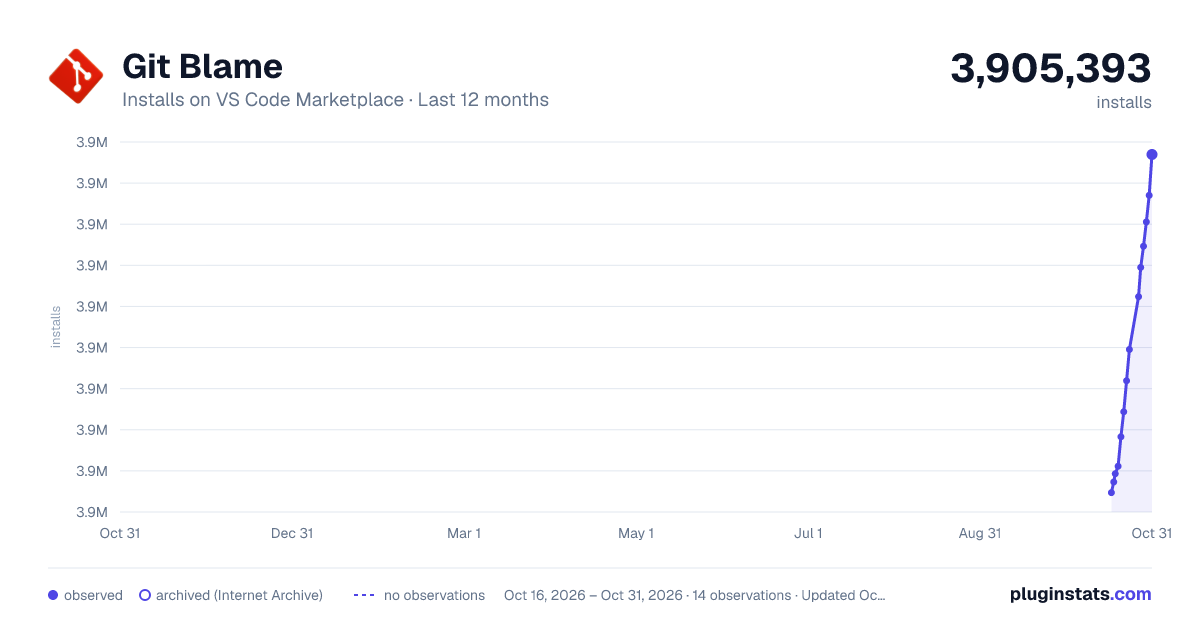
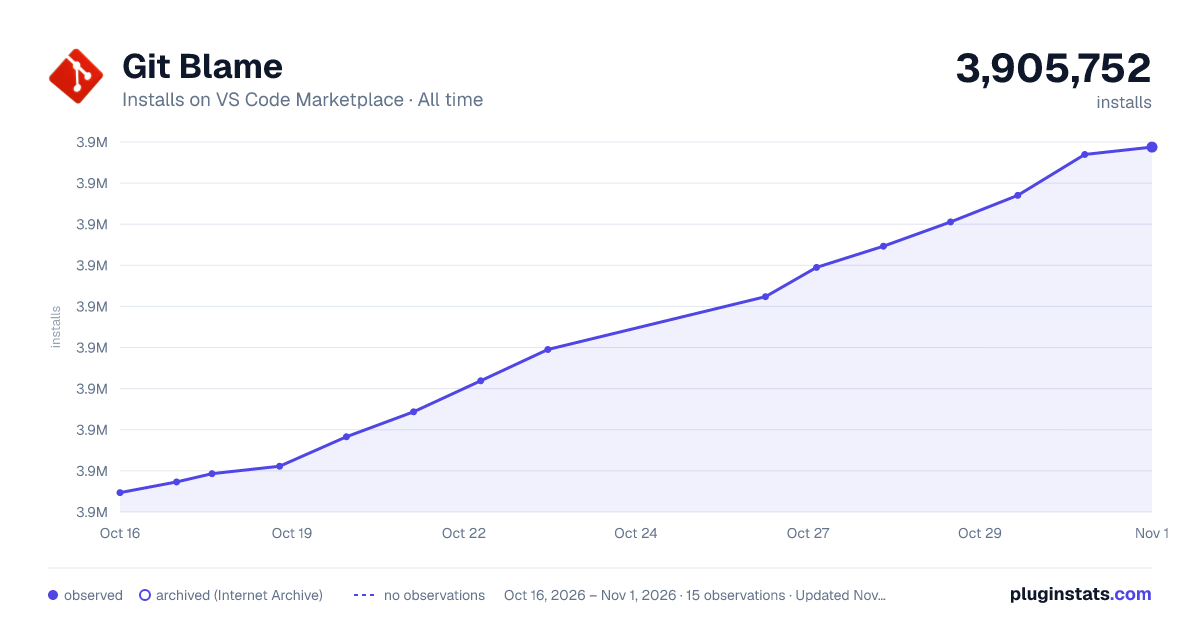

Adoption over time
7/30/90-day growth
Ranking history
Ratings over time
Listing placement
Listing placement
Filled points are observed values; hollow points come from Internet Archive snapshots of the listing page. Dashed segments span periods with no observations — values between points are not interpolated.
Each band is one page of 20. Installs on a linear scale. Placement is projected from installs, so it can differ from the marketplace's own sort order. Hover a dot to see the listing.
Recent observations
Full history (4)Similar VS Code Marketplace Other plugins
All 20 Git Blame alternativesData source
Install counts, average rating, and rating counts come from the public Visual Studio Marketplace gallery API. Installs are cumulative and exclude updates.
Listing: https://marketplace.visualstudio.com/items?itemName=waderyan.gitblame. First seen Oct 16, 2026; last successful collection Oct 19, 2026. See the methodology.