 PluginStats
Diff Folders installs statistics
By L13RARY · VS Code Marketplace · Other
Compare two folders in Visual Studio Code
Diff Folders has 220,474 recorded installs on VS Code Marketplace.
It ranks #1418 of 2,501 tracked VS Code Marketplace listings by installs.
It is rated 5.0 out of 5 from 48 ratings.
PluginStats has 4 daily observations since Oct 16, 2026; the latest is from Oct 19, 2026.
Rating: 5.00 / 5 from 48 ratings
About Diff Folders
Diff Folders
Compare two folders in Visual Studio Code.
What's new in Diff Folders 1.3.0
• Added Export Favorites to export favorites and groups as a JSON file. • Added Import Favorites to import favorites and groups from a JSON file.
Index
1. Available Commands 1. Available Settings 1. Predefined Variables 1. Mouse and Keyboard Shortcuts 1. Custom Keybindings 1. Workspace Trust 1. Recommended Settings 1. Recommended Extensions
Basics
Favorites
Search, Filter or Select
List and Navigator
Logging and Stats
Supports the Extension Projects
Available Commands
• New Diff Panel - Open the diff panel. • Clear History - Clear the history of recently used files, folders and previous comparisons. • Delete All Favorites - Delete all favorites. • Show Output Channel - Open the output channel for the current comparison. • Export Favorites - Export all favorites and groups to a JSON file. • Import Favorites - Import favorites and groups from a JSON file. The limit is 1000 entries.
Available Settings
• l13Diff.maxRecentlyUsed - Defines the max length of recently used entries in the menu. • l13Diff.openToSide - Set true if a diff or file should open to the side. • l13Diff.abortOnError - If false scan process will not be canceled if an error occurs. • l13Diff.useCaseSensitiveFileName - Indiciates if filenames should be treated as case sensitive for a comparison. This also affects the property l13Diff.exclude. • detect - (default) Detect the file system case sensitivity. • on - Enable case sensitive file names. • off - Disable case sensitive file names. • l13Diff.exclude - A list of files and folders which should be ignored. If the folder for a comparison or one of its parent folders contains the .vscode/settings.json file and is not the current workspace folder, the file will be automatically detected and the values of the property will also be used for the comparison. If the folder is part of the current workspace, the workspace settings will be used instead of the local settings. Supports the following glob patterns: • * matches zero or more characters in a path segment e.g. *.txt. • ? matches on one character in a path segment. • matches any number of path segments including none e.g. /node_modules. • l13Diff.openInNewDiffPanel - If true a click on a favorite diff or a previous comparison opens in a new diff panel. • l13Diff.confirmCaseInsensitiveCompare - If false confirm dialog for comparing case insensitive on a case sensitive file system does not appear. • l13Diff.confirmCopy - If false confirm dialog for copying files does not appear. • l13Diff.confirmCaseInsensitiveCopy - If false confirm dialog for copying case sensitive on a case insensitive file system does not appear. • l13Diff.confirmDelete - If false confirm dialog for deleting files does not appear. Is not used if you have to decide which side have to be deleted. • l13Diff.confirmOpenMultipleDiffPanels - If true Compare All and Compare All Side By Side shows a dialog if more than 3 diff panels will be opened at once. • l13Diff.initialFavoriteGroupsState - Set the initial state of a group. • remember - (default) Remember the collpased and expanded state of each group. • collapsed - Show all groups collapsed at start. • expanded - Show all groups expanded at start. • l13Diff.labelFormat - Indicates how the label of a tab should be formatted. • complete - (default) Show relative paths including the common path. • compact - Show relative paths including base folders. • relative - Show only the relative paths. • filename - Show only the filenames. • l13Diff.ignoreContents - If true files will only be compared by size and the contents will be ignored. • l13Diff.maxFileSize - Indicates the maximum file size in MB for a comparison. If the value is 0 no limit is used instead. • l13Diff.ignoreEndOfLine [1] - Set true if a comparison for text files should ignore line endings (CR/LF). • l13Diff.ignoreTrimWhitespace [1] - Ignores leading and trailing whitespace in text files. • default - (default) Uses the value of diffEditor.ignoreTrimWhitespace. • on - Ignores leading and trailing whitespace for a comparison in a text file. • off - Does not ignore leading and trailing whitespace for a comparison in a text file. • l13Diff.ignoreByteOrderMark [1] - Set true if a comparison should ignore the BOM in UTF-8 or UTF-16BE text files. • l13Diff.enableTrash - Moves files and folders to the OS trash when deleting or delete files and folders permanently. • default - (default) Uses the value of files.enableTrash. • on - Moves files and folders to the OS trash. • off - Deletes files and folders permanently.
[1] Supports only ASCII based and UTF-16 BE/LE encoded files. The text file detection uses the extension name definitions of all installed extensions or the property files.associations in the user settings. If a file isn't detected as a text file the extension name has to be added to files.associations like "*.extname": "language". If the file size exceeds the maximum buffer length the file will be treated as a binary file.
Predefined Variables
• ${workspaceFolder} - Use the current workspace folder for the diff e.g. ${workspaceFolder}/path/to/folder • ${workspaceFolder:NAME} - Use a specific workspace folder by name for the diff e.g. ${workspaceFolder:workspace-a}/path/to/folder. If a folder has a closing brace } in its name the char has to be escaped like ${workspaceFolder:name-{1\}}.
Mouse and Keyboard Shortcuts
Global
macOS
• Cmd + L Cmd + L - Open the diff panel. • Cmd + D - Add the current paths to favorites. Diff panel has to be active editor. • Cmd + L Cmd + O - Open the output channel. Provides logging and stats for the current diff. • Cmd + L Cmd + F - Open favorites explorer.
Windows / Linux
• Ctrl + L Ctrl + L - Open the diff panel. • Ctrl + D - Add the current paths to favorites. Diff panel has to be active editor. • Ctrl + L Ctrl + F - Open favorites explorer.
Windows…
Description from the VS Code Marketplace listing.
- compare
- diff
- file
- folder
- keybindings
- workspace
Where Diff Folders sits in the listing
Each band is one page of 20. Installs on a log scale. Placement is projected from installs, so it can differ from the marketplace's own sort order. Hover a dot to see the listing.


Charts
Images: 30d · 1y · all time · 1600×900 dark
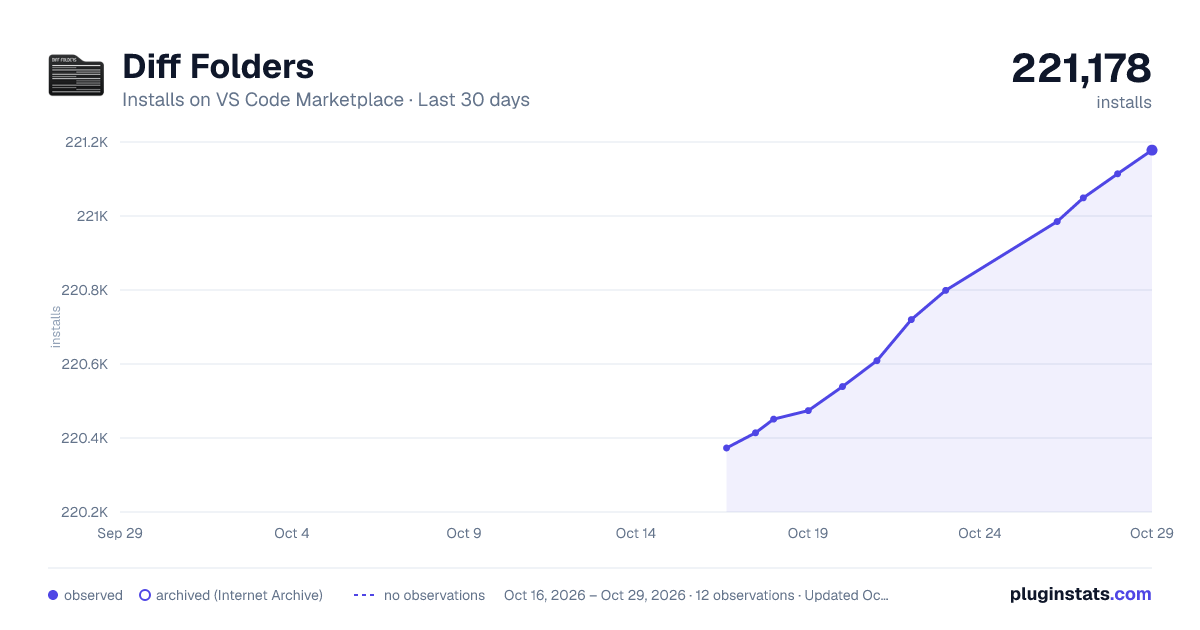
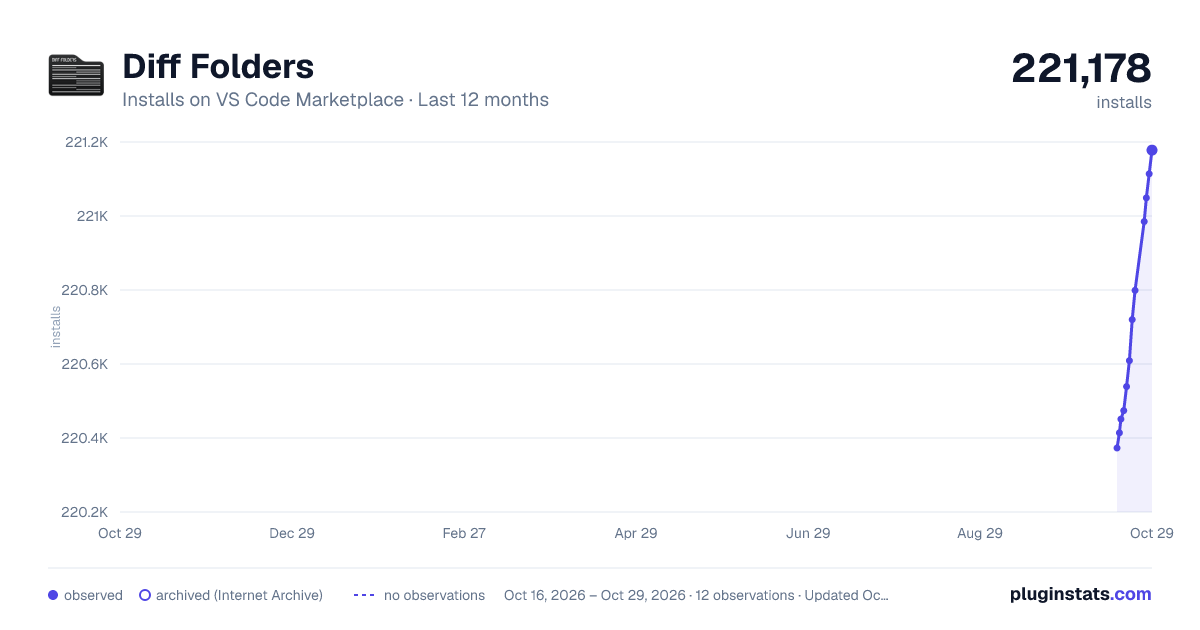
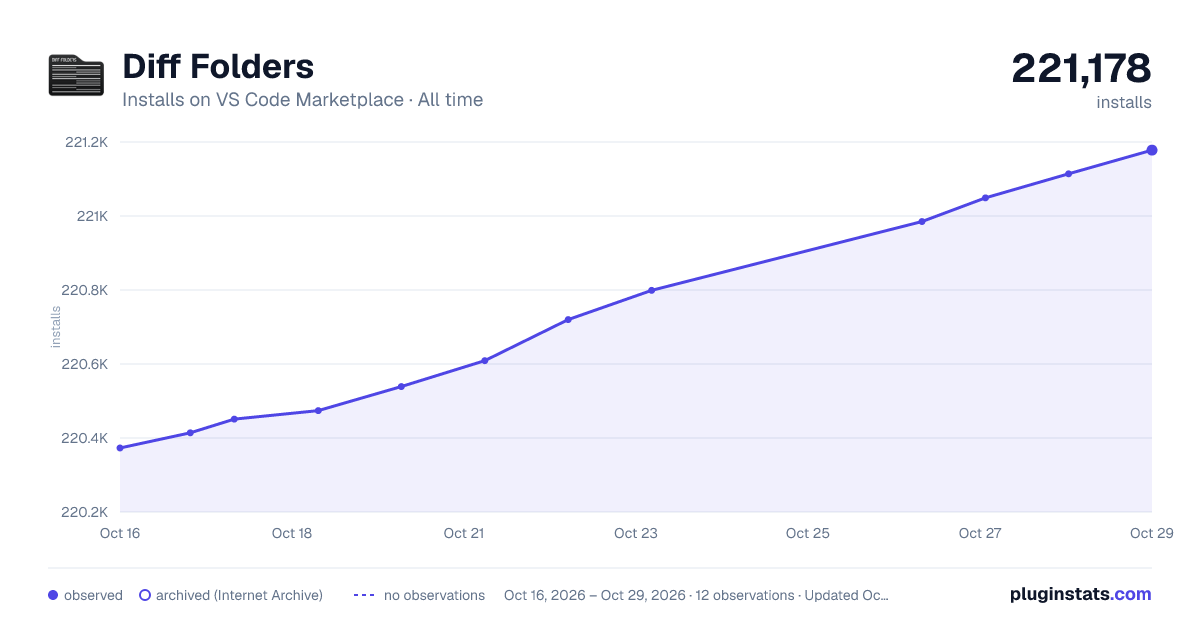

Adoption over time


7/30/90-day growth


Ranking history


Filled points are observed values; hollow points come from Internet Archive snapshots of the listing page. Dashed segments span periods with no observations — values between points are not interpolated.
Recent observations
Full history (4)Similar VS Code Marketplace Other plugins
Data source
Install counts, average rating, and rating counts come from the public Visual Studio Marketplace gallery API. Installs are cumulative and exclude updates.
Listing: https://marketplace.visualstudio.com/items?itemName=L13RARY.l13-diff. First seen Oct 16, 2026; last successful collection Oct 19, 2026. See the methodology.