 PluginStats
BEM Helper installs statistics
By Box-Of-Hats · VS Code Marketplace · Other
Improve writing html using BEM naming conventions.
BEM Helper has 191,537 recorded installs on VS Code Marketplace.
It ranks #1568 of 2,500 tracked VS Code Marketplace listings by installs.
It is rated 5.0 out of 5 from 4 ratings.
PluginStats has 3 daily observations since Oct 16, 2026; the latest is from Oct 18, 2026.
Rating: 5.00 / 5 from 4 ratings
About BEM Helper
BEM Helper
A VSCode extension to help when using the BEM (Block-Element-Modifier) class naming convention in HTML.
Get it on the VSCode Marketplace.
Got any feedback, issues or feature requests? Send them my way via GitHub Issues.
• BEM Helper • Language Support • Commands • Settings • Generating LESS / SCSS / CSS • Inserting Elements • Diagnostic Help • Classes not following BEM standards • Classes not following the specified case
Language Support
Currently, the languages that are officially supported are:
• HTML • React (Jsx) • React (Tsx) • Razor (.net core / framework) • Vue • PHP
If there are any languages that you want support added for then please open a github issue
Commands
| Command name | Description | Shortcut |
| bemHelper.insertBemElement | Insert a new BEM element under the current block | alt + b e | | bemHelper.insertBemModifier | Insert a new BEM modified element, copying the classname prefix of the previous element | alt + b m | | bemHelper.insertClassName | Insert a BEM classname in the current cursor position | alt + b c | | bemHelper.generateStyleSheet | Generate a new file containing CSS/LESS/SCSS for the current HTML file | alt + b s | | bemHelper.generateStyleSheetFromSelection | Generate a new file containing CSS/LESS/SCSS for the current selected elements | | | bemHelper.convertSelectionToCase | Convert the current text selection to a given case | |
Settings
| Setting | Description | Allowed Values |
| bemHelper.classNameCase | The allowed case styling of class names. Can be a single value or a list of values, separated by commas (e.g "kebab,snake") | any, kebab, snake, camel, pascal, shoutingSnake | | bemHelper.responsiveLinting | Enable/disable linting checks whenever a file contents changes. Disable for increased performace. Reload window to take effect | true, false | | bemHelper.showDepthWarnings | Enable/disable depth warnings. e.g block\_\_block2\_\_element | true, false | | bemHelper.elementSeparator | The string to use as a separator for elements. By default is set to __. Reload window to take effect | any string | | bemHelper.modifierSeparator | The string to use as a separator for modifiers. By default is set to --. Reload window to take effect | any string | | bemHelper.sortGeneratedStylesheets | Controls whether generated stylesheets should be sorted alphabetically | true, false | | bemHelper.maxWarningsCount | The maximum number of diagnostic warnings to show. Defaults to 100. | number | | bemHelper.ignoreClassNames | A list of class names that should be ignored as parents (blocks) when inserting new elements or when generating a stylesheet. | A list of strings | | bemHelper.blockSelectionMode | The method to use for selecting a parent block when inserting elements | prefer-explicit, first-parent, explicit-only | | bemHelper.newLineAfterInsert | Should a newline be inserted after inserting an element? | true, false | | bemHelper.languages | The list of languages for which the diagnostics should be enabled | string[] |
Generating LESS / SCSS / CSS
Generate stylesheets from your BEM markup using the generateStylesheet command. When using LESS or SCSS, the classnames will be appropriately nested and ready for you to start styling.
If you don't like fancy pre-processors, you can also generate plain CSS.
Inserting Elements
Both regular and modified element snippets can be inserted which already contain the parent class prefix. By default, these commands are bound to alt + b e (insertBemElement) and alt + b m (insertBemModifier), but they can be modified inside of the VSCode keyboard shortcuts menu.
Diagnostic Help
BEM helper provides warnings when class names are in violation of BEM naming standards.
Classes not following BEM standards
Classes not following the specified case
A quick fix is included to make fixing case name issues quicker.
You can specify your preferred casing in the extension settings using bemHelper.classNameCase.
Description from the VS Code Marketplace listing.
- aspnetcorerazor
- html
- javascript
- javascriptreact
- keybindings
- php
- razor
- svelte
- twig
- typescript
- typescriptreact
Where BEM Helper sits in the listing
Each band is one page of 20. Installs on a log scale. Placement is projected from installs, so it can differ from the marketplace's own sort order. Hover a dot to see the listing.


Charts
Images: 30d · 1y · all time · 1600×900 dark
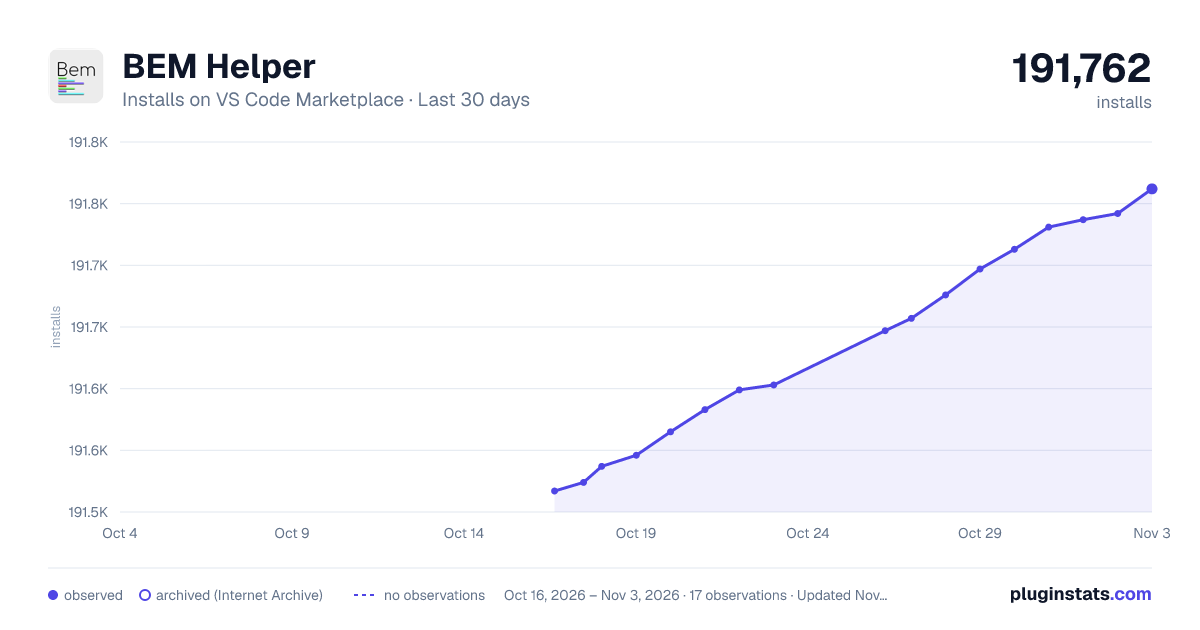
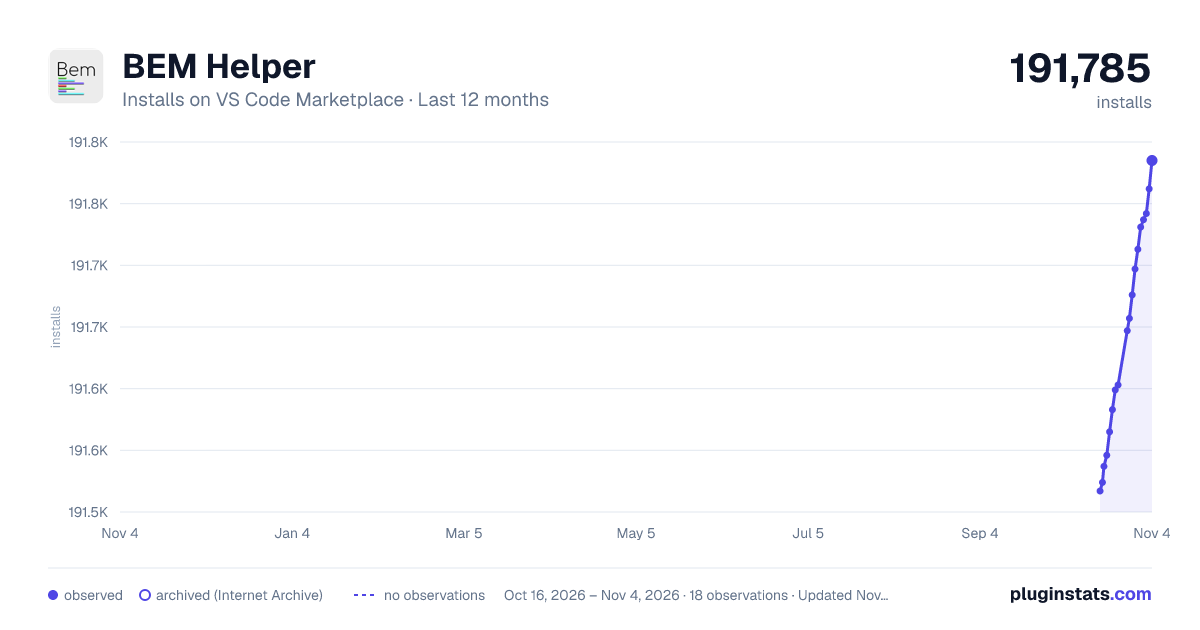
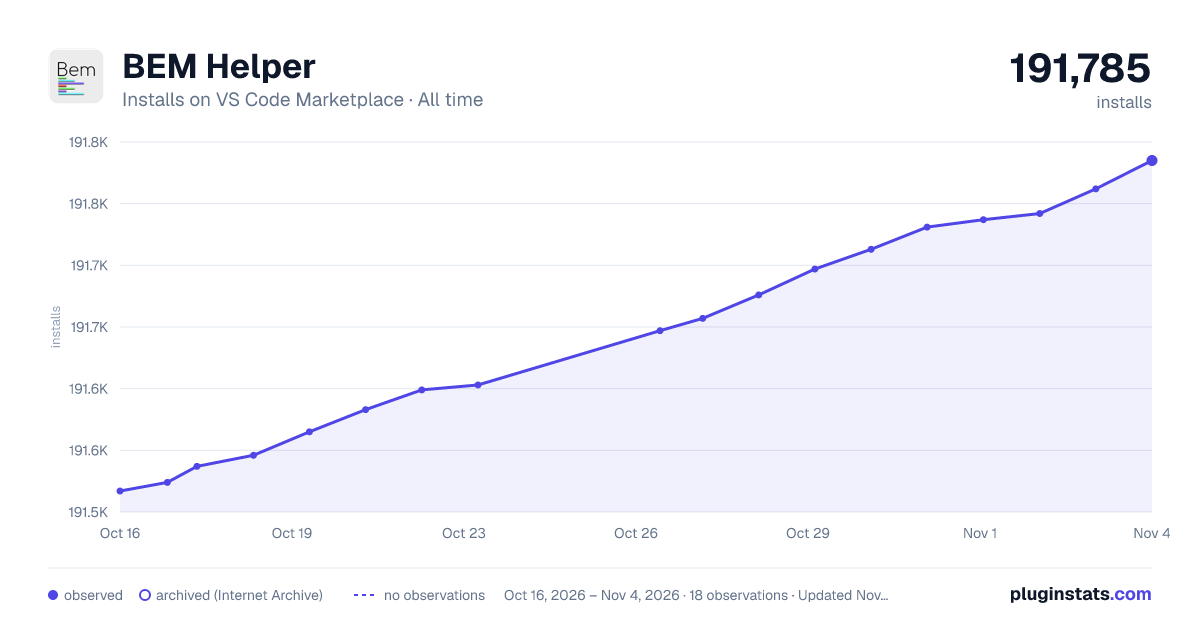

Adoption over time


7/30/90-day growth


Ranking history


Filled points are observed values; hollow points come from Internet Archive snapshots of the listing page. Dashed segments span periods with no observations — values between points are not interpolated.
Recent observations
Full history (3)Similar VS Code Marketplace Other plugins
Data source
Install counts, average rating, and rating counts come from the public Visual Studio Marketplace gallery API. Installs are cumulative and exclude updates.
Listing: https://marketplace.visualstudio.com/items?itemName=Box-Of-Hats.bemhelper. First seen Oct 16, 2026; last successful collection Oct 18, 2026. See the methodology.