 PluginStats
Live Preview installs statistics
By Microsoft (224 listings) · VS Code Marketplace · Other
Hosts a local server in your workspace for you to preview your webpages on.
Live Preview has 13,871,336 recorded installs on VS Code Marketplace.
It ranks #80 of 2,501 tracked VS Code Marketplace listings by installs.
It is rated 4.4 out of 5 from 79 ratings.
PluginStats has 4 daily observations since Oct 16, 2026; the latest is from Oct 19, 2026.
Rating: 4.44 / 5 from 79 ratings
About Live Preview
This is the pre-release edition of Live Preview for early feedback and testing. It works best with VS Code Insiders.
Live Preview - VS Code Extension 📡
⚠️ WARNING: This extension is still under development! ⚠️
An extension that hosts a local server for you to preview your web projects on!
This extension is most useful for projects where a server is not already created (e.g. not for apps using React, Angular, etc.). To work with these, feel free to use the integrated browser in VS Code.
Table of Contents
• Features • Running the Extension • FAQ • Inspirations • Issue Tracking • Changelog
Features
HTML File Previewing
Preview your HTML files quickly by clicking the preview button in the top right corner of your editor or using the context menu.
Embedded Preview
A preview is available in-editor for the files hosted by the server.
The simple embedded browser features the following: • Page history tracking • URL bar for address-based navigation • Expandable menu, allowing users to: • Preview the current page in browser • Perform a page search • Tip: You can also use CTRL+F to open the find box and Enter to go to the next result • Open the editor's webview DevTools
Live Refreshing
See the changes as you make them. By default, changes appear as you make them in the editor. You can also change this in the extension settings (via livePreview.autoRefreshPreview) to refresh the preview on save or not at all.
Individual pages can opt out of live refreshing by adding the attribute data-server-no-reload.
Persistent Server Task with Server Logging
If you're looking for a persistent server to run, you can run a Live Preview task, which also logs the server traffic. This can also be launched using the Live Preview: Start Server Logging command. You can click on the traffic to open the file location of the file returned by the server.
External Browser Previewing
Although all of the images above use the embedded browser, you can also experience the same features in an external browser.
You can edit the preview target in the extension settings.
External Browser Debugging
The external browser preview also supports debugging via the built-in js-debug extension and attaching to the Edge Devtools Extension. This allows support for features such as setting breakpoints and inspecting elements.
Run Live Preview: Show Debug Preview in the command palette to get these debugging features.
Console Messages
When previewing in VS Code's Integrated Browser, open Developer Tools from the browser toolbar to view console messages and inspect the page.
The legacy embedded preview still provides the Embedded Live Preview Console channel in the Output tab. This channel is created only when the legacy preview is opened, such as when livePreview.useIntegratedBrowser is disabled or the Integrated Browser is unavailable.
Workspace-less Previewing
No workspace? No problem! For a quick preview of your file, the server can also access files outside of your workspace to preview.
Notes about workspace-less extension use: • Files without a workspace will be served on its own server instance and will use its absolute path as the file path. • Linked files for these pages may not be correct if they are relative to a specific root (e.g. a project root). • Tasks do not work outside of a workspace, so a server will just launch in the background upon external preview when outside of a workspace. You can use the Live Preview: Stop Server command to kill the server in this case.
Multi-root Support
Live Preview works cleanly with your multi-root workspaces! It will simply open an additional server for each root that you open a preview on.
You can view the ports that are open for Live Preview by hovering the status bar indicator (usually located in the bottom-right corner of the window).
Running the extension
You can install the extension in the marketplace here. To contribute, see the contributing page.
FAQ
Q. What does the "Previewing a file that is not a child of the server root. To see fully correct relative file links, please open a workspace at the project root or consider changing your server root settings for Live Preview." message mean?
A. Either: • You have no workspace open and opened a preview. • You opened a preview for a file that is not a part of your workspace(s). • You have the livePreview.serverRoot setting set to a sub-folder in your workspace and your file is not a child of that subfolder.
Why does this happen?
The server is hosted from the root of the workspace that the user opens (or a subfolder of the workspace based on livePreview.serverRoot). Files outside of this can be previewed, but some file paths (such as a link to the root) may not go to the right place. If you are working on a web project, it is advised that you open a workspace at the root of the project.
Q. I'm trying to use Live Preview in Codespaces and the embedded preview isn't working.
A. Currently, you will need to manually navigate to the links host the forwarded port content before it works
In the area of the editor where the integrated terminal usually is, navigate to Ports and open the local addresses (usually at ports 3000 and 3001) in the browser. You can do this by using CTRL+Click on the URLs in the Ports menu.
Allow the browser to perform the necessary redirects, then close the windows. Re-open the preview window and it _should_ work now.
Q. Why does my external browser preview look different than the preview in the embedded browser preview?
A. Aspects such as styling might look different based on the browser cache of your external browser or any other client-side state. Try clearing your cache and restarting your browser.
Inspirations
Special thanks to the following extensions for inspiring Live Preview! 💡 • Live Server • Five Server
Issue Tracking
Please file issues against the VS Code Live Preview repository.
Changelog
See the project's changelog here.
Description from the VS Code Marketplace listing.
- browser
- html
- live
- livepreview
- preview
- refresh
- reload
Where Live Preview sits in the listing
Each band is one page of 20. Installs on a log scale. Placement is projected from installs, so it can differ from the marketplace's own sort order. Hover a dot to see the listing.


Charts
Images: 30d · 1y · all time · 1600×900 dark
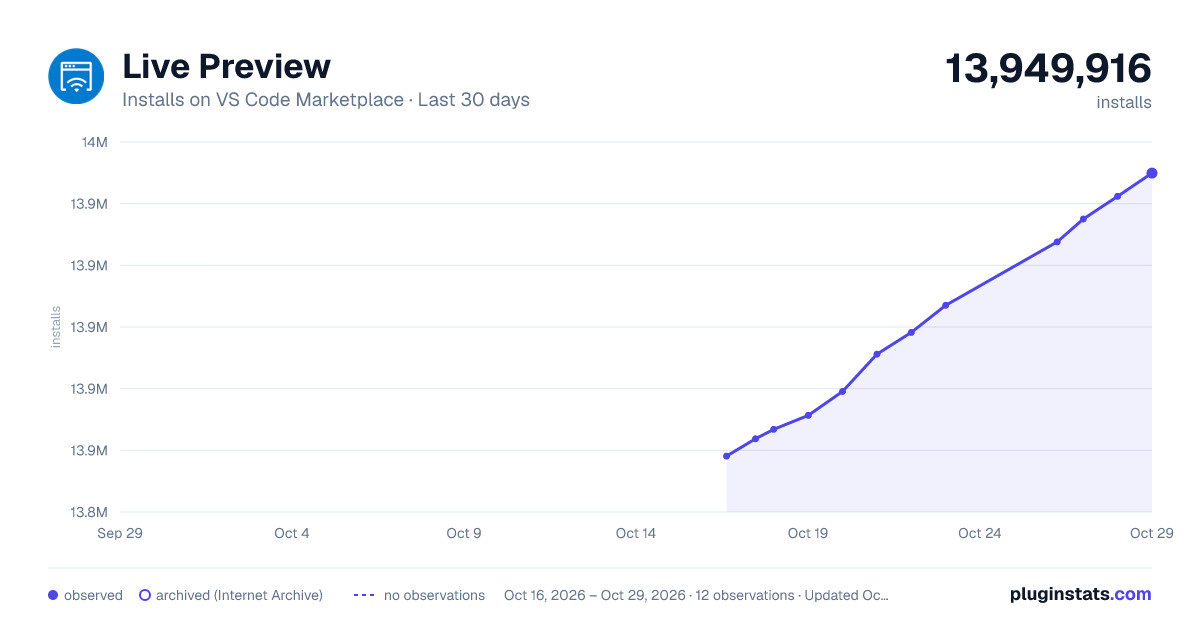
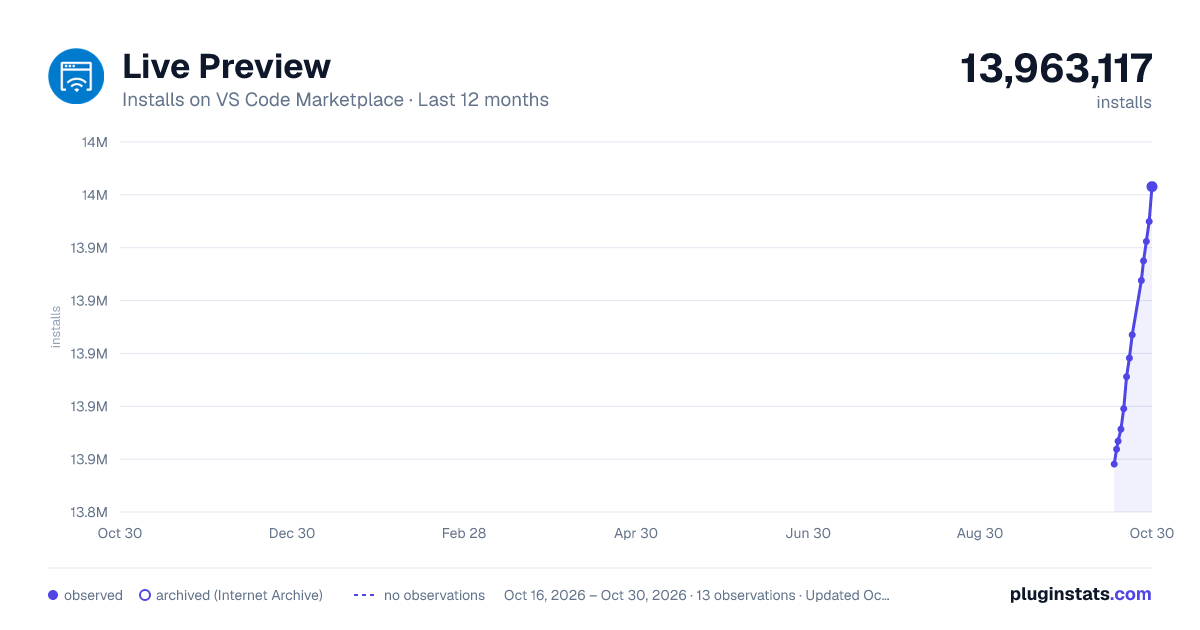
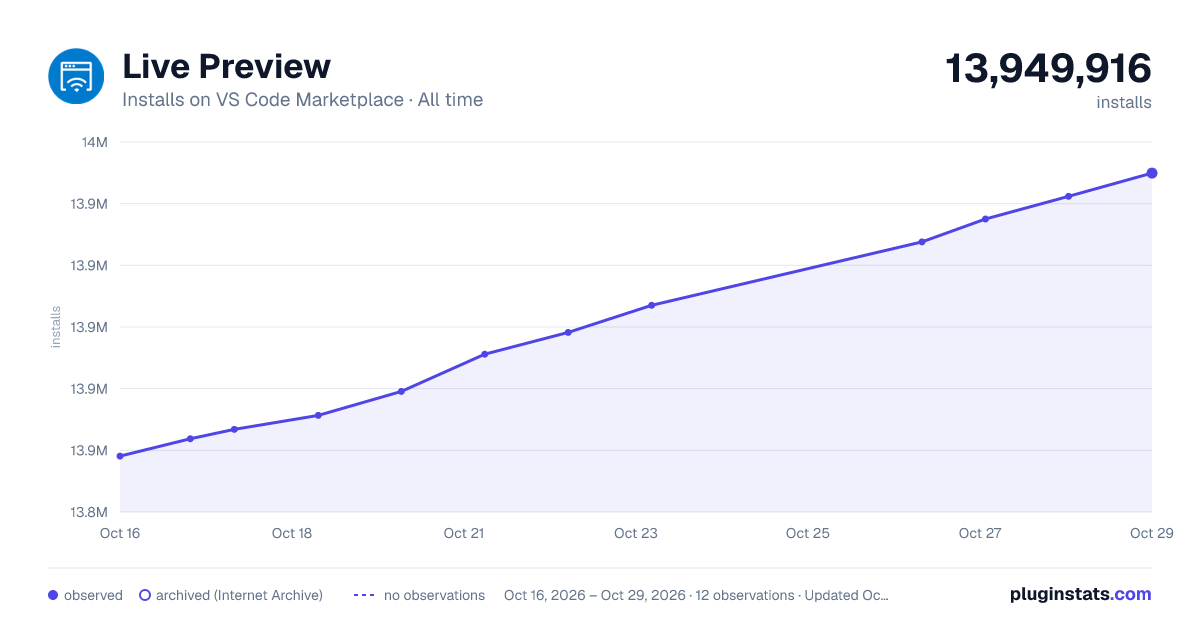

Adoption over time


7/30/90-day growth


Ranking history


Filled points are observed values; hollow points come from Internet Archive snapshots of the listing page. Dashed segments span periods with no observations — values between points are not interpolated.
Recent observations
Full history (4)Similar VS Code Marketplace Other plugins
Data source
Install counts, average rating, and rating counts come from the public Visual Studio Marketplace gallery API. Installs are cumulative and exclude updates.
Listing: https://marketplace.visualstudio.com/items?itemName=ms-vscode.live-server. First seen Oct 16, 2026; last successful collection Oct 19, 2026. See the methodology.