 PluginStats
open in browser installs statistics
By TechER · VS Code Marketplace · Other
This allows you to open the current file in your default browser or application.
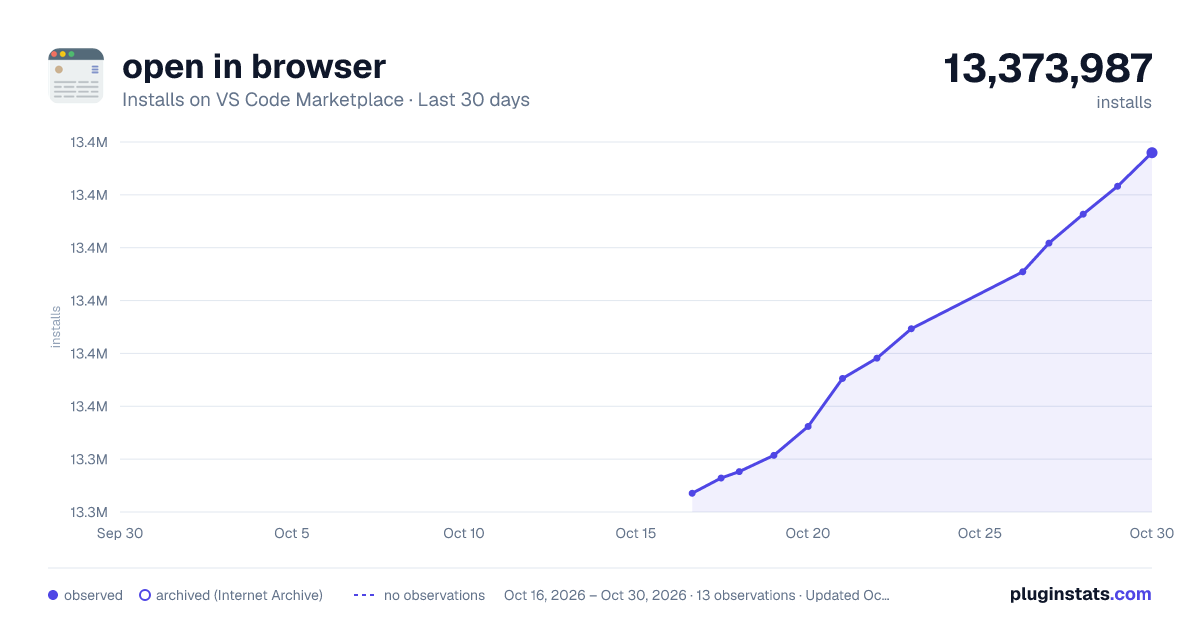
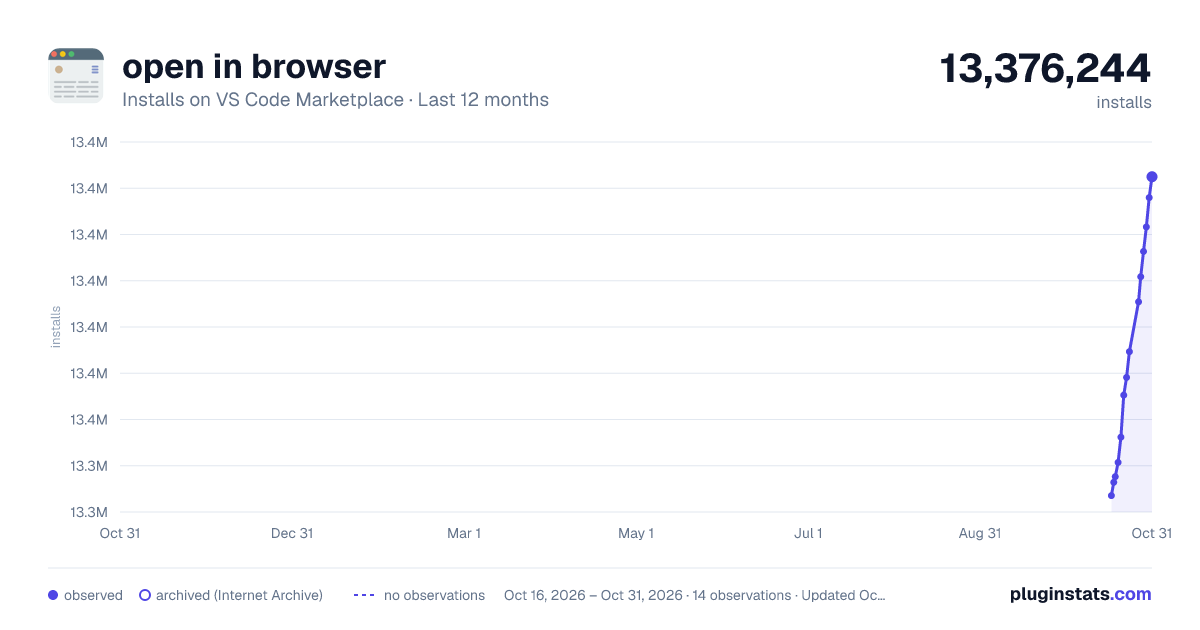
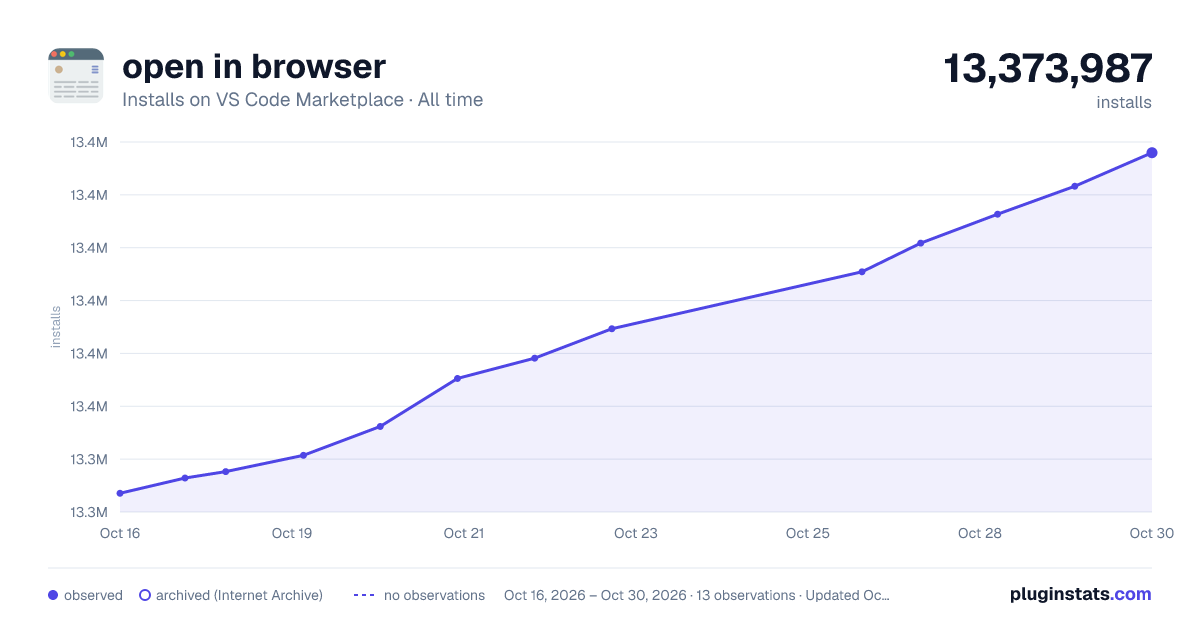
open in browser has 13,348,092 recorded installs on VS Code Marketplace, ranking #82 of 2,501 tracked listings.
Rating: 3.54 / 5 from 92 ratings
About open in browser
Open in Browser
Open a saved file from VS Code in your preferred browser—or let your operating system choose the default application.
Use a keyboard shortcut, the Command Palette, or a context menu. Open a file directly, or use Serve Mode to view a local static page through HTTP.
Features
- Open local files in their system-associated application or a configured browser.
- Choose a browser for each launch with Open In Other Browsers.
- Add custom browsers to the picker with a display name and an application name or absolute executable path.
- Set per-browser arguments, such as Chrome's
--incognitoflag. - Open non-HTML files, including JSON, XML, Markdown, and PSD, with their associated applications.
- Serve local static pages over HTTP when a page needs a localhost URL or relative assets.
Version 3.1 adds custom browsers and Microsoft Edge support on Windows, macOS, and Linux. Version 3.0 added Serve Mode. The 2.1 series added browser mappings, arguments, broader default-application menus, and launch fixes. See the changelog for release details.
Quick start
- Install open in browser (
techer.open-in-browser) from the VS Code Extensions view. - Save your file to disk.
- Choose how to open it:
| Action | Command | Default shortcut |
|---|---|---|
| Use the system default application or your configured browser | Open In Default Browser | Alt+B |
| Select a browser for this launch | Open In Other Browsers | Shift+Alt+B |
| Serve a local static page over HTTP | Open in Browser - Serve Mode | None |
These commands are available in the Command Palette. Shortcuts and Command Palette commands use the active editor's file. Context-menu commands use the selected resource.
Context menus
Commands appear in the Explorer, editor, and editor-tab context menus:
- Open In Default Browser is available for local files of any type. Its menu entry excludes folders, unsaved documents, and remote resources.
- Open In Other Browsers appears for resources whose language mode is HTML.
- Open in Browser - Serve Mode appears for saved local files in trusted workspaces. It is unavailable in remote workspaces.
With no browser configured, Open In Default Browser uses the operating system's file association. A PSD may open in an image editor, for example—not in a browser. If a browser is configured, the file is sent to that browser instead; not every file type can be displayed by a browser.
Serve Mode
Serve Mode starts a small HTTP server for local static files and opens the selected file at a http://127.0.0.1:PORT/... URL in your system default browser. Use it when a page needs HTTP or loads CSS, JavaScript, images, or other relative assets. The existing direct-open commands still work without starting a server.
- Open a trusted local workspace and save the file you want to view.
- Run Open in Browser - Serve Mode from the Command Palette or a file's context menu.
- If the file has unsaved edits, choose Save and Open to save it first.
- When finished, run Open in Browser - Stop All Local Servers. Use Open in Browser - Manage Local Servers to reopen a URL, copy it, or stop one server.
By default, the server root is the selected file's workspace folder and the preferred port is 2222. If that port is busy, Serve Mode chooses a free port. A server is reused for other files under the same root. For a saved file outside a workspace, set open-in-browser.serve.root to ${fileDirname} before opening it.
Configure the root and port in your settings if needed:
{
  "open-in-browser.serve.root": "${workspaceFolder}/public",
  "open-in-browser.serve.port": 2222
}
serve.root also accepts ${fileDirname}, either variable followed by a subdirectory, or an absolute directory path. The selected file must be inside that root. Port 0 always chooses a free port. Changing these settings does not reconfigure an already running server; stop it and open the file again. The server listens only on 127.0.0.1. It can serve allowed static files under its root, including files other than the selected page; hidden files, backend scripts, and symlinks outside the root are blocked.
Serve Mode is a lightweight static server, not a general development or production server. It does not run PHP or other backend code, provide live reload, or support remote workspaces. Do not try to use it for complex services. If you need backend processing, advanced routing, build pipelines, or other special behavior, use a dedicated development-server extension or software instead.
Configuration
Open Preferences: Open User Settings (JSON) from the Command Palette and add the settings you need.
Default browser
Leave open-in-browser.default empty to use the system-associated application:
{
  "open-in-browser.default": ""
}
To choose a browser for Open In Default Browser, use a supported alias:
{
  "open-in-browser.default": "chrome"
}
This does not change your operating system's default browser. Open In Other Browsers still uses whichever browser you select from the picker.
Browser aliases
Aliases are case-insensitive. These are built-in mappings, not a list of browsers detected on your machine: the selected browser must already be installed and accessible.…
Description from the VS Code Marketplace listing.
- browser
- html
- keybindings
- open
README badge
Show your rank in a README or on your website. The badge updates automatically.
Charts
Images: 30d · 1y · all time · 1600×900 dark

Adoption over time
7/30/90-day growth
Ranking history
Ratings over time
Listing placement
Listing placement
Filled points are observed values; hollow points come from Internet Archive snapshots of the listing page. Dashed segments span periods with no observations — values between points are not interpolated.
Each band is one page of 20. Installs on a linear scale. Placement is projected from installs, so it can differ from the marketplace's own sort order. Hover a dot to see the listing.
Recent observations
Full history (5)Similar VS Code Marketplace Other plugins
All 20 open in browser alternativesData source
Install counts, average rating, and rating counts come from the public Visual Studio Marketplace gallery API. Installs are cumulative and exclude updates.
Listing: https://marketplace.visualstudio.com/items?itemName=techer.open-in-browser. First seen Oct 16, 2026; last successful collection Oct 20, 2026. See the methodology.