 PluginStats
Auto Comment Blocks installs statistics
By kky · VS Code Marketplace · Other
Provides block comment completion for Javadoc-style multi-line comments and single-line comment blocks for most officially supported languages.
Auto Comment Blocks has 384,423 recorded installs on VS Code Marketplace, ranking #984 of 2,501 tracked listings.
Rating: 3.67 / 5 from 12 ratings
About Auto Comment Blocks
Auto Comment Blocks
Provides block comment completion for Javadoc-style multi-line comments and single-line comment blocks for most officially supported languages.
MAJOR CHANGES IN 1.0 UPDATE (Please Read)
A lot has changed in this update. Please open issues for any bugs you encounter.
Single-line Comment Blocks
You can now use single line comment blocks for languages with //, #, or ; style single line comments. Press Shift+Enter while on a commented line to insert a new commented line with the same level of indentation. See the Settings section for how to change the behavior so that Enter inserts a commented line while Shift+Enter breaks out of the comment block (this only works correctly for a subset of languages right now).
The Language Support section shows which languages are supported. See the Settings section for how to add single line comment support to languages that are not officially supported.
Multi-line Comment Blocks
This feature has not changed, but support has now been added for Less, Objective-C/C++, and Swift.
Usage
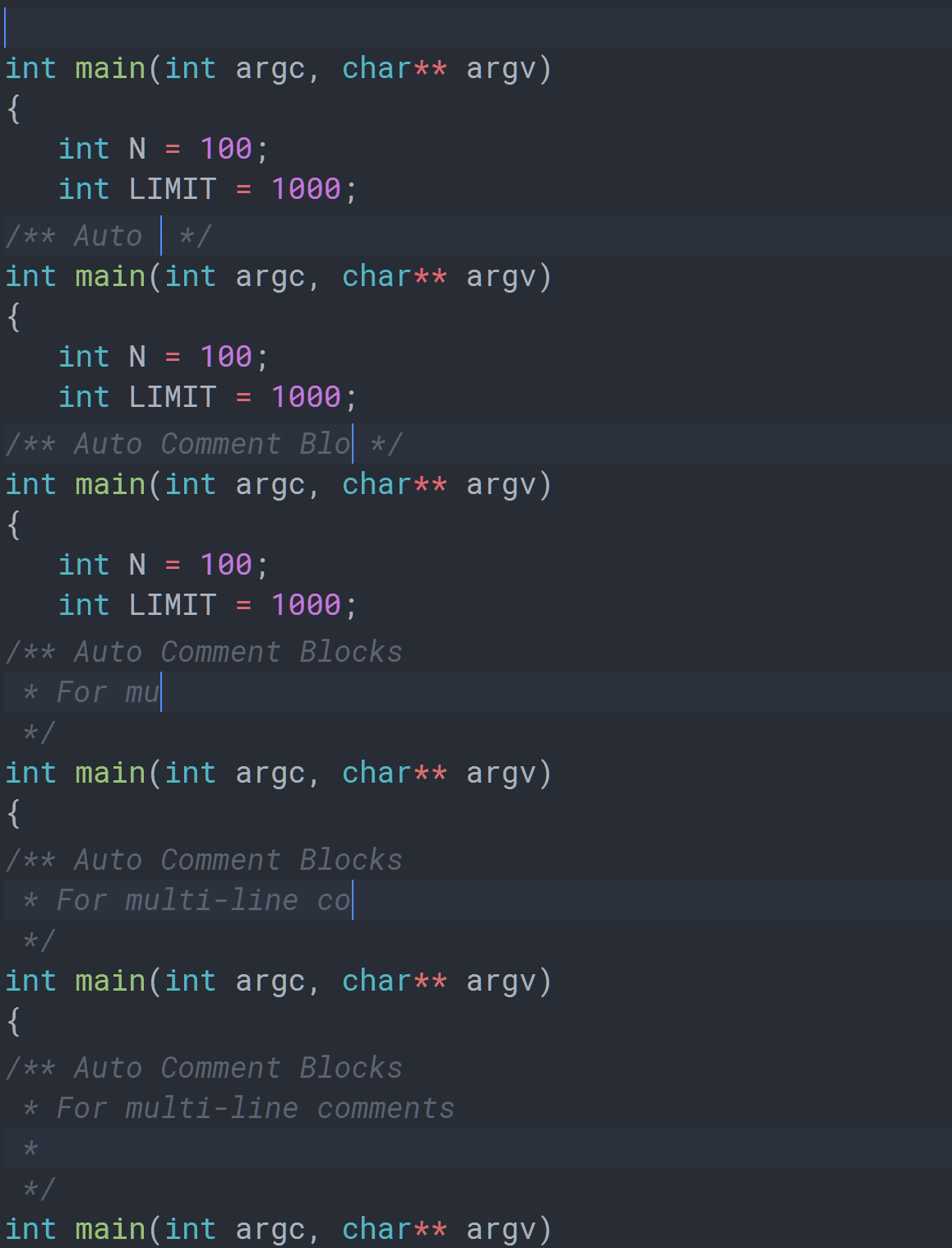
Javadoc-style comment blocks
Type /** to start a block comment, then hit the Enter key, and the extension will close the block. While inside the comment block, the extension will insert an asterisk at the start of every new line, and align the comment, respecting indentation.
QDoc-style (Qt) comment blocks
Use /*! in C/C++ files to start a QDoc comment block.
New: "single-line" block comments
You can insert single line comment blocks for languages with //, #, or ; style single line comments. Press Shift+Enter while on a commented line to insert a new commented line with the same level of indentation. See the Settings section for issues and more options.
Language Support
| Comment Style | Language Support |
|---|---|
/** */ | C, C++, C#, CSS, Go, Groovy, Java, Less, Objective C/C++, PHP, Sass, Rust, Swift |
/*! */ | C, C++ |
//, /// | C, C++, C#, F#, Go, Groovy, Java, JavaScript, Less, Objective C/C++, PHP, Rust, Sass, Swift, TypeScript |
# | CoffeeScript, Dockerfile, Makefile, Perl, PowerShell, Python, R, Ruby, YAML |
; | Clojure |
Settings
Reload the extension after changing any settings.
auto-comment-blocks.singleLineBlockOnEnter: If enabled, pressingEnterinserts a new commented line at the same indentation, and pressingShift+Enterbreaks the comment block.- Caution: This feature is buggy in many languages (see Issues section), but it seems to work fine for C, C++, Go, Less, PHP, Ruby, and Sass.
auto-comment-blocks.disabledLanguages: Add languageIds here to disable any comment completion for that language.auto-comment-blocks.slashStyleBlocks: Add languageIds here to enable '//' and '///'-style single line comment blocks for that language.auto-comment-blocks.hashStyleBlocks: Add languageIds here to enable '#'-style single line comment blocks for that language.auto-comment-blocks.semicolonStyleBlocks: Add languageIds here to enable ';'-style single line comment blocks for that language.
Issues
- Single-line blocks using
Enter: if you enable thesingleLineBlockOnEntersetting, there are a few things to keep in mind:- It seems to work find for C, C++, Go, Less, PHP, Ruby, and Sass.
- It doesn't work at all for Python, JavaScript, and TypeScript.
- For every other language, if you press
Tabimmediately after breaking out of a comment block, it will insert a commented line, for some unknown reason.
- Sometimes multi-line completion/aseterisk insertion doesn't work. The reason is still unknown. It may go away if you reload your workspace.
- Currently, VS Code only allows extensions to overwrite, instead of modify, existing language configurations. This means that this extension may clash with another extension that overwrites the same language configurations, causing one or both not to work. In that case, uninstalling this extension is the only option for now.
Please create an issue in the repository if you find any bugs, or have questions or feature requests.
Release Notes
1.0.0
- Add multi-line comment support for Less, Objective-C/C++, and Swift.
- Add single-line comment blocks for most officially supported languages. See README for more information.
Description from the VS Code Marketplace listing.
- asterisk
- auto
- block
- c
- comment
- cpp
- css
- go
- groovy
- keybindings
- less
- objective-c
- objective-cpp
- php
- rust
- scss
- swift
README badge
Show your rank in a README or on your website. The badge updates automatically.
Charts
Images: 30d · 1y · all time · 1600×900 dark
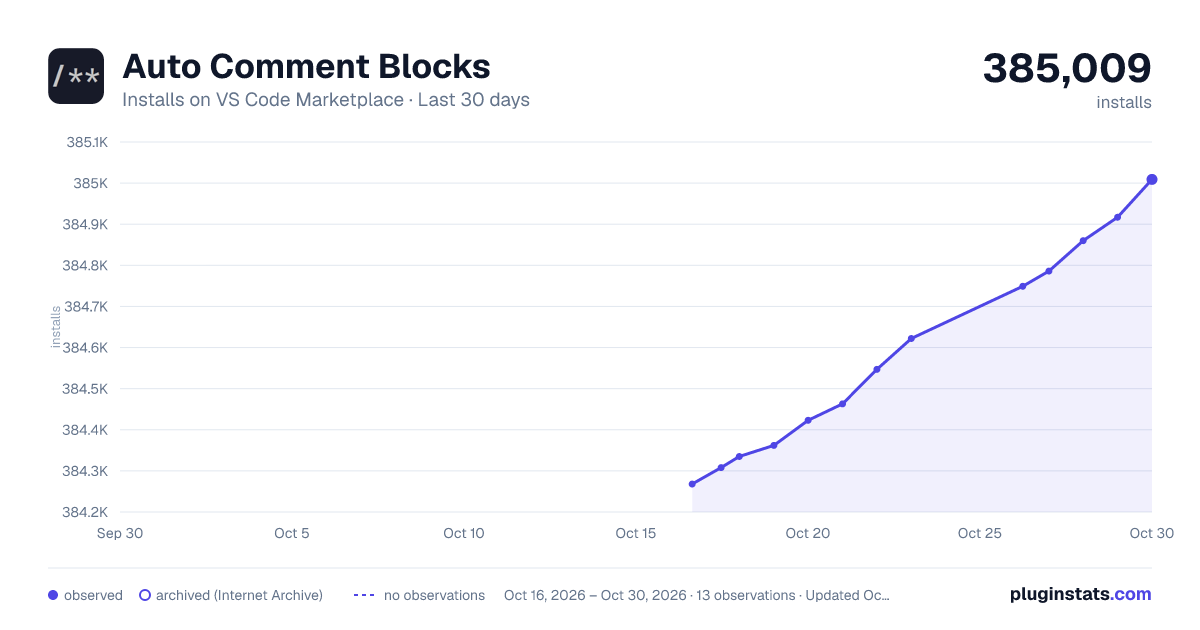
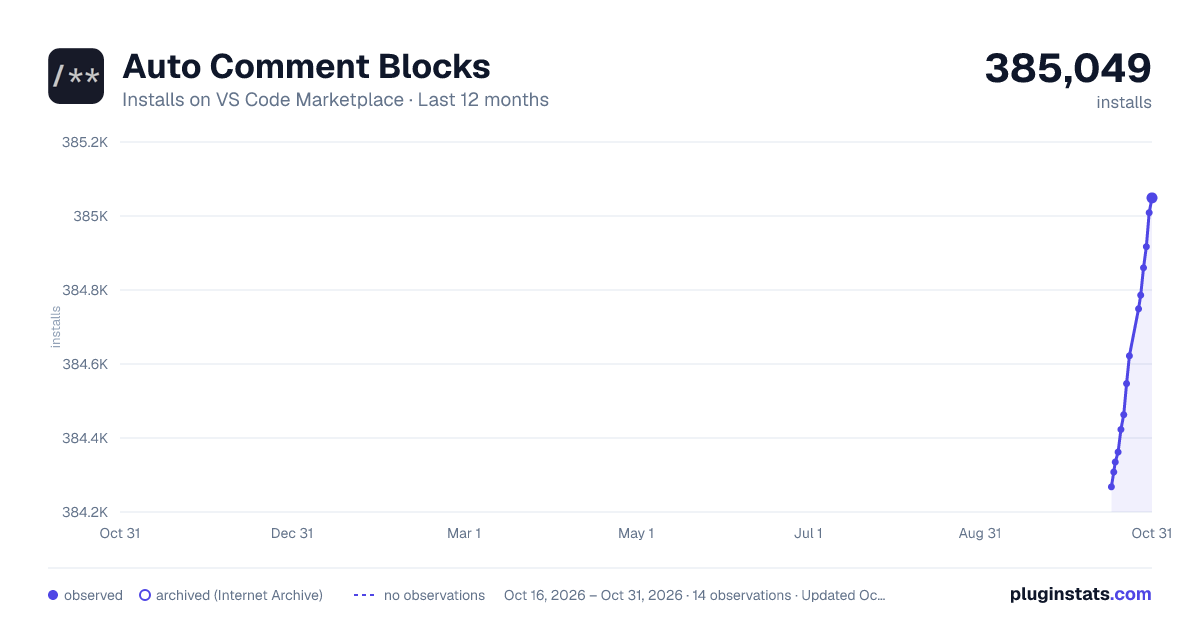
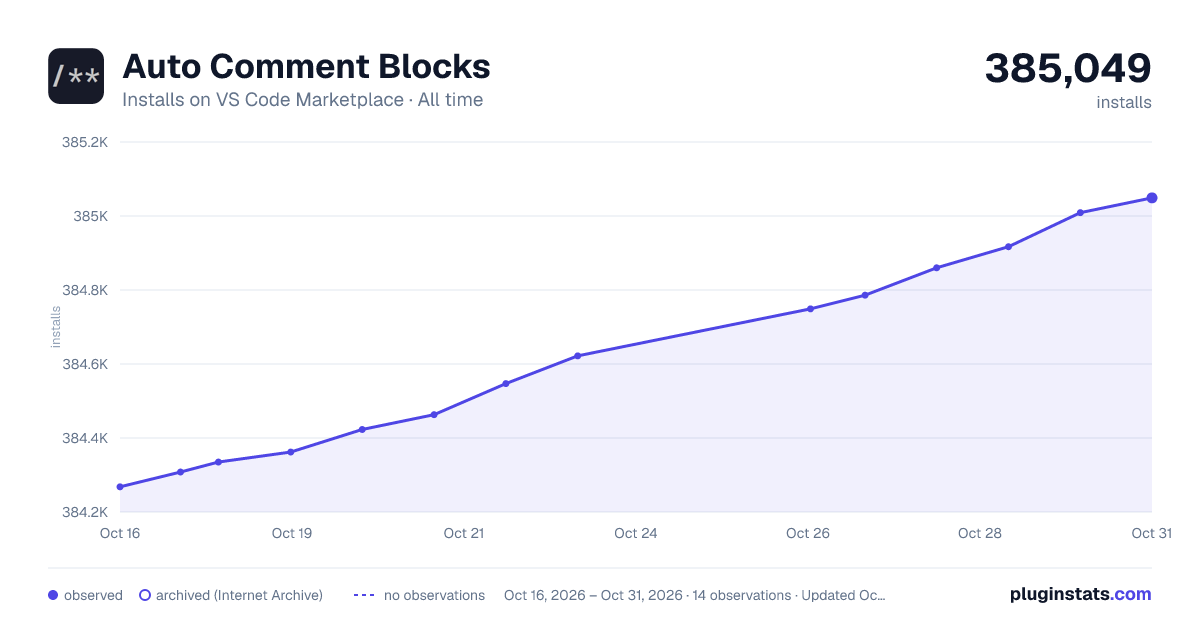

Adoption over time
7/30/90-day growth
Ranking history
Ratings over time
Listing placement
Listing placement
Filled points are observed values; hollow points come from Internet Archive snapshots of the listing page. Dashed segments span periods with no observations — values between points are not interpolated.
Each band is one page of 20. Installs on a linear scale. Placement is projected from installs, so it can differ from the marketplace's own sort order. Hover a dot to see the listing.
Recent observations
Full history (5)Similar VS Code Marketplace Other plugins
All 20 Auto Comment Blocks alternativesData source
Install counts, average rating, and rating counts come from the public Visual Studio Marketplace gallery API. Installs are cumulative and exclude updates.
Listing: https://marketplace.visualstudio.com/items?itemName=kevinkyang.auto-comment-blocks. First seen Oct 16, 2026; last successful collection Oct 20, 2026. See the methodology.