 PluginStats
Azurite installs statistics
By Microsoft (223 listings) · VS Code Marketplace · Other
An open source Azure Storage API compatible server
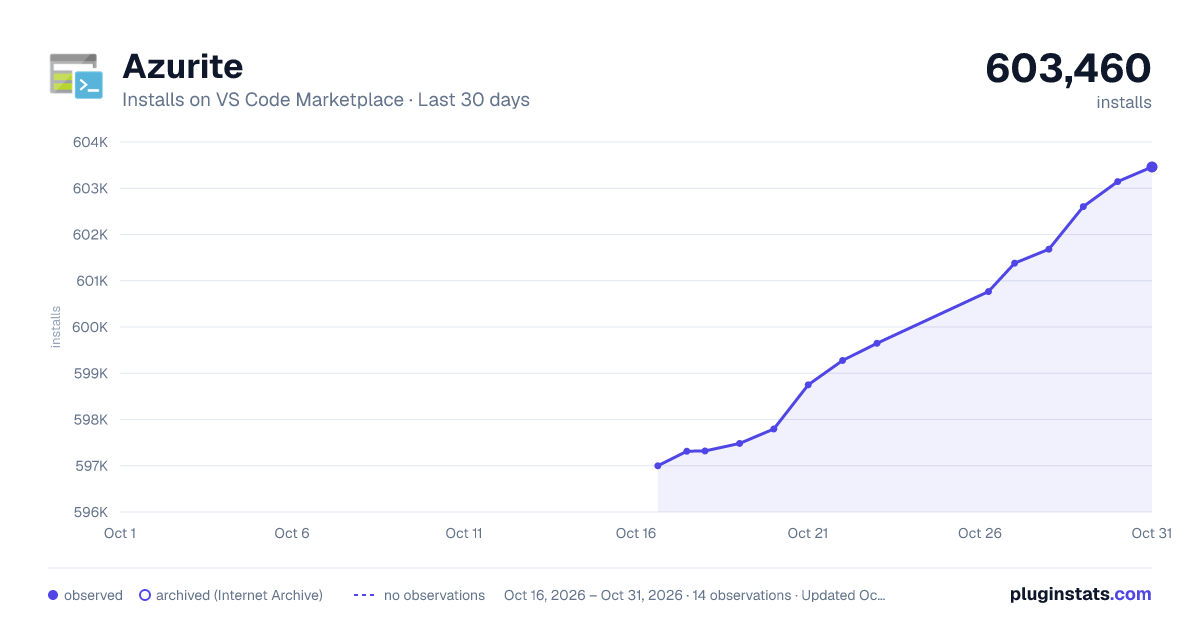
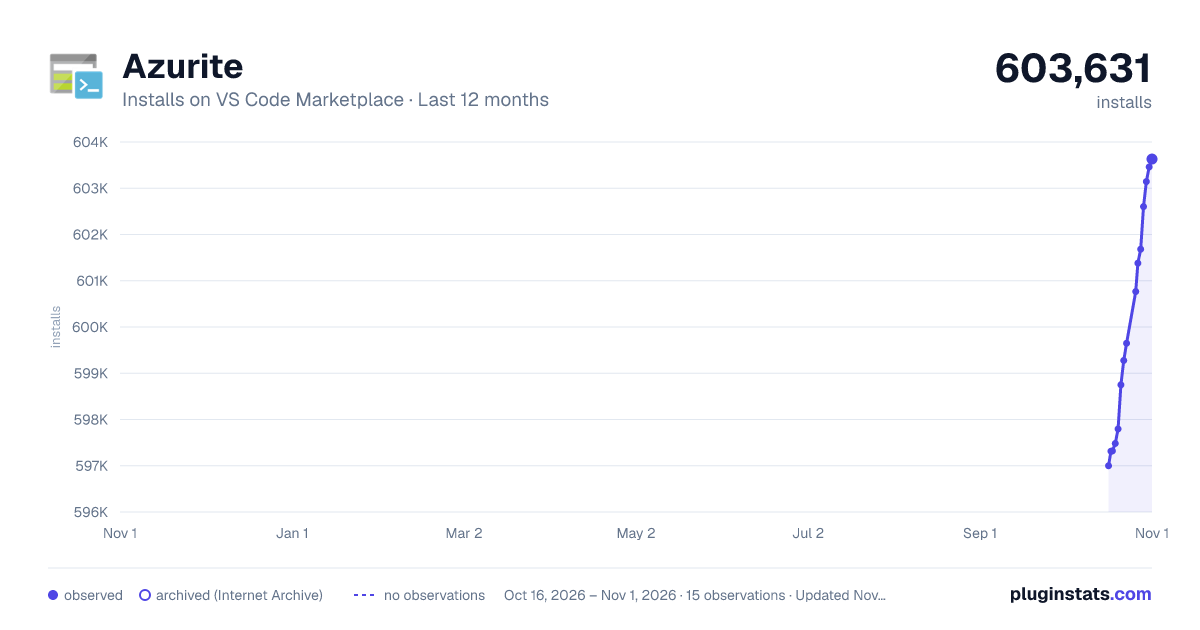
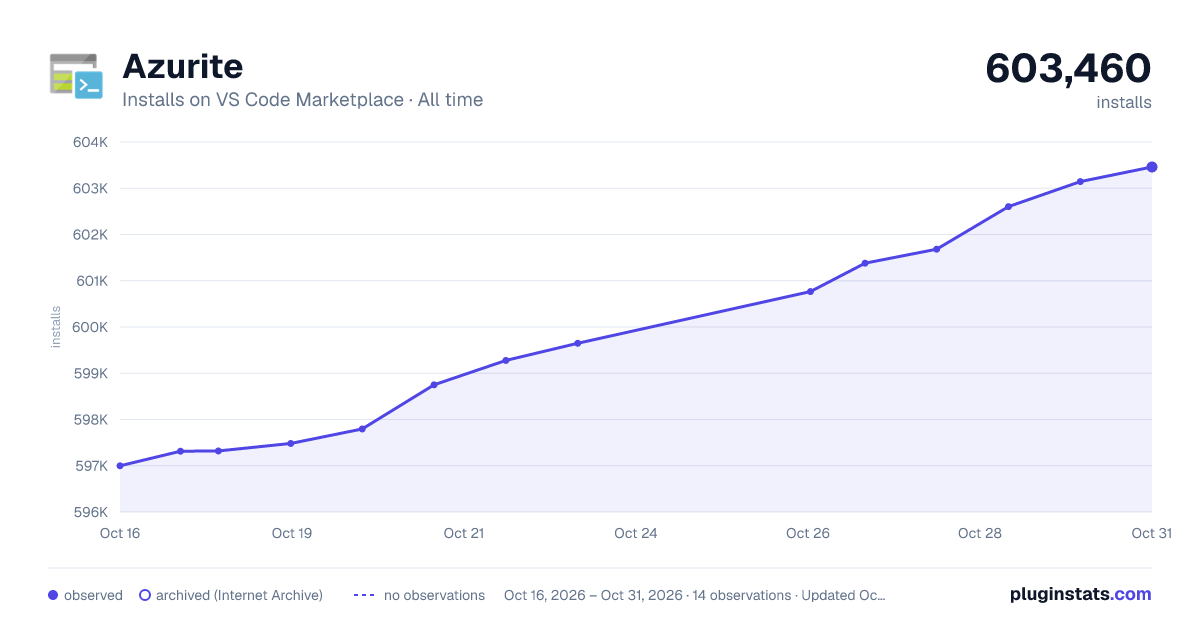
Azurite has 597,320 recorded installs on VS Code Marketplace.
It ranks #768 of 2,500 tracked VS Code Marketplace listings by installs.
It is rated 5.0 out of 5 from 7 ratings.
PluginStats has 3 daily observations since Oct 16, 2026; the latest is from Oct 18, 2026.
Rating: 5.00 / 5 from 7 ratings
About Azurite
Azurite V3
Note: The latest Azurite V3 code, which supports Blob, Queue, and Table (preview) is in the main branch. The legacy Azurite V2 code is in the legacy-master branch.
| Version | Azure Storage API Version | Service Support | Description | Reference Links |
| 3.37.0 | 2026-06-06 | Blob, Queue and Table(preview) | Azurite V3 based on TypeScript & New Architecture | NPM - Docker - Visual Studio Code Extension | | Legacy (v2) | 2016-05-31 | Blob, Queue and Table | Legacy Azurite V2 | NPM |
• Azurite V3 • Introduction • Features & Key Changes in Azurite V3 • Getting Started • GitHub • NPM • Visual Studio Code Extension • DockerHub • Docker Compose • NuGet • Visual Studio • Supported Command Line Options • Listening Host Configuration • Listening Port Configuration • Workspace Path Configuration • Access Log Configuration • Debug Log Configuration • Loose Mode Configuration • Certificate Configuration (HTTPS) • OAuth Configuration • Skip API Version Check • Disable Product Style Url • Disable Telemetry Collection • Use in-memory storage • Command Line Options Differences between Azurite V2 • Supported Environment Variable Options • Customized Storage Accounts & Keys • Customized Metadata Storage by External Database (Preview) • Skip API Version Check with an Environment Variable • HTTPS Setup • PEM • PFX • Usage with Azure Storage SDKs or Tools • Default Storage Account • Customized Storage Accounts & Keys • Connection Strings • Azure SDKs • Storage Explorer • Workspace Structure • Differences between Azurite and Azure Storage • Storage Accounts • Endpoint & Connection URL • Scalability & Performance • Error Handling • API Version Compatible Strategy • RA-GRS • Differences between Azurite V3 and Azurite V2 • Architecture • Server Code Generator • TypeScript • Features Scope • TypeScript Server Code Generator • SEA Binary Build (Development) • Support Matrix • License • We Welcome Contributions!
Introduction
Azurite is an open source Azure Storage API compatible server (emulator). Based on Node.js, Azurite provides cross platform experiences for customers wanting to try Azure Storage easily in a local environment. Azurite simulates most of the commands supported by Azure Storage with minimal dependencies.
Azurite V2 is manually created with pure JavaScript, popular and active as an open source project. However, Azure Storage APIs are growing and keeping updating, manually keeping Azurite up to date is not efficient and prone to bugs. JavaScript also lacks strong type validation which prevents easy collaboration.
Compared to V2, Azurite V3 implements a new architecture leveraging code generated by a TypeScript Server Code Generator we created. The generator uses the same swagger (modified) used by the new Azure Storage SDKs. This reduces manual effort and facilitates better code alignment with storage APIs.
3.0.0-preview is the first release version using Azurite's new architecture.
Features & Key Changes in Azurite V3
• Blob storage features align with Azure Storage API version 2026-06-06 (Refer to support matrix section below) • SharedKey/Account SAS/Service SAS/Public Access Authentications/OAuth • Get/Set Blob Service Properties • Create/List/Delete Containers • Create/Read/List/Update/Delete Block Blobs • Create/Read/List/Update/Delete Page Blobs • CRC-64/NVME transactional checksum validation for Put Blob, Put Block, Append Block, and Put Page • Queue storage features align with Azure Storage API version 2026-06-06 (Refer to support matrix section below) • SharedKey/Account SAS/Service SAS/OAuth • Get/Set Queue Service Properties • Preflight Request • Create/List/Delete Queues • Put/Get/Peek/Update/Delete/Clear Messages • Table storage features align with Azure Storage API version 2026-06-06 (Refer to support matrix section below) • SharedKey/Account SAS/Service SAS/OAuth • Create/List/Delete Tables • Insert/Update/Query/Delete Table Entities • Features NEW on V3 • Built with TypeScript and ECMA native promise and async features • New architecture based on TypeScript server generator. Leverage auto generated protocol layer, models, serializer, deserializer and handler interfaces from REST API swagger • Flexible structure and architecture, supports customizing handler layer implementation, persistency layer implementation, HTTP pipeline middleware injection • Detailed debugging log support, easy bug locating and reporting • Works with storage .Net SDK basic and advanced sample • SharedKey, AccountSAS, ServiceSAS, OAuth, Public Access authentication support • Keep updating with latest Azure Storage API version features (Refer to support matrix)
Getting Started
Try with any of following ways to start an Azurite V3 instance.
GitHub
After cloning source code, execute following commands to install and start Azurite V3.
NPM
In order to run Azurite V3 you need Node.js installed on your system. Azurite works cross-platform on Windows, Linux, and OS X. Azurite is compatible with the current Node.Js LTS Versions in support.
After installation you can install Azurite simply with npm which is the Node.js package management tool included with every Node.js installation.
Simply start it with the following command:
or,
This tells Azurite to store all data in a particular directory c:\azurite. If the -l option is omitted it will use the current working directory. You can also selectively start different storage services.
For example, to start blob service only:
Start queue service only:
Start table service only:
Visual Studio Code Extension
Azurite V3 can be installed from Visual Studio Code extension market.
You can quickly start or close Azurite by clicking Azurite status bar item or following commands.
Extension supports following Visual Studio Code commands:…
Description from the VS Code Marketplace listing.
- Azure
- Azurite
- Blob
- Emulator
- Microsoft
- Queue
- Storage
Where Azurite sits in the listing
Each band is one page of 20. Installs on a log scale. Placement is projected from installs, so it can differ from the marketplace's own sort order. Hover a dot to see the listing.


Charts
Images: 30d · 1y · all time · 1600×900 dark

Adoption over time


7/30/90-day growth


Filled points are observed values; hollow points come from Internet Archive snapshots of the listing page. Dashed segments span periods with no observations — values between points are not interpolated.
Recent observations
Full history (3)Similar VS Code Marketplace Other plugins
Data source
Install counts, average rating, and rating counts come from the public Visual Studio Marketplace gallery API. Installs are cumulative and exclude updates.
Listing: https://marketplace.visualstudio.com/items?itemName=Azurite.azurite. First seen Oct 16, 2026; last successful collection Oct 18, 2026. See the methodology.