 PluginStats
GitLab installs statistics
By GitLab (28 listings) · VS Code Marketplace · Other
Official GitLab-maintained extension for Visual Studio Code.
GitLab has 3,465,972 recorded installs on VS Code Marketplace.
It ranks #230 of 2,501 tracked VS Code Marketplace listings by installs.
It is rated 3.4 out of 5 from 91 ratings.
PluginStats has 4 daily observations since Oct 16, 2026; the latest is from Oct 19, 2026.
Rating: 3.35 / 5 from 91 ratings
About GitLab
GitLab for VS Code extension
The GitLab for VS Code extension brings GitLab Duo and other GitLab features directly into Visual Studio Code:
• Work with projects: Plan and track work with issues, review and discuss changes with merge requests, and share code snippets. Use GitLab Duo for AI-native planning and coding. • Monitor and test CI/CD pipelines: Test your pipeline configuration. View pipeline status and job outputs. • Secure your application: Review security findings and perform SAST scanning for your project.
For detailed feature documentation, see GitLab for VS Code.
Minimum supported version
This extension is tested against and officially supports only currently maintained GitLab versions. For details, see the GitLab release and maintenance policy.
Earlier GitLab versions may continue to work with parts of the extension, but are considered unsupported. Bugs or regressions specific to unsupported GitLab versions are not in scope for fixes.
For GitLab.com and GitLab Dedicated, you automatically use a supported version. For GitLab Self-Managed, make sure your instance is on a maintained GitLab version before reporting issues.
Feature-specific requirements
Some features require specific GitLab versions, plans, or add-ons. For details, see the GitLab extension documentation.
Setup
For instructions, see install and set up the GitLab for VS Code extension.
Browse a repository without cloning
With this extension, you can browse a GitLab repository in read-only mode without cloning it.
For instructions, see browse a repository in read-only mode.
Troubleshooting
For support, review troubleshooting the GitLab for VS Code extension.
If the documentation does not cover your issue, please report the issue.
Export diagnostics
If you encounter issues with the extension, you can export diagnostic information to help with troubleshooting:
1. Open the VS Code Command Palette (Command + Shift + P). 1. Search for GitLab: Export Diagnostics and press Enter. 1. Choose a location to save the ZIP file.
The exported ZIP file contains:
• Extension configuration and system information • Extension logs • Language server logs (if available)
All sensitive data (tokens, credentials, file paths) is automatically redacted before export.
Roadmap
To learn more about this project's team, processes, and plans, see the Editor Extensions: VS Code Group page in the GitLab handbook.
For a list of all open issues in this project, see the issues page for this project.
Data and Privacy
The GitLab for VS Code extension uses the telemetry settings in Visual Studio Code to send usage and error information to GitLab.
Learn how to enable or customize telemetry in Visual Studio Code.
The processing of any personal data is in accordance with our Privacy Statement.
Contributing
This extension is open source and hosted on GitLab. Contributions are more than welcome. Feel free to fork and add new features or submit bug reports. See CONTRIBUTING for more information.
A list of the great people who contributed this project, and made it even more awesome, is available. Thank you all! 🎉
Description from the VS Code Marketplace listing.
- ai chat
- chat
- ci cd
- duo chat
- git
- gitlab
- keybindings
- merge request
- pipeline
Charts
Images: 30d · 1y · all time · 1600×900 dark
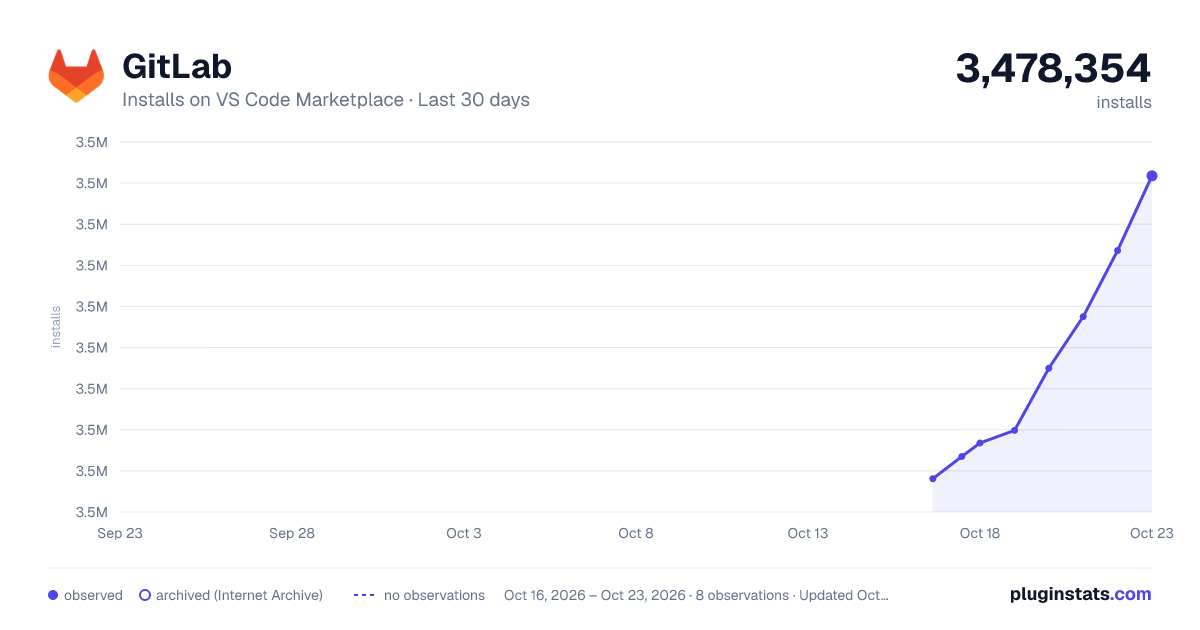
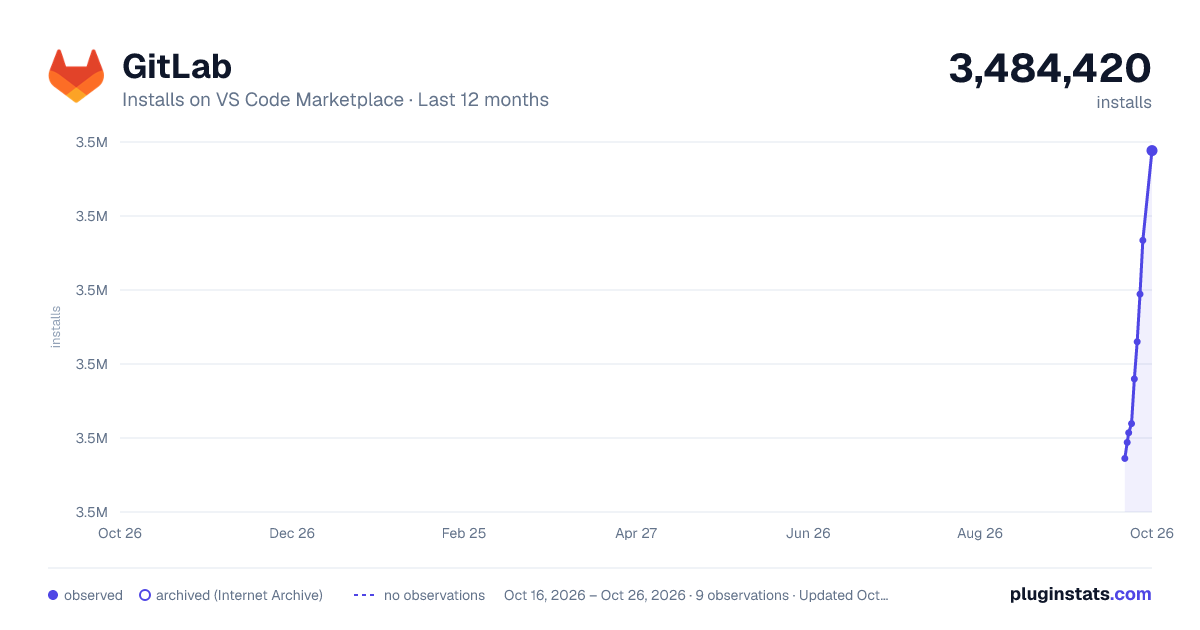
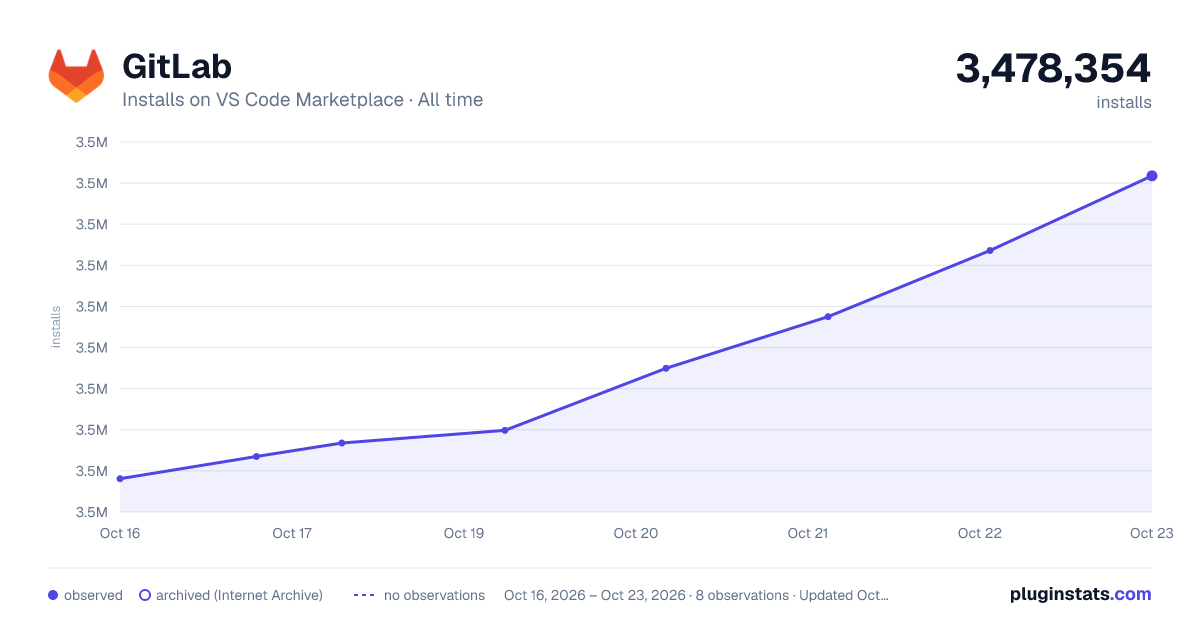

Adoption over time


7/30/90-day growth


Ratings over time


Listing placement


Filled points are observed values; hollow points come from Internet Archive snapshots of the listing page. Dashed segments span periods with no observations — values between points are not interpolated.
Each band is one page of 20. Installs on a log scale. Placement is projected from installs, so it can differ from the marketplace's own sort order. Hover a dot to see the listing.
Recent observations
Full history (4)Similar VS Code Marketplace Other plugins
All 20 GitLab alternativesGitLab on other marketplaces
Data source
Install counts, average rating, and rating counts come from the public Visual Studio Marketplace gallery API. Installs are cumulative and exclude updates.
Listing: https://marketplace.visualstudio.com/items?itemName=GitLab.gitlab-workflow. First seen Oct 16, 2026; last successful collection Oct 19, 2026. See the methodology.