 PluginStats
Open PHP/HTML/JS In Browser installs statistics
By PrimaFuture · VS Code Marketplace · Other
A GUI to open PHP/HTML/JS files in browser on http://localhost or file:/// scheme. Suitable for XAMPP.
Open PHP/HTML/JS In Browser has 584,370 recorded installs on VS Code Marketplace.
It ranks #777 of 2,500 tracked VS Code Marketplace listings by installs.
It is rated 4.4 out of 5 from 21 ratings.
PluginStats has 3 daily observations since Oct 16, 2026; the latest is from Oct 18, 2026.
Rating: 4.38 / 5 from 21 ratings
About Open PHP/HTML/JS In Browser
Open PHP/HTML/JS In Browser
A GUI to open PHP/HTML/JS files in browser on http://localhost or file:/// scheme. Suitable for XAMPP/MAMP.
You can open any type of file in browser, not only html file with just one click!
Supported browsers: Firefox / Google Chrome / Chromium / Safari / Opera / Edge / IE or any other using configured custom script
Usage
You can open current file in browser using following methods:
• Click the button Open In Browser on StatusBar • In the editor, right click on the file and click in context menu Open PHP/HTML/JS In Browser • Use keybindings Shift + F6 to open more faster (can be changed in menu File -> Preferences -> Keyboard Shortcuts)
Shortcuts
| Key | Command |
| Shift + F6 | Open PHP/HTML/JS In Browser |
Extension Settings
This extension contributes the following settings:
| Option | Description |
| open-php-html-js-in-browser.urlToOpen| Url scheme to open in browser (http://localhost or file:/// or custom) | | open-php-html-js-in-browser.selectedBrowser| Browser to open (Chrome, Firefox, ...) | | open-php-html-js-in-browser.customBrowserPath| Path of a custom browser executable (eg. C:\Program Files\Browser\Browser.exe) | | open-php-html-js-in-browser.rememberBrowserSelection| Remember last browser selection. Uncheck and select Ask always... option if you want to always choose browser to launch | | open-php-html-js-in-browser.showStatusBarItem| Show the button Open In Browser in the vscode status bar | | open-php-html-js-in-browser.documentRootFolder| Base directory of your pages to serve from http://localhost domain (eg. C:\xampp\htdocs\, /var/www/, etc.) | | open-php-html-js-in-browser.customUrlToOpen| Custom url to open in browser (eg. http://localhost:8888/${relativeDirnameDocumentRoot}/${fileBasename}) |
customUrlToOpen configuration:
Custom url to open in browser (eg. http://localhost:8888/${relativeDirnameDocumentRoot}/${fileBasename})
You can use variables substitutions see https://code.visualstudio.com/docs/editor/variables-reference
| Variable | Description |
| ${workspaceFolder} | the path of the folder opened in VS Code | | ${workspaceFolderBasename} | the name of the folder opened in VS Code without any slashes (/) | | ${file} | the current opened file | | ${relativeFile} | the current opened file relative to workspaceFolder | | ${fileBasename} | the current opened file's basename | | ${fileBasenameNoExtension} | the current opened file's basename with no file extension | | ${fileDirname} | the current opened file's dirname | | ${fileExtname} | the current opened file's extension | | ${cwd} | the task runner's current working directory on startup | | ${lineNumber} | the current selected line number in the active file | | ${selectedText} | the current selected text in the active file | | ${env:ENVIRONMENT_VARIABLE_NAME} | value of enviroment variable | | ${config:CONFIG_NAME} | value of configuration (eg. config:open-php-html-js-in-browser.documentRootFolder) | | ${host} | localhost hostname with port number | | ${relativeDirnameDocumentRoot} | path relative to documentRootFolder configuration |
Known Issues
None
Release Notes
See changelog below
[2.5.0] - 2023-12-04
• Fixed warning of falling back to file scheme for html files
[2.4.0] - 2023-09-12
• Fixed preferred Custom browser option issue
[2.3.0] - 2023-09-11
• Fixed space in Custom browser command issue
[2.2.0] - 2022-07-12
• Added support for alternative document root folders • Fixed double slashes url issue
[2.1.0] - 2022-07-12
• Fixed file:/// scheme issue
[2.0.0] - 2020-09-14
• Added document root folder autodetection
[1.8.0] - 2018-12-31
• Added support for Opera • Refactored open browser core • Fixed Edge issue
[1.7.4] - 2018-12-19
• Minor changes
[1.7.3] - 2018-12-19
• Minor changes
[1.7.0] - 2018-12-19
• Improved stability
[1.6.0] - 2018-12-19
• Added Custom url to open in browser configuration option. You can set eg. http://localhost:8888/${relativeDirnameDocumentRoot}/${fileBasename}
You can use variables substitutions see https://code.visualstudio.com/docs/editor/variables-reference
[1.5.0] - 2018-12-19
• Edited document is automatically saved before Open In Browser command
[1.4.0] - 2018-12-18
• Improved performance
[1.3.0] - 2018-12-18
• Added fallback mode to file:/// when it's not possible to use http://localhost
[1.2.1] - 2018-12-18
• Fixed missing dependencies
[1.0.0] - 2018-12-18
• Initial release
Enjoy!
Description from the VS Code Marketplace listing.
- browsers
- extension
- file
- javascript
- keybindings
- launch
- localhost
- open
- php
- vsc
- vscode
Where Open PHP/HTML/JS In Browser sits in the listing
Each band is one page of 20. Installs on a log scale. Placement is projected from installs, so it can differ from the marketplace's own sort order. Hover a dot to see the listing.


Charts
Images: 30d · 1y · all time · 1600×900 dark
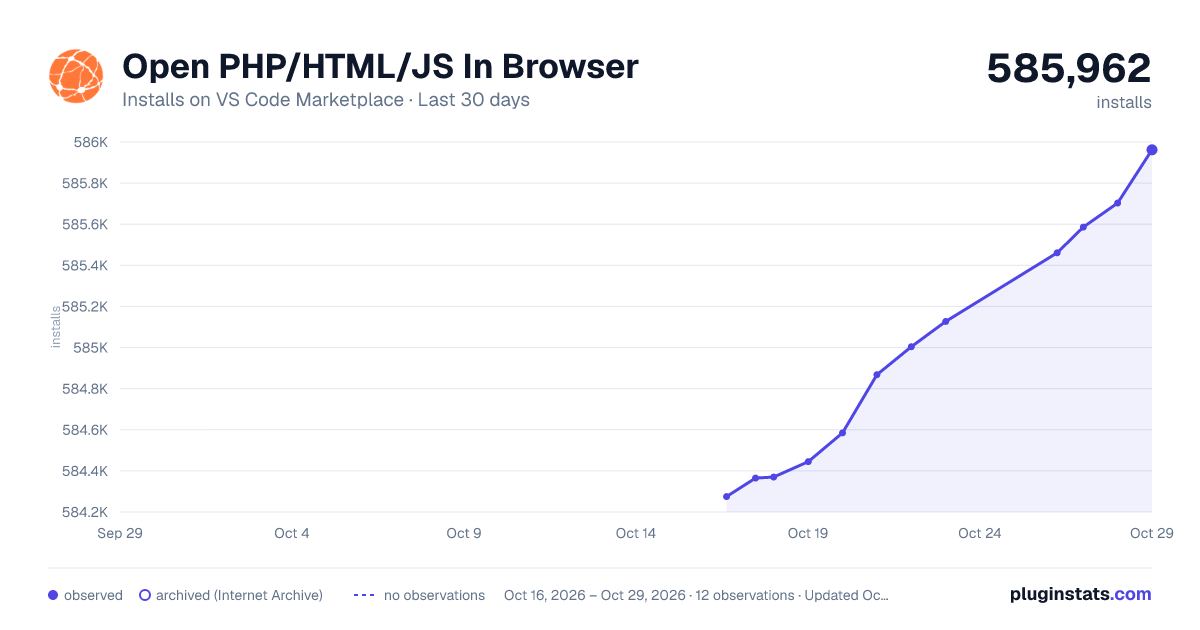
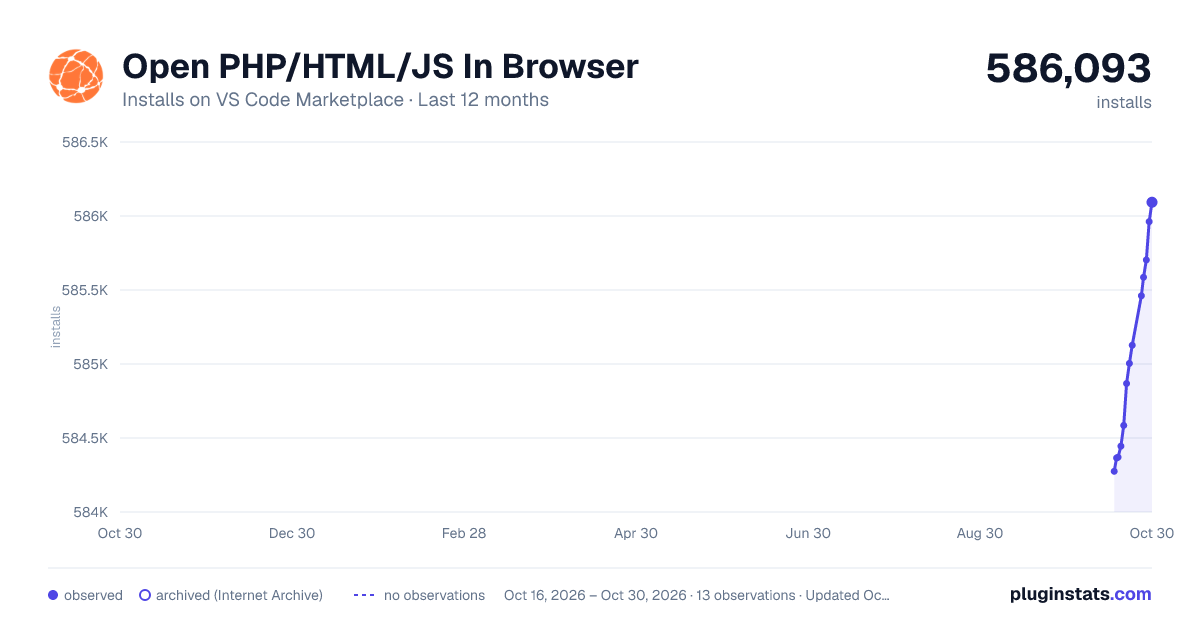
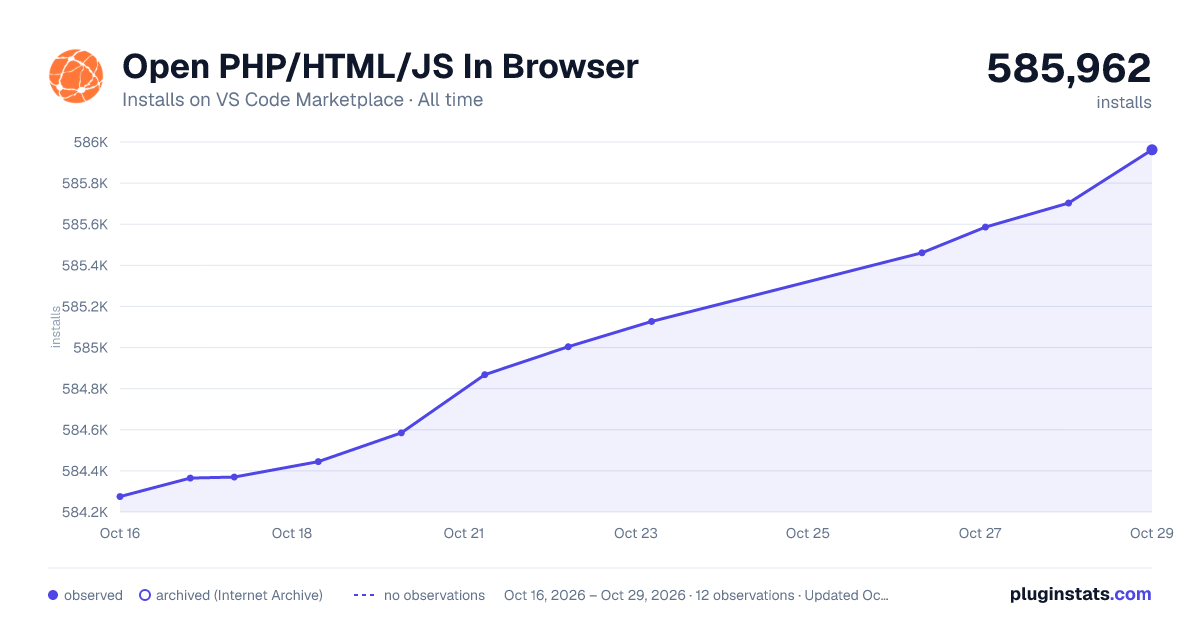

Adoption over time


7/30/90-day growth


Ranking history


Filled points are observed values; hollow points come from Internet Archive snapshots of the listing page. Dashed segments span periods with no observations — values between points are not interpolated.
Recent observations
Full history (3)Similar VS Code Marketplace Other plugins
Data source
Install counts, average rating, and rating counts come from the public Visual Studio Marketplace gallery API. Installs are cumulative and exclude updates.
Listing: https://marketplace.visualstudio.com/items?itemName=PrimaFuture.open-php-html-js-in-browser. First seen Oct 16, 2026; last successful collection Oct 18, 2026. See the methodology.