 PluginStats
Live HTML Previewer installs statistics
By Harshdeep Gupta · VS Code Marketplace · Other
Live, side-by-side HTML preview in VS Code - for hand-written pages and AI-generated HTML reports alike
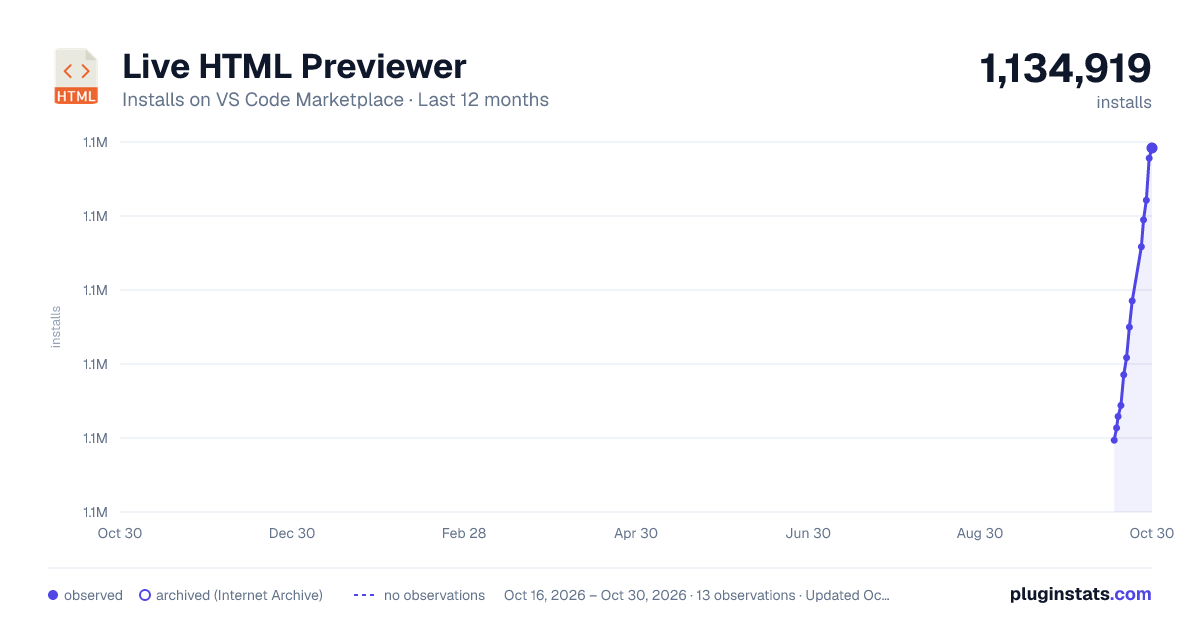
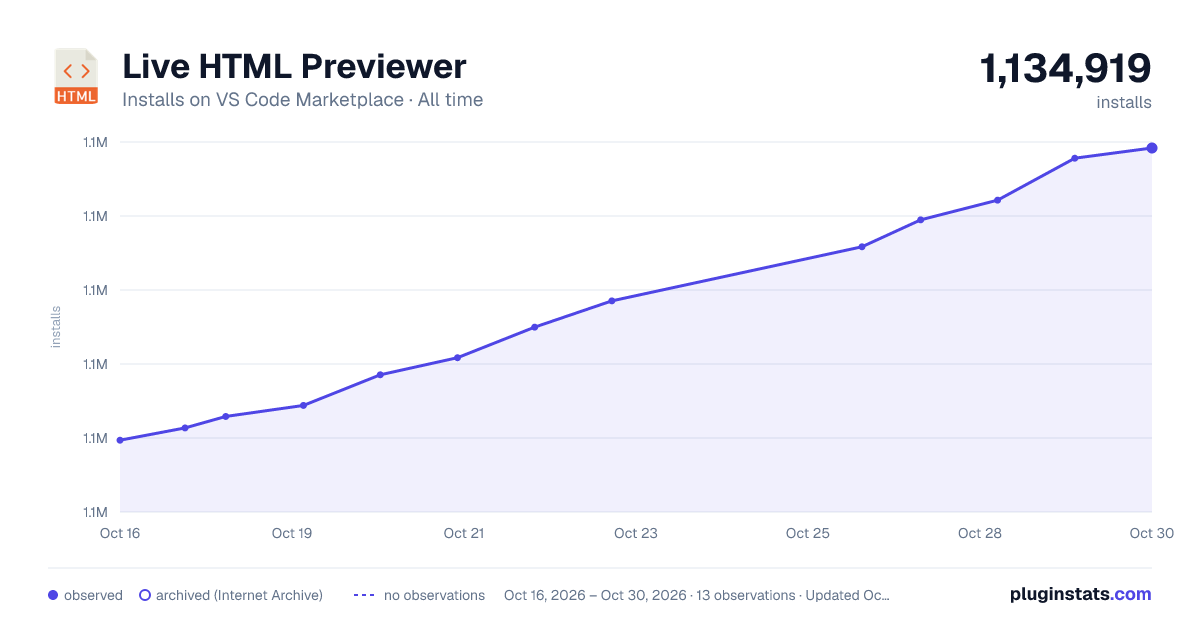
Live HTML Previewer has 1,131,440 recorded installs on VS Code Marketplace.
It ranks #504 of 2,501 tracked VS Code Marketplace listings by installs.
It is rated 1.9 out of 5 from 133 ratings.
PluginStats has 4 daily observations since Oct 16, 2026; the latest is from Oct 19, 2026.
Rating: 1.86 / 5 from 133 ratings
About Live HTML Previewer
Live HTML Previewer
Live, side-by-side preview of HTML files right inside VS Code - no browser tab, no context switch. Use it to quickly get the HTML and CSS right for hand-written webpages, and just as handy now that AI coding agents increasingly produce HTML (reports, specs, code reviews) instead of Markdown.
Note: Javascript is not supported in preview
Features
Side preview with live editing
Full page preview
Open html file in browser
Usage
• For side preview, use the keybinding 'ctrl+q s', or press 'F1' and type "Show side preview", or click the preview icon in the editor tab toolbar • For full preview, use the keybinding 'ctrl+q f', or press 'F1' and type "Show full preview", or alt-click the preview icon • You can also right-click an .html file's tab and choose "Reopen Editor With..." -> "Live HTML Preview" to preview it in place • Right-click an .html file (in the editor or the Explorer) for a "Preview" submenu: Side Preview and Full Preview, each with Auto/Light/Dark, plus "Open in browser" - pick one to start a preview already in the mode you want, in one click • To open file in browser: • use the keybinding 'ctrl+q w' or • press 'F1' and type "Open in browser" or • right-click an .html file (editor or Explorer) -> Preview -> "Open in browser" • over Remote-SSH/WSL/Codespaces this first tries VS Code's built-in Simple Browser tab, falling back to your external browser if that doesn't work for your setup
If a HTML file is open, two icons appear on the Status Bar in the bottom left: one to open the side preview, and one showing the current preview theme. The theme item stays visible and accurate whenever a preview panel is focused too, not just its source file.
Preview theme (auto / light / dark)
auto (the default) shows the previewed page exactly as authored, including its own dark-mode CSS, like a real browser would. light/dark force a plain background regardless of the page's own styling. liveHtmlPreview.previewTheme is a global setting, so it persists across restarts/sessions and applies to every workspace unless overridden. Switch between them however's convenient: • click the theme icon in the *preview tab's own* toolbar to cycle Auto -> Light -> Dark -> Auto, or alt-click it to pick directly from a list • click the theme item in the Status Bar to cycle • use the keybinding 'ctrl+q t' from the source file to cycle • right-click an .html file -> Preview -> pick one of the six Side/Full Preview x Auto/Light/Dark entries to open (or re-theme an already-open) preview directly in that mode • press 'F1' and type "Set preview theme" for a picker • or set liveHtmlPreview.previewTheme directly in Settings
All of these read/write the same setting, so changing it anywhere - including in an already-open preview - updates every other surface immediately.
Settings
• liveHtmlPreview.debounceDelay - delay (ms) after an edit before the preview refreshes (default 200) • liveHtmlPreview.customCss.enabled - inject a stylesheet into the preview (default true) • liveHtmlPreview.customCss.path - workspace-relative path to a custom CSS file to use instead of the bundled default • liveHtmlPreview.previewTheme - auto (default), light, or dark - see above
Description from the VS Code Marketplace listing.
- ai generated html
- css
- hot reload
- html
- html preview
- html viewer
- keybindings
- live preview
- preview
- vscode
- webview
Where Live HTML Previewer sits in the listing
Each band is one page of 20. Installs on a log scale. Placement is projected from installs, so it can differ from the marketplace's own sort order. Hover a dot to see the listing.


Charts
Images: 30d · 1y · all time · 1600×900 dark


Adoption over time


7/30/90-day growth


Ranking history


Filled points are observed values; hollow points come from Internet Archive snapshots of the listing page. Dashed segments span periods with no observations — values between points are not interpolated.
Recent observations
Full history (4)Similar VS Code Marketplace Other plugins
Data source
Install counts, average rating, and rating counts come from the public Visual Studio Marketplace gallery API. Installs are cumulative and exclude updates.
Listing: https://marketplace.visualstudio.com/items?itemName=hdg.live-html-previewer. First seen Oct 16, 2026; last successful collection Oct 19, 2026. See the methodology.