 PluginStats
Scratchpads installs statistics
By Nadav Bueno · VS Code Marketplace · Other
Create multiple scratchpad files of different file types
Scratchpads has 99,317 recorded installs on VS Code Marketplace.
It ranks #2368 of 2,501 tracked VS Code Marketplace listings by installs.
It is rated 5.0 out of 5 from 13 ratings.
PluginStats has 4 daily observations since Oct 16, 2026; the latest is from Oct 19, 2026.
Rating: 5.00 / 5 from 13 ratings
About Scratchpads
Scratchpads
Create multiple scratchpad files for doodling while you're coding
A powerful VSCode extension that lets you create temporary files for quick notes, code snippets, and experimentation without cluttering your project workspace.
🚨 Breaking Changes in v2.0.0
⚠️ Important: If you're upgrading from v1.x, your existing scratchpads may not appear in the UI. Your files are safe on disk!
What Changed?
Bug fix: v1.x incorrectly used the VS Code installation path (same for all projects) instead of the workspace path to generate project folder hashes. This caused all projects to share the same folder hash.
v2.0.0 fixes: Project hash now uses the actual workspace folder path. Default changed from project-specific to global folder.
Recovery Steps
1. Run Scratchpads: Open scratchpads folder (opens /scratchpads/ root) 2. Find your files in hash-named folders (32-char MD5 strings) 3. Move files to: • Global mode (default): /scratchpads/globalScratchpads/ • Project-specific mode: /scratchpads// (create a test scratchpad to see the new hash)
✨ Features
🚀 Quick Creation
• Create scratchpads instantly with any file extension • Support for 100+ programming languages and file types • Restrict the filetype picker to only the extensions you want • Full VSCode IntelliSense and syntax highlighting • Never interfere with your project's source control
📁 Smart Organization
• Global scratchpads (default): Share scratchpads across all projects • Project-specific folders: Each project gets its own scratchpad folder • Custom storage location support • Automatic folder management
🎯 Explorer Integration
• View all scratchpads directly in VSCode's Explorer panel • Rename and delete files with inline buttons • Quick actions toolbar for instant creation • Auto-refresh when files change • Welcome view with helpful guidance
⚡ Smart Automation
• Auto Paste: Automatically paste clipboard content into new scratchpads • Auto Format: Format document content automatically (when auto paste is enabled) • Quick Access: Open your most recent scratchpad instantly • Bulk Operations: Remove all scratchpads with one command
🎯 Perfect For
• Quick Prototyping: Test ideas without creating permanent files • Code Snippets: Save useful code fragments for later reference • Learning: Practice new languages and frameworks • Documentation: Write notes and documentation drafts • Debugging: Isolate and test specific code sections • Experimentation: Try different approaches without cluttering your project
🚀 Getting Started
1. Install the extension from the VSCode marketplace 2. Open Command Palette (Ctrl+Shift+P / Cmd+Shift+P) 3. Type Scratchpads: New scratchpad and press Enter 4. Choose your file type and start coding!
🎮 How to Use
Creating Scratchpads
| Command | Description | Use Case |
| Scratchpads: New scratchpad | Create a new scratchpad with custom file type | When you need a specific file extension | | Scratchpads: New scratchpad (default) | Create using your default file type | Quick creation with your preferred language | | Scratchpads: Open scratchpad | Browse and open existing scratchpads | When you want to continue working on something | | Scratchpads: Open latest scratchpad | Open your most recent scratchpad | Quick access to your last work |
Managing Scratchpads
| Command | Description | Use Case |
| Scratchpads: Rename scratchpad | Rename any scratchpad file | Better organization and identification | | Scratchpads: Remove scratchpad | Delete a specific scratchpad | Clean up individual files | | Scratchpads: Remove all scratchpads | Delete all scratchpads at once | Complete cleanup | | Scratchpads: New filetype | Add custom file extensions | Support for new languages or formats | | Scratchpads: Remove custom filetype | Remove custom file extensions | Clean up your filetype list | | Scratchpads: Open scratchpads folder | Open scratchpads folder | Access your files directly |
Explorer Panel (Optional)
Enable Scratchpads: Show In Explorer in settings to:
• See all scratchpads in a dedicated tree view • Use inline rename/delete buttons • Access quick action toolbar • Get visual guidance when no scratchpads exist
⚙️ Configuration
| Setting | Description | Default | Use When |
| Show In Explorer | Display scratchpads in Explorer panel | false | You want to manage scratchpads in the Explorer | | Use Global Folder | Share scratchpads across all projects | true | You work across multiple projects | | Auto Paste | Paste clipboard content automatically | true | You want to speed up creating scratchpads | | Auto Format | Format document content automatically | true | You want pasted content auto-formatted | | Default Filetype | Default extension for quick creation | "" | You prefer one default language | | Allowed Filetypes | Restrict picker to only these extensions | [] | You want a shorter filetype list | | File Prefix | Prefix for new files | "scratch" | You want a custom file prefix | | Prompt For Filename | Ask for custom names | false | You want to name each file yourself | | Prompt For Removal | Confirm before deleting all | true | You want confirmation before removing all | | Scratchpads Folder | Custom storage location | Auto | You want scratchpads in a specific folder | | Rename With Extension | Include extension in rename | false | You want to include the extension when renaming |
📝 Filename Guidelines
To ensure your scratchpads work correctly across all systems, filenames are automatically filtered to include only safe characters:
✅ Allowed Characters
• Letters: A-Z, a-z • Numbers: 0-9 • Symbols: _ (underscore), - (hyphen), . (dot) • Spaces: Spaces are now supported within filenames (v2.1.0+) • Leading or trailing dots and spaces are automatically removed • 2 or more consecutive dots are replaced with a single dot
💡 Examples
• my scratch notes.js • API endpoints v2.json • quick-test.py • notes 2024.md
📂 Folder Organization Explained…
Description from the VS Code Marketplace listing.
Where Scratchpads sits in the listing
Each band is one page of 20. Installs on a log scale. Placement is projected from installs, so it can differ from the marketplace's own sort order. Hover a dot to see the listing.


Charts
Images: 30d · 1y · all time · 1600×900 dark
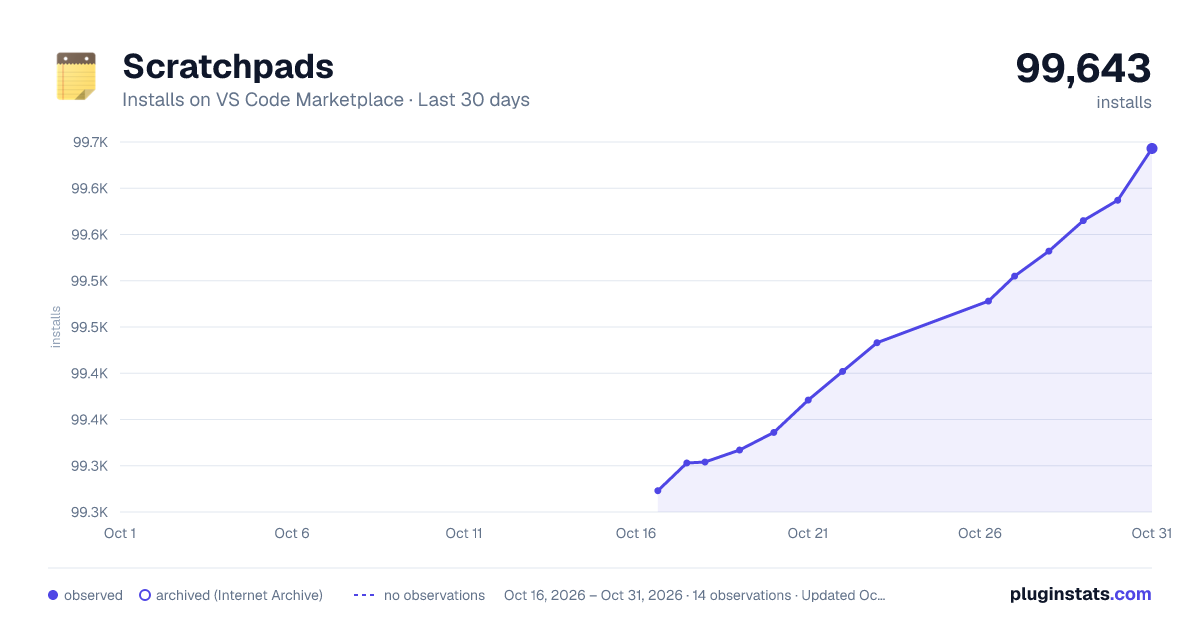
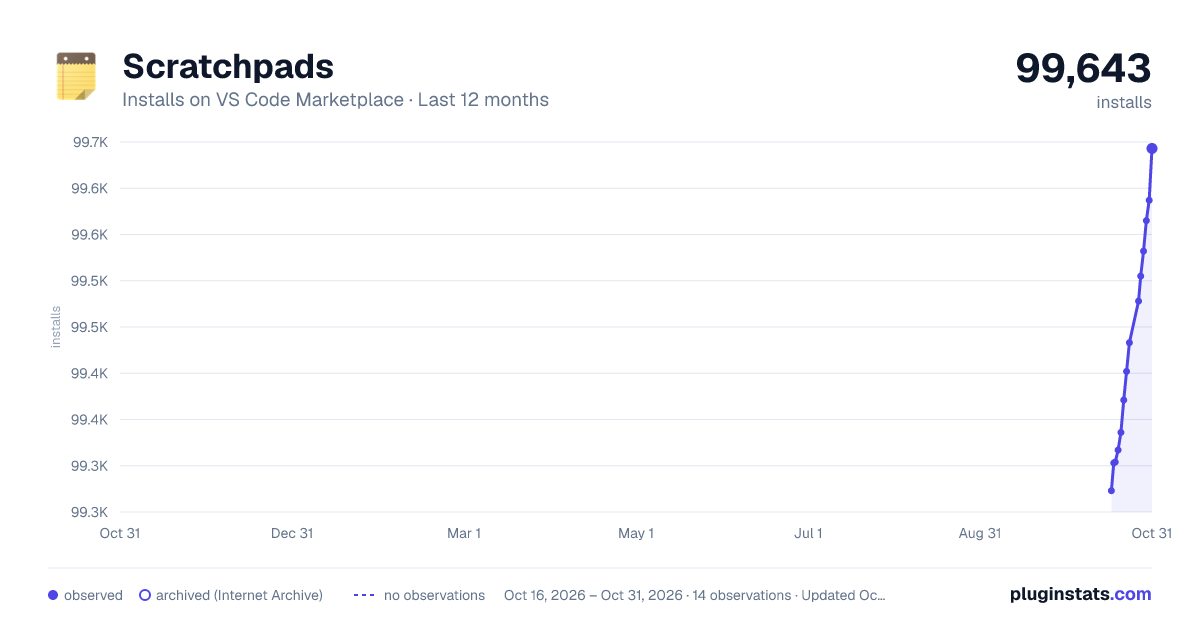
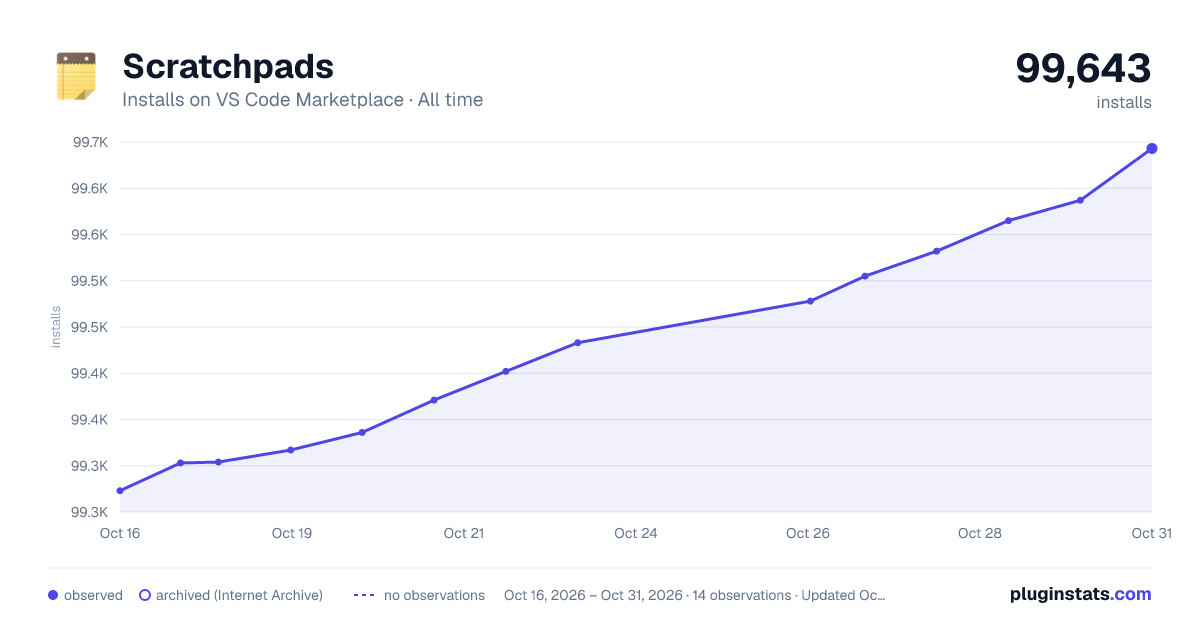

Adoption over time


7/30/90-day growth


Ranking history


Filled points are observed values; hollow points come from Internet Archive snapshots of the listing page. Dashed segments span periods with no observations — values between points are not interpolated.
Recent observations
Full history (4)Similar VS Code Marketplace Other plugins
Data source
Install counts, average rating, and rating counts come from the public Visual Studio Marketplace gallery API. Installs are cumulative and exclude updates.
Listing: https://marketplace.visualstudio.com/items?itemName=buenon.scratchpads. First seen Oct 16, 2026; last successful collection Oct 19, 2026. See the methodology.