 PluginStats
codedox installs statistics
By wiggin77 · VS Code Marketplace · Other
JSDoc-style comments for Haxe. @param and @return tags, plus customizable file header license and copyright comments.
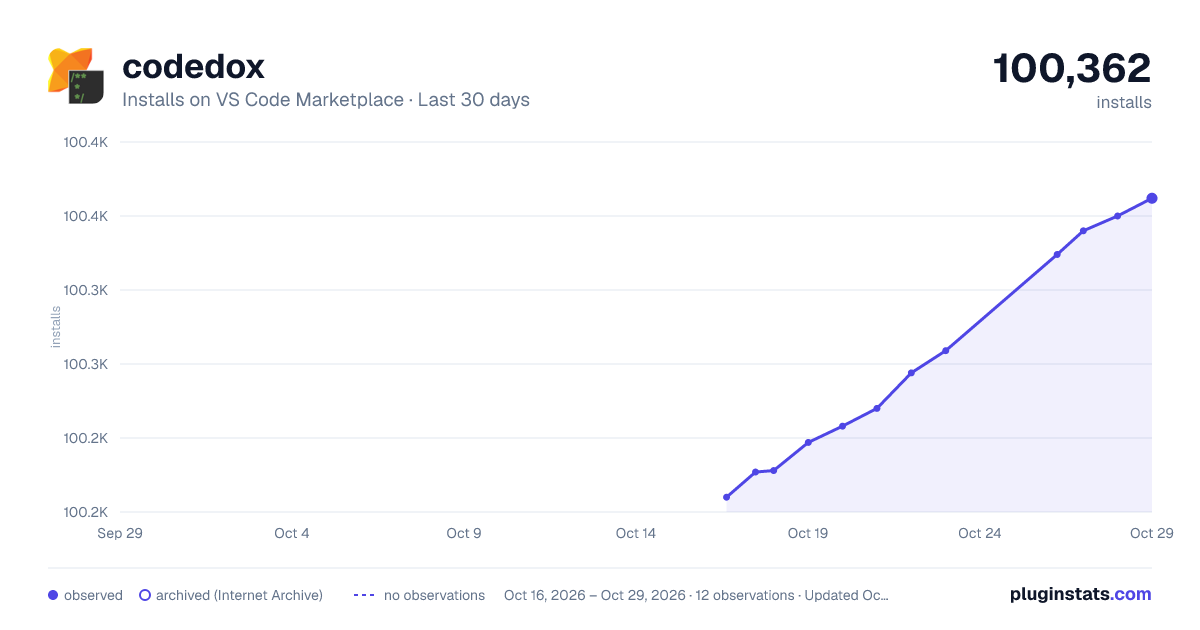
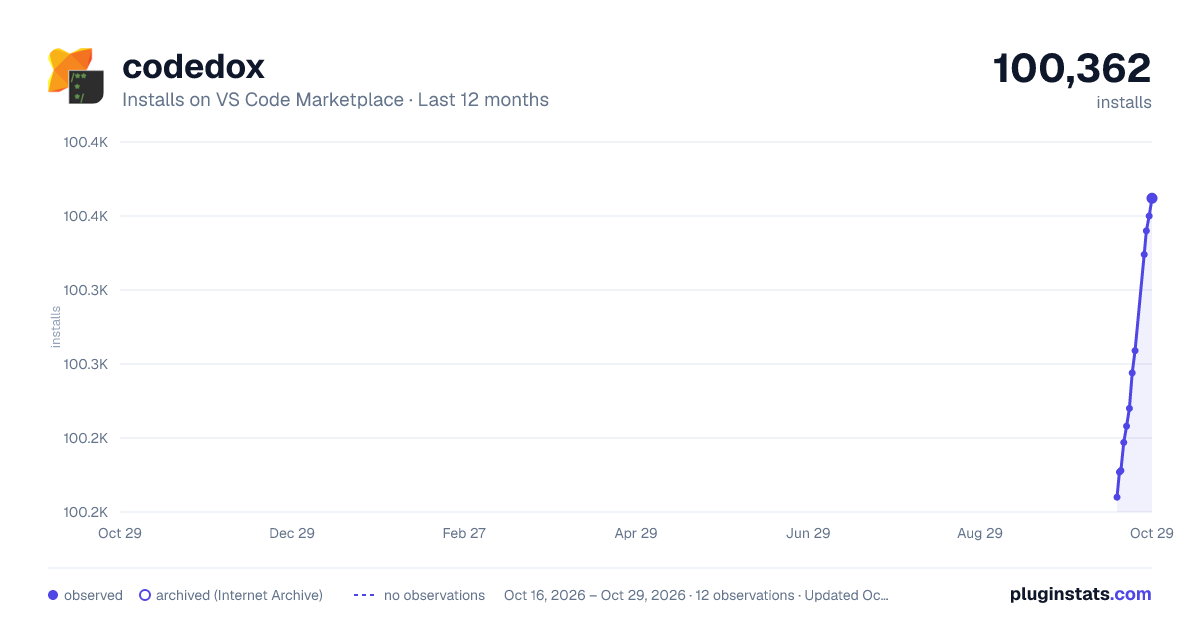
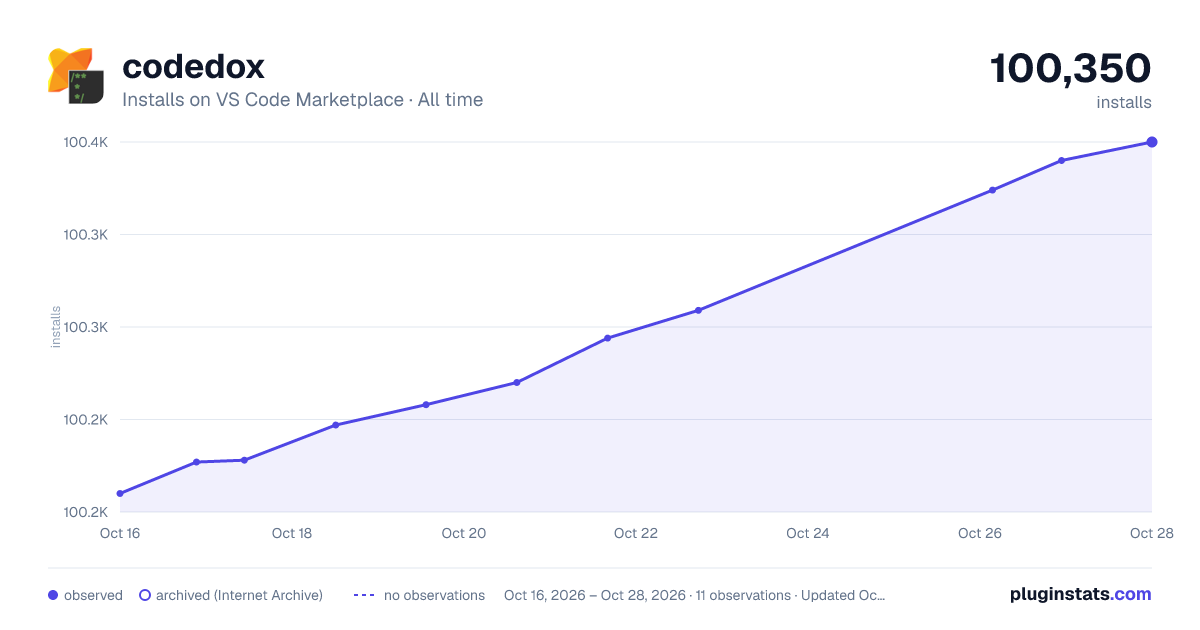
codedox has 100,197 recorded installs on VS Code Marketplace.
It ranks #2362 of 2,501 tracked VS Code Marketplace listings by installs.
It is rated 4.5 out of 5 from 2 ratings.
PluginStats has 4 daily observations since Oct 16, 2026; the latest is from Oct 19, 2026.
Rating: 4.50 / 5 from 2 ratings
About codedox
Codedox for Haxe and Visual Studio Code
This is an extension for Visual Studio Code that helps developers document their Haxe code.
JSDoc style comments can be inserted including automatic generation of @param and @return tags. File headers can be inserted with customizable copyright and license comments, or you can choose from a variety of built-in license texts.
This extension is best used as a companion to vshaxe which provides Haxe support for Visual Studio Code.
Usage
1. Type /* at top of file to insert a file header. • if no file header template has been configured then a simple setup wizard will ask a few questions and save the configuration 2. Position cursor before a function declaration and type /** to insert a JSDoc-style comment. 3. Position cursor before a variable or class declaration and type /** to get an empty JSDoc-style comment, then press enter immediately to get a multiline comment.
File header and JSDoc-style comments can also be inserted using commands. Invoke the commands using F1 or Ctrl-Shift-P/Cmd-Shift-P and typing Codedox: Insert ...
Features
Insert JSDoc comment
On-enter rules
Insert file header
Setup 'Wizard'
A basic configuration can be created using the simple setup 'wizard'. This is triggered when typing /* at the top of a file for the first time, or by running the setup command using F1 or Ctrl-Shift-P/Cmd-Shift-P and typing Codedox: Setup ....
The wizard will ask:
1. Where you want the configuration saved (user or workspace) 2. Which of the built-in license templates you want to use (if any) • GNU Affero General Public License • Apache License, Version 2.0 • GNU General Public License, Version 3.0 • MIT License • Mozilla Public License, Version 2.0 • Simple copyright 3. A company/author name to include in your copyright.
Advanced Configuration
Most Codedox settings are optional, and all required settings can be generated by the setup wizard. If you want use a built-in license template or simple copyright then just run the setup wizard and skip this section.
If you want to create a custom license/copyright template or want to change how the comments look, then you can cut and paste the following into your user or workspace settings file (.vscode/settings.json) and customize as needed. A list of built-in parameters that can be used in your custom templates is also listed below.
Built-in parameters:
Param | Result
${name} | variable name (function comments only) ${type} | variable or function type (function comments only) ${fname} | name of current file ${fspec} | absolute path and name of current file ${frel} | path and name of current file relative to workspace ${year} | 2017 ${month} | 1 ${day} | 2 ${timestamp} | 2017-01-02 15:17:40 ${time24h} | 15:17:40 ${date} | 2017-01-02 ${time} | 3:17:40 PM ${license_agpl_3_0} | GNU Affero General Public License ${license_apache_2_0} | Apache License, Version 2.0 ${license_gpl_3_0} | GNU General Public License, Version 3.0 ${license_mit} | MIT License ${license_mozillapl_2_0} | Mozilla Public License, Version 2.0 ${license_none} | Simple copyright
Notes
• If you do not want an asterisk preceding each line of a comment, replace the commentprefix property with two spaces (" "). • If you prefer only one space before each line of a comment, replace commentprefix with asterisk plus one space ("* "). • Feature requests, comments, etc, are welcome.
Description from the VS Code Marketplace listing.
- comments
- copyright
- Haxe
- JSDoc
- license
Where codedox sits in the listing
Each band is one page of 20. Installs on a log scale. Placement is projected from installs, so it can differ from the marketplace's own sort order. Hover a dot to see the listing.


Charts
Images: 30d · 1y · all time · 1600×900 dark

Adoption over time


7/30/90-day growth


Filled points are observed values; hollow points come from Internet Archive snapshots of the listing page. Dashed segments span periods with no observations — values between points are not interpolated.
Recent observations
Full history (4)Similar VS Code Marketplace Other plugins
Data source
Install counts, average rating, and rating counts come from the public Visual Studio Marketplace gallery API. Installs are cumulative and exclude updates.
Listing: https://marketplace.visualstudio.com/items?itemName=wiggin77.codedox. First seen Oct 16, 2026; last successful collection Oct 19, 2026. See the methodology.