 PluginStats
Org Mode installs statistics
By Too Tone · VS Code Marketplace · Programming Languages
Emacs Org mode support for VSCode
Org Mode has 127,017 recorded installs on VS Code Marketplace, ranking #2060 of 2,501 tracked listings.
Rating: 4.80 / 5 from 5 ratings
About Org Mode
VS Code Org Mode
VS Code Org Mode is an extension for Visual Studio Code inspired by the venerable Org mode for Emacs. Org lets you keep notes, maintain TODO lists, and author documents, all in plain text.
The extension is currently in alpha. We welcome issues, feature requests, and contributions to the repo.
Features
Keep Notes
Create outlines:
Promote and demote items:
Maintain TODO Lists
Create TODOs:
Change TODO status:
Customize your TODO Keywords:
Insert timestamps:
Modify dates:
Author Documents
Style your text:
Add metadata with a snippet:
Add links with a snippet:
Add comments:
Settings
Keybindings
All actions in VS Code Org mode come packaged with default keybindings. These can be modified in your keybindings.json file.
Custom TODO Keywords
TODO keywords can be customized in settings.json. For example:
Installation
Org Mode can be installed in a number of ways: • Launch VS Code Quick Open (Linux / Windows: ctrl+P; Mac: cmd+P) and type ext install org-mode. • Search for org mode in the Extensions view in VS Code.
Activation
The extension can be activated in two ways: 1. Save a file with the extension .org. 2. Change the language mode to Org by either • Clicking in the lower right corner to the left of the smiley face • Typing change language mode into the command palette • Using the default shortcut • Linux / Windows: ctrl+k m • Mac: cmd+k m
Docs
Detailed documentation is kept in the GitHub Wiki.
Contributing
We welcome contributions to the GitHub repo. Here are basic guidelines for conventions.
Naming
The full name of this project is VS Code Org Mode. It is abbreviated vscode-org-mode. In the VS Code Marketplace, it is listed as Org Mode.
Commands are prefixed with org. and followed by camel case, eg org.insertHeadingRespectContent. Command titles are prefixed with Org: and followed by capitalized words separated by spaces, eg Org: Insert Heading Respect Content.
Filenames use kebab case, eg header-functions.ts.
When referring to the original Org mode, we capitalize the "O" and leave the "m" lower case. This is in keeping with the original team's usage on orgmode.org.
Code
Use TSLint with default settings.
Git
• master is used for production deploys. • develop is the main branch into which new features are merged. It is protected from direct pushes, so all changes come from pull requests. • Features: For all new additions, create a new feature branch. When complete, create a pull request into develop for that branch. Optionally, prefix feature branch names with feature/.
Gratitude
The original Org mode was written for Emacs by Carsten Dominik, with the help and support of an impressive list of geniuses. Our work is inspired by though not associated with their original masterpiece. In addition, many aspects of the extension were inspired by the Spacemacs Org layer.
Our unicorn icon is based on an image by M. Turan Ercan for the Noun Project. We're grateful to them for making the image available under the Creative Commons license.
License
This work is available under the GNU General Public License v3.
Requirements
Install the extension. The rest will be taken care of.
Known Issues
Folding
VS Code's folding strategy is based on indentation. There is no indentation in Org. There are a number of feature requests to allow for header-level folding: • language-aware folding #3422 • Add code folding for markdown based on heading level #3347
Until Microsoft addresses those issues, it appears to be impossible to implement folding in Org.
Colorization
Colorization, bolding, italicization, and other modes of highlighting are handled differently by different themes. We have prioritized supporting the default VS Code themes (Dark+ and Light+). This prioritization means that some colors may not appear as expected in other themes, or that opportunities for more variance have been missed.
Others
See GitHub Issues.
Release Notes
See CHANGELOG.md.
Description from the VS Code Marketplace listing.
- keybindings
- org
- Org Markup
- Org Mode
- snippet
README badge
Show your rank in a README or on your website. The badge updates automatically.
Charts
Images: 30d · 1y · all time · 1600×900 dark
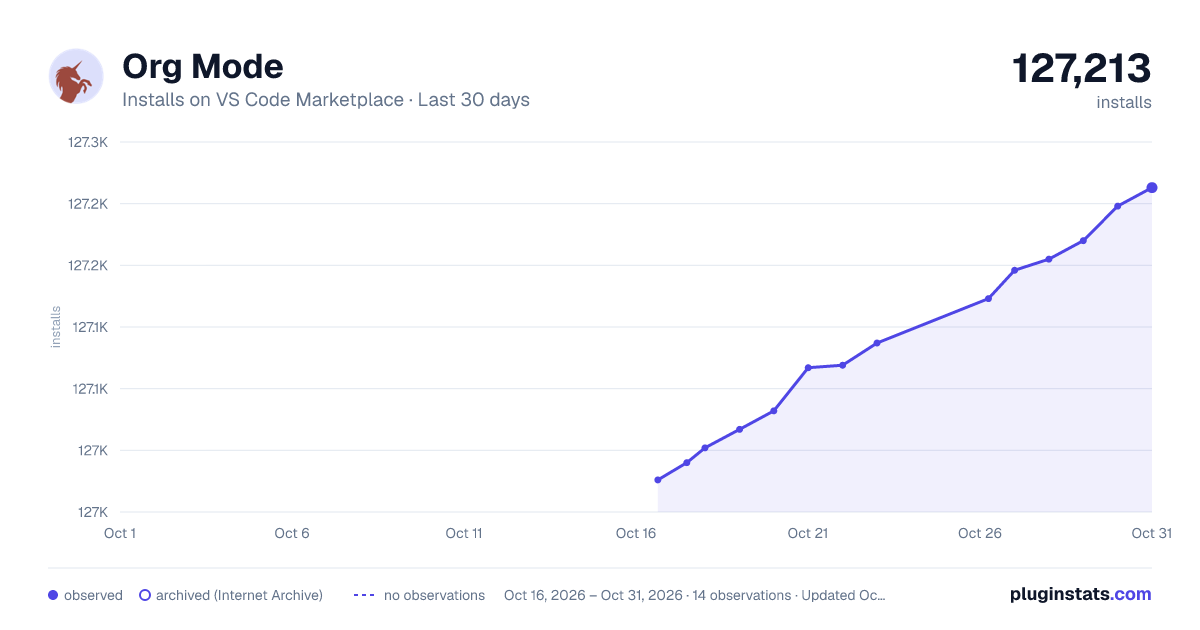
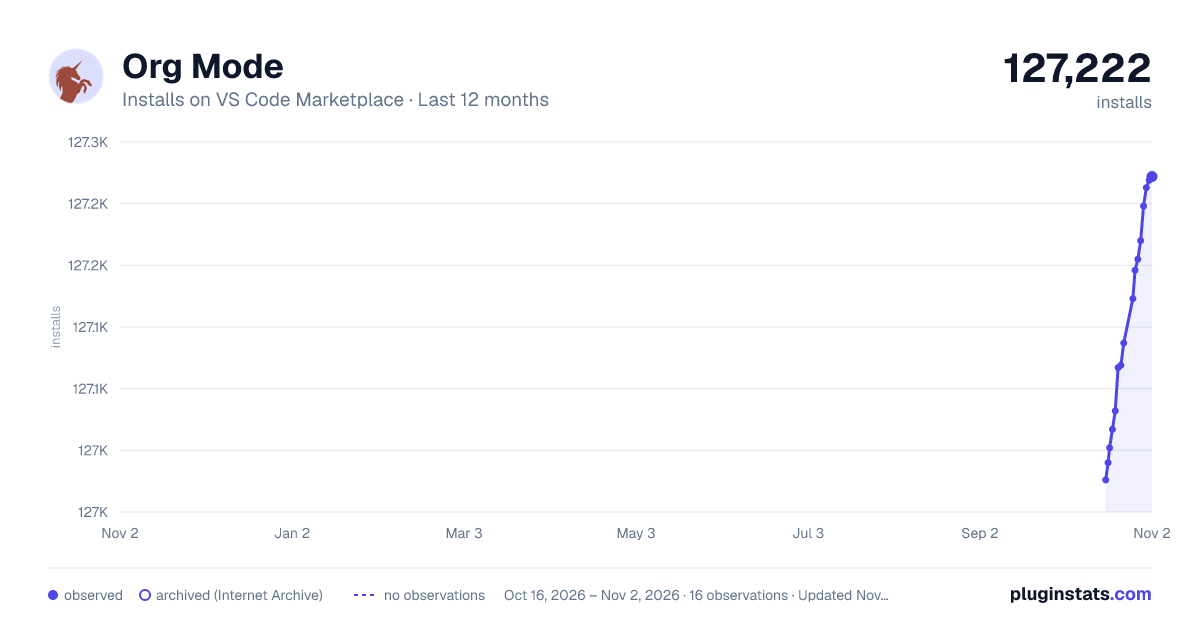
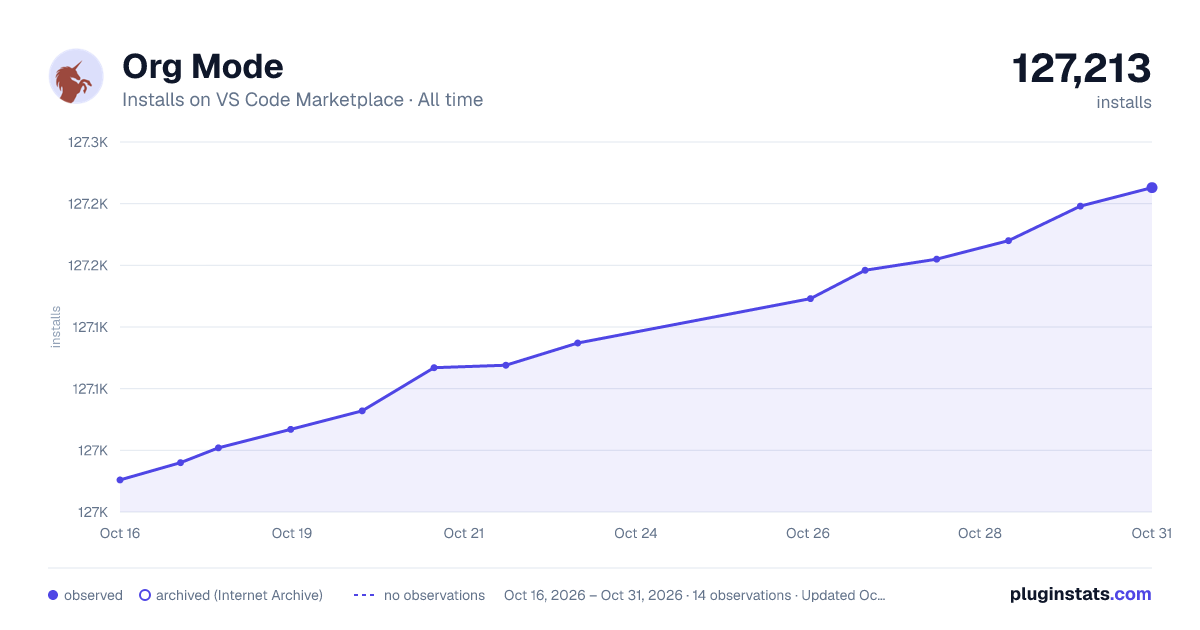

Adoption over time
7/30/90-day growth
Ranking history
Ratings over time
Listing placement
Listing placement
Filled points are observed values; hollow points come from Internet Archive snapshots of the listing page. Dashed segments span periods with no observations — values between points are not interpolated.
Each band is one page of 20. Installs on a linear scale. Placement is projected from installs, so it can differ from the marketplace's own sort order. Hover a dot to see the listing.
Recent observations
Full history (4)Similar VS Code Marketplace Programming Languages plugins
All 20 Org Mode alternativesData source
Install counts, average rating, and rating counts come from the public Visual Studio Marketplace gallery API. Installs are cumulative and exclude updates.
Listing: https://marketplace.visualstudio.com/items?itemName=tootone.org-mode. First seen Oct 16, 2026; last successful collection Oct 19, 2026. See the methodology.