 PluginStats
anycode installs statistics
By Microsoft (224 listings) · VS Code Marketplace · Programming Languages
anycode has 322,189 recorded installs on VS Code Marketplace.
It ranks #1100 of 2,501 tracked VS Code Marketplace listings by installs.
It is rated 5.0 out of 5 from 1 ratings.
PluginStats has 4 daily observations since Oct 16, 2026; the latest is from Oct 19, 2026.
Rating: 5.00 / 5 from 1 ratings
About anycode
Anycode
A Tree-sitter-based language extension that _inaccurately_ implements popular features like "Outline & Breadcrumbs", "Go to Symbol in Workspace", "Document Highlights" and more. This extension should be used when running in enviroments that don't allow for running actual language services, like https://github.dev or https://vscode.dev.
The features provided by this extension are meant to be better than full-text search, but fall short when compared to real language services. We refer to this as "partial mode" and anycode will show a language status item when inaccurate language support is active.
The table below shows what features have been implemented for what language. The following paragraph outlines how things are implemented.
| | rust | go | csharp | java | php | c | cpp |
| Outline | ✅ | ✅ | ✅ | ✅ | ✅ | ✅ | ✅ | | Go to Symbol | ✅ | ✅ | ✅ | ✅ | ✅ | ✅ | ✅ | | Go to Definition | ✅ | ✅ | ✅ | ✅ | ✅ | ✅ | ✅ | | Completions | ✅ | ✅ | ✅ | ✅ | ✅ | ✅ | ✅ | | Expand/Shrink Selection | ✅ | ✅ | ✅ | ✅ | ✅ | ✅ | ✅ | | Syntax Validation | ✅ | ✅ | ✅ | ✅ | ✅ | ✅ | ✅ | | Document Highlights | ✅ | ✅ | ✅ | ✅ | ✅ | ✅1 | ✅1 | | Reference Search | ✅ | ✅ | ✅ | ✅ | ⭕️ | ⭕️ | ⭕️ |
Anycode can be thought of as being full text search along Tree-sitter parse trees. All features are based on parse trees and there is no semantic information - that means there is no guarantee for correctness. Parse trees allow to identify declarations and usages, like "these lines define a function named foo" or "this is an invocation of a function named bar". In essence, anycode identifies and compares usages and declarations. Looking at each feature individually:
• _Outline_ - A parse tree itself is an outline. However, it is too detailed and anycode selects declarations like functions, classes with its memebers, interfaces etc. • _Go to Symbol_ - Anything that would show in outline (declarations) is stored in a trie so that it can be found by typing names or partial names of declarations. How well this works across file depends on the anycode.symbolIndexSize-setting - it defauls to 100 and defines how many files are eagerly fetched and analyzed. • _Go to Definition_ - Works just like "Go to Symbol" but it uses the current identifier as the name to find declarations for. This isn't semantic and depending on your project yields false positives, e.g it will find all run-methods and not just Runnable#run etc • _Completions_ - Any identifier of the current document and the names of all known declarations are always suggested as completions. So, no precise member-completion but identifiers. • _Expand/Shrink Selection_ - Solely based on parse trees. It finds the node at the current position and returns all parents as selection. • _Syntax Validation_ - Tree-sitter parsers can recover from malformed source code. In case error nodes are inserted into the parse tree and anycode can report them as diagnostics. Note that validation is off by default and that it must be enabled via the anycode.language.features#diagnostics-setting. • _Document Highlights_ - For local variables and function arguments usages in their scope are computed and highlighted. If that's not possible, all identifiers with the same name are highlighted - 1 only identifier based highlights implemented • _Reference Search_ - All usages, such as function-calls or member-accesses, are kept in a trie which is later used for reference search. Like "Go to Symbol" its result depend on the anycode.symbolIndexSize-setting.
Last, there is the anycode.language.features-setting which controls what feature is enabled or disabled - either for all or just specific languages.
Development
To compile tree-sitter languages you need docker or emscripten, follow these steps:
• have emcc on your path or docker running • run npm install
There is a watch task to build TS, either npm run watch or "F1 > Run Task > npm: watch". The task will auto launch on next open if desired.
Push a tag to publish a new version to the marketplace:
• run npm version path and then • run git push --follow-tags
Contributing
This project welcomes contributions and suggestions. Most contributions require you to agree to a Contributor License Agreement (CLA) declaring that you have the right to, and actually do, grant us the rights to use your contribution. For details, visit https://cla.opensource.microsoft.com.
When you submit a pull request, a CLA bot will automatically determine whether you need to provide a CLA and decorate the PR appropriately (e.g., status check, comment). Simply follow the instructions provided by the bot. You will only need to do this once across all repos using our CLA.
This project has adopted the Microsoft Open Source Code of Conduct. For more information see the Code of Conduct FAQ or contact opencode@microsoft.com with any additional questions or comments.
Description from the VS Code Marketplace listing.
Where anycode sits in the listing
Each band is one page of 20. Installs on a log scale. Placement is projected from installs, so it can differ from the marketplace's own sort order. Hover a dot to see the listing.


Charts
Images: 30d · 1y · all time · 1600×900 dark
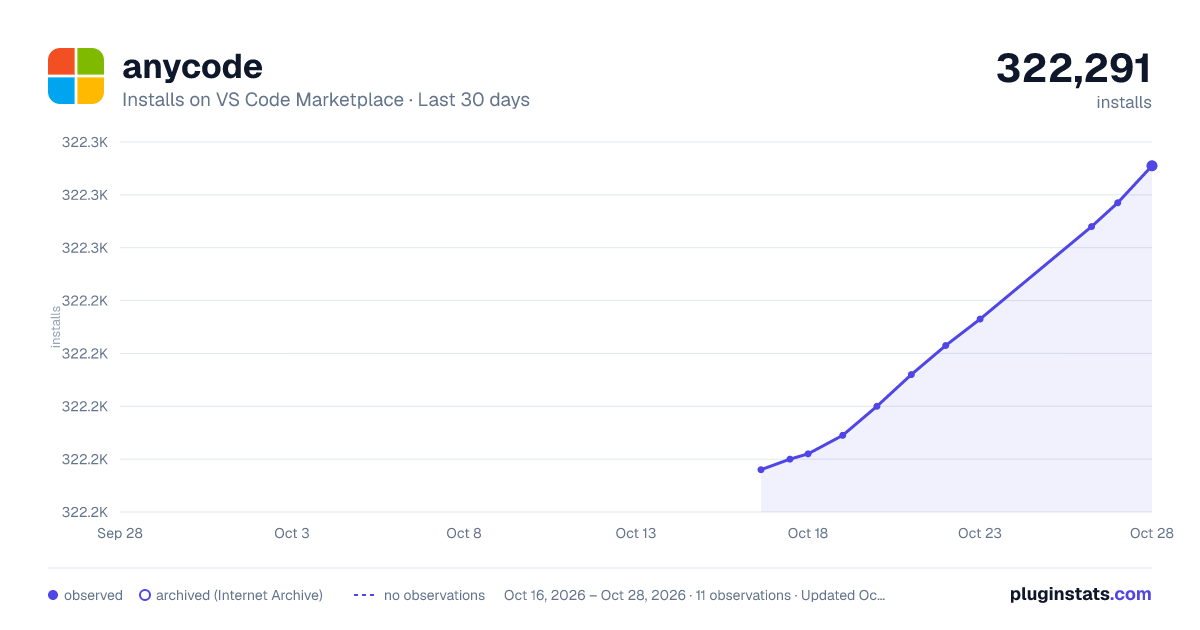
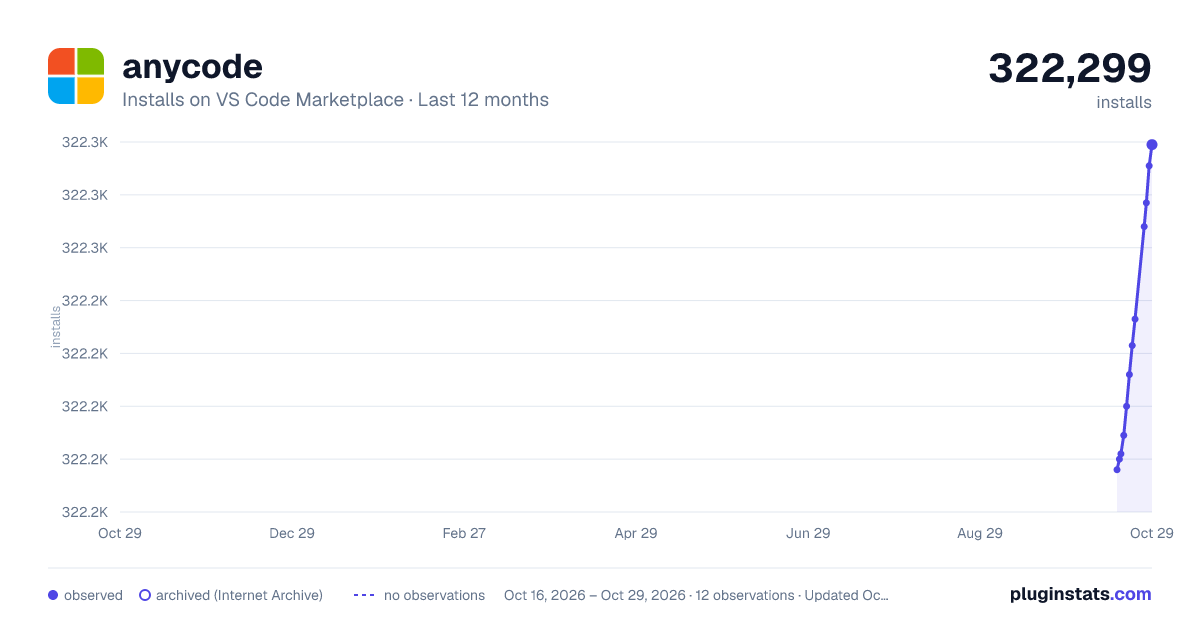
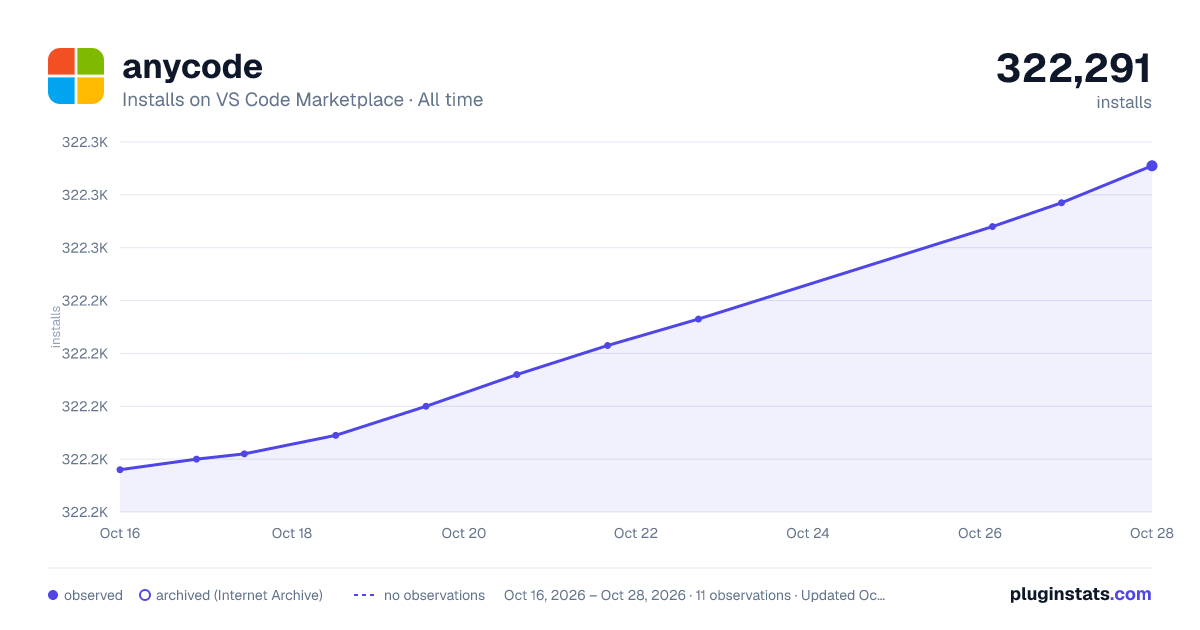

Adoption over time


7/30/90-day growth


Filled points are observed values; hollow points come from Internet Archive snapshots of the listing page. Dashed segments span periods with no observations — values between points are not interpolated.
Recent observations
Full history (4)Similar VS Code Marketplace Programming Languages plugins
Data source
Install counts, average rating, and rating counts come from the public Visual Studio Marketplace gallery API. Installs are cumulative and exclude updates.
Listing: https://marketplace.visualstudio.com/items?itemName=ms-vscode.anycode. First seen Oct 16, 2026; last successful collection Oct 19, 2026. See the methodology.