 PluginStats
VS Code Counter installs statistics
By Kentaro Ushiyama · VS Code Marketplace · Programming Languages
Count lines of code in many programming languages.
VS Code Counter has 846,137 recorded installs on VS Code Marketplace.
It ranks #596 of 2,500 tracked VS Code Marketplace listings by installs.
It is rated 4.7 out of 5 from 49 ratings.
PluginStats has 3 daily observations since Oct 16, 2026; the latest is from Oct 18, 2026.
Rating: 4.67 / 5 from 49 ratings
About VS Code Counter
VScode Counter
VS Code extension: counts blank lines, comment lines, and physical lines of source code in many programming languages.
• github • Marketplace
This extension uses other language extensions to determine the line of code.Therefore, you may need to install the language extension to support a new language.
Conversely, as the number of language extensions increases, the range of support for this feature also increases.
Used in the wonderful extension CodeViz Stat!
CodeViz Stat allows you to see the results of your statistics in beautiful graphs.
Features
• Count the code lines of source code in workspace or directory. • Count the code lines of the current file in real time.
Usage
Count in workspace
• Open the command palette and select VSCodeCounter: Count lines in workspace.
Count in any directory
• Open Explorer and right click on the folder. • Select Count lines in directory.
Real-time counter
• Open the command palette and select VSCodeCounter: Toggle Real-time Counter Visibility. • Count the range of the selected text
Check available languages
• Open the command palette and select VSCodeCounter: Check available languages. • Available languages can be increased by adding language extensions.
Save language configurations
VSCode Counter is able to aggregate in unknown languages by referring to the information in the installed language extensions. However, I found out that this information is not available in Remote Development.
Therefore, VSCode Counter's ability of collecting VSCode language extensions is now called as an independent function. The idea is to collect the information once in the local environment and store it so that it can be used remotely.
• First, launch VSCode on your local. • Then, open the command palette and select VSCodeCounter: Save the collected language configurations. • Then *settings.json* will store the configuration information collected from the current language extensions . • Connect to the remote and use the VSCodecounter as usual.
You can also change the location where your configurations are stored. However, you must carry the stored information to the remote environment by yourself.
Extension Settings
• VSCodeCounter.useGitignore: Whether to use '.gitignore' files for excluding files. • VSCodeCounter.useFilesExclude: Whether to use setting 'files.exclude' for excluding files. • VSCodeCounter.maxFindFiles: Maximum number of searchable files. • VSCodeCounter.maxOpenFiles: Maximum number of files that VSCodeCounter can read simultaneously. • VSCodeCounter.printNumberWithCommas: Whether to print a number with commas as thousands separators.(except for CSV) • VSCodeCounter.ignoreUnsupportedFile: Ignore unsupported files. • VSCodeCounter.endOfLine: A new line character to be used in the output file. • VSCodeCounter.include: Configure glob patterns for including files and folders. • VSCodeCounter.exclude: Configure glob patterns for excluding files and folders. • VSCodeCounter.outputDirectory: Directory path for outputting results. • VSCodeCounter.outputAsText: Whether to output the result as a text file. • VSCodeCounter.outputAsCSV: Whether to output the result as a CSV file. • VSCodeCounter.outputAsMarkdown: Whether to output the result as a Markdown file. • VSCodeCounter.outputPreviewType: Type of output file to preview after counting. Choose from text, csv, markdown, diff-text, diff-csv, diff-markdown or none. • VSCodeCounter.saveLocation: Specify where to store the collected language configurations. • VSCodeCounter.history: Controls the number of recent result to keep in history.
Enjoy!
Description from the VS Code Marketplace listing.
- code
- count
- line
- loc
- step
Where VS Code Counter sits in the listing
Each band is one page of 20. Installs on a log scale. Placement is projected from installs, so it can differ from the marketplace's own sort order. Hover a dot to see the listing.


Charts
Images: 30d · 1y · all time · 1600×900 dark
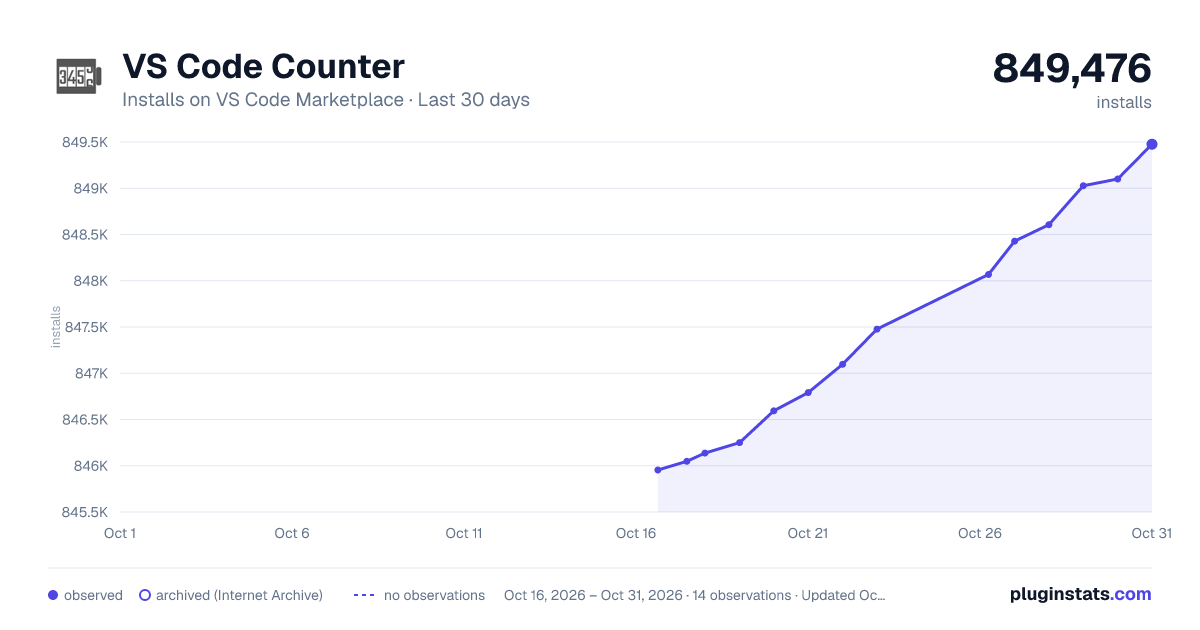
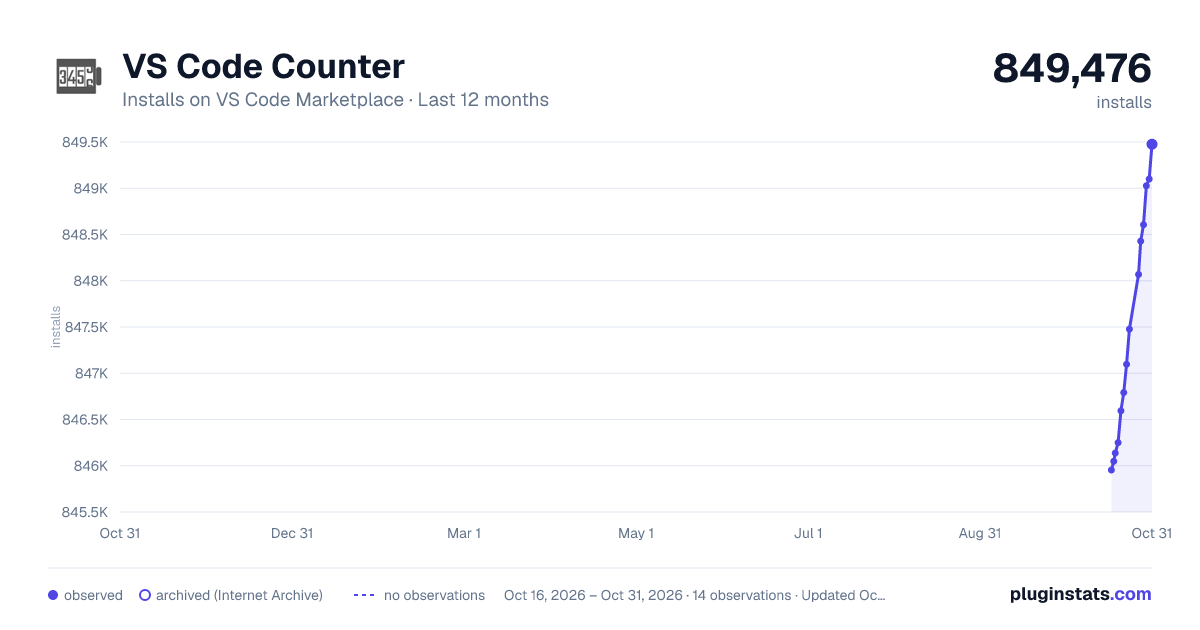
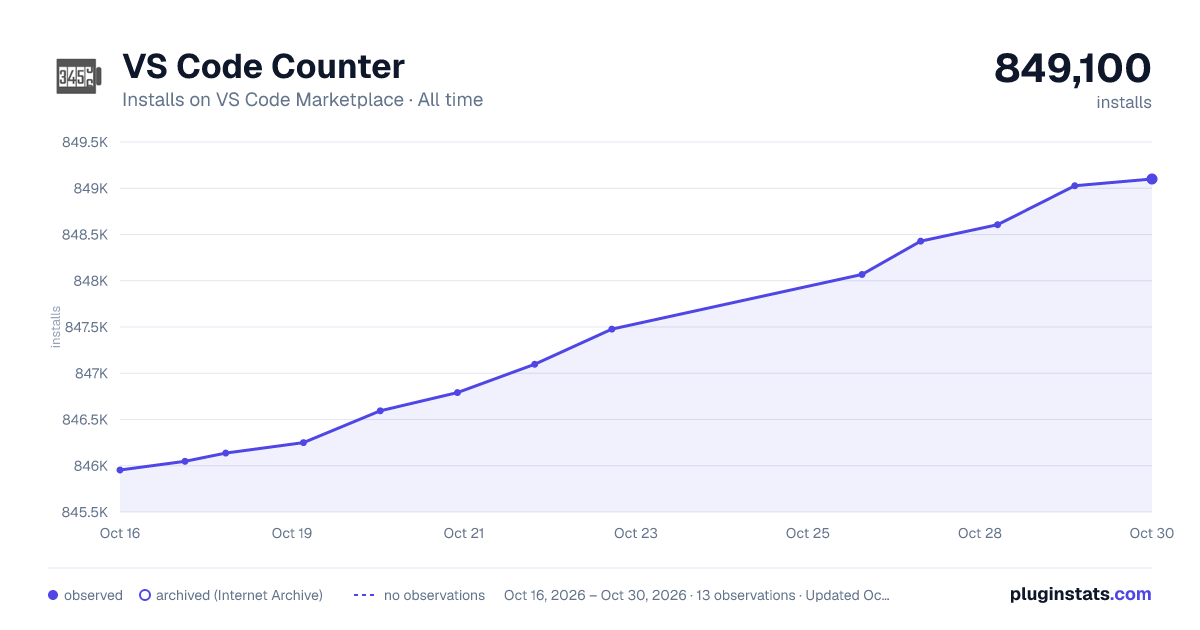

Adoption over time


7/30/90-day growth


Ranking history


Filled points are observed values; hollow points come from Internet Archive snapshots of the listing page. Dashed segments span periods with no observations — values between points are not interpolated.
Recent observations
Full history (3)Similar VS Code Marketplace Programming Languages plugins
Data source
Install counts, average rating, and rating counts come from the public Visual Studio Marketplace gallery API. Installs are cumulative and exclude updates.
Listing: https://marketplace.visualstudio.com/items?itemName=uctakeoff.vscode-counter. First seen Oct 16, 2026; last successful collection Oct 18, 2026. See the methodology.