 PluginStats
SCSS Everywhere installs statistics
By Gencer W. Genç · VS Code Marketplace · Programming Languages
'.class' and '#id' completion for HTML, Svelte, Latte, Slim, Liquid, TSX/JSX, Haml, Elixir, Smarty, PHP, ERB, Javascript, CSS and SCSS. Just declare class in your template or CSS/SCSS and see it in everywhere. (Both directions)
SCSS Everywhere has 365,207 recorded installs on VS Code Marketplace.
It ranks #1022 of 2,500 tracked VS Code Marketplace listings by installs.
It is rated 5.0 out of 5 from 23 ratings.
PluginStats has 3 daily observations since Oct 16, 2026; the latest is from Oct 18, 2026.
Rating: 4.96 / 5 from 23 ratings
About SCSS Everywhere
SCSS Everywhere
Note: This is drop-in replacement for https://github.com/zignd/HTML-CSS-Class-Completion. Please uninstall that extension before installing this. Otherwise, things can happen.
Find usages:
ID Support:
Features
• Gives you autocompletion for CSS class definitions that can be found in your workspace (defined in CSS files or the in the file types listed in the Supported Language Modes section) • Supports external stylesheets referenced through link elements in HTML files • Command to manually re-cache the class definitions used in the autocompletion • User Settings to override which folders and files should be considered or excluded from the caching process • Incremental build. You do not need to re-cache everytime. • Additional Slim, Haml, Smarty, Eex and Svelte template support • Both-way SCSS support • Separate class and id support Work in progress. • Automatically parse all remote stylesheets from HTML, Svelte, Twig, Slim and ERB files. • HTML, SCSS, SASS, CSS, Elixir, PHP, Vue, Slim, Haml, Latte and many more
Supported Language Modes
• HTML • Razor • PHP • Laravel (Blade) • JavaScript • JavaScript React (.jsx) • TypeScript React (.tsx) • Vue (.vue) requires [octref.vetur] • Twig • Smarty (.tpl) • Slim requires [Slim] • Haml [requires HAML or Better Haml extension] • Latte [requires Latte extension] • Svelte requires [Svelte] • Liquid requires [Liquid] • Elixir HTML (EEx) and HTML (Eex) • Markdown (.md) • Embedded Ruby (.html.erb) requires [rebornix.Ruby] • Handlebars • EJS (.ejs)
Both directions (from CSS/SCSS to HTML, Latte... or from HTML, Latte to CSS/SCSS...) are supported. Only changed parts will be re-indexed so this will give you almost instant auto-completion.
Specific Support
• "@apply" directive in CSS, SASS and SCSS Files for Tailwind CSS • "className" and "class" in TypeScript React, JavaScript and JavaScript React language modes • Emmet abbreviations support triggered by typing a "." (comes disabled by default, check the User Settings topic for more information)
Incremental Build
We introduced incremental build. In previous versions we had to re-cache all workspace to reflect our atomic changes. This causes high CPU usage and unnecessary delay to our development time. Hence, we introduced this feature. Once you open your VSCode workspace, initial scan will be made and all upcoming changes will be incrementally and instantly reflected to the cache.
Contributions
You can request new features and contribute to the extension development on its repository on GitHub. Look for an issue you're interested in working on, comment on it to let me know you're working on it and submit your pull request! :D
For SCSS part, I have manually strip comments and do regexp on code. In this way I also able to locate magic methods/classes. For example; If you have .u-pb-{class} this extension will show you .u-pb- and leave it class name filled by you.
Check out the changelog for the current and previous updates.
For more info check CHANGELOG.md
Usage
If there are HTML or JS files on your workspace, the extension automatically starts and looks for CSS class definitions. In case new CSS classes are defined, or new CSS files are added to the workspace, and you also want auto-completion for them, just hit the lightning icon on the status bar. Also, you can execute the command by pressing Ctrl+Shift+P(Cmd+Shift+P for Mac) and then typing "Cache CSS class definitions."
User Settings
The extension supports a few user settings, changes to these settings will be automatically recognized and the caching process will be re-executed.
Folders and Files
You can change the folders and files the extension will consider or exclude during the caching process by setting the following user settings:
• "html-css-class-completion.includeGlobPattern" (default: "**/*.{css,scss,sass,html}") • "html-css-class-completion.excludeGlobPattern" (default: "") • "html-css-class-completion.searchRemoteGlobPattern" (default: "") • "html-css-class-completion.remoteStyleSheets" (default: [])
Remote Files
UPDATE: Now it's possible to parse remote stylesheets links from HTML, Smarty, EEX and other HTML-compatible files via meta tags. Just enable searchRemoteGlobPattern and everytime you open workspace, extension will scan and parse those remote files for you.
Example:
SCSS Find usage
When we include SCSS files to show usages, IntelliSense can be slow. This is false by default. To enable (you've been warned) set this setting to true and restart (required):
Template usage
When we include Template files to show usages, IntelliSense can be very slow. This is false by default. To enable (you've been warned) set this setting to true and restart (required):
Emmet
Emmet support comes disabled by default, the reason behind this choice is because it the current implementation simply triggers completion when you type a "." (period) and this behavior might be considered a little annoying, but it might change in the future.
Currently it supports the following languages (those are language identifier): "html", "eex", "latte", "razor", "php", "blade", "vue", "twig", "markdown", "erb", "handlebars", "ejs", "slim", "haml", "typescriptreact", "javascript", "javascriptreact".
• "html-css-class-completion.enableEmmetSupport" (default: false)
Description from the VS Code Marketplace listing.
- autocomplete
- css
- eex
- elixir
- haml
- html
- javascript
- latte
- liquid
- php
- react
- scss
- slim
- typescript
Where SCSS Everywhere sits in the listing
Each band is one page of 20. Installs on a log scale. Placement is projected from installs, so it can differ from the marketplace's own sort order. Hover a dot to see the listing.


Charts
Images: 30d · 1y · all time · 1600×900 dark
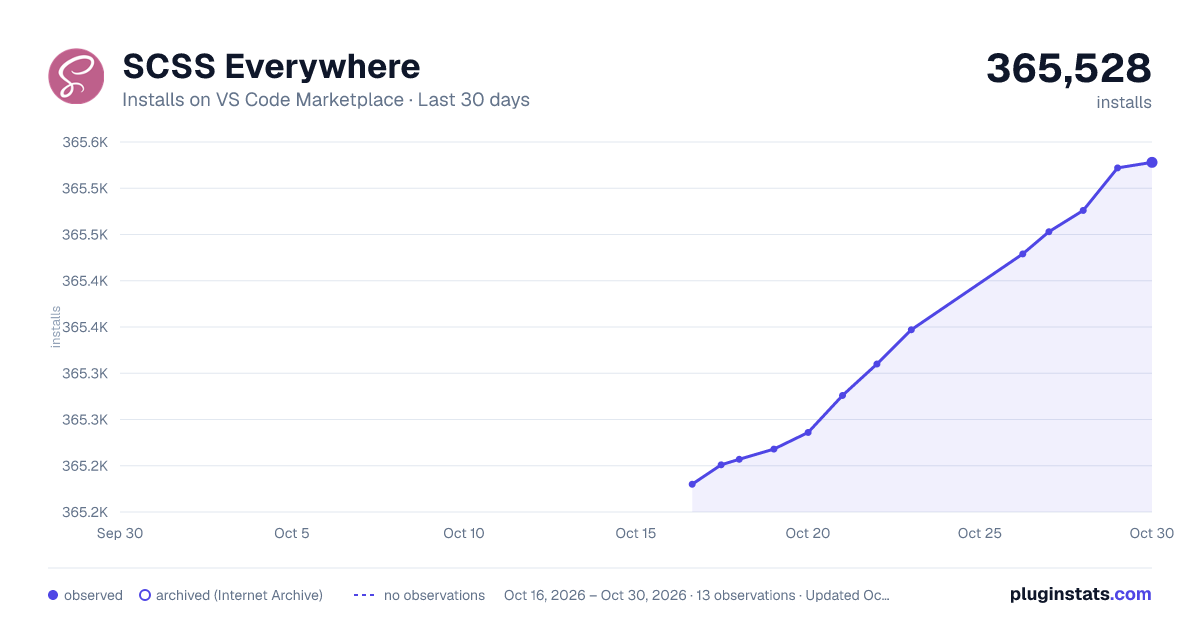
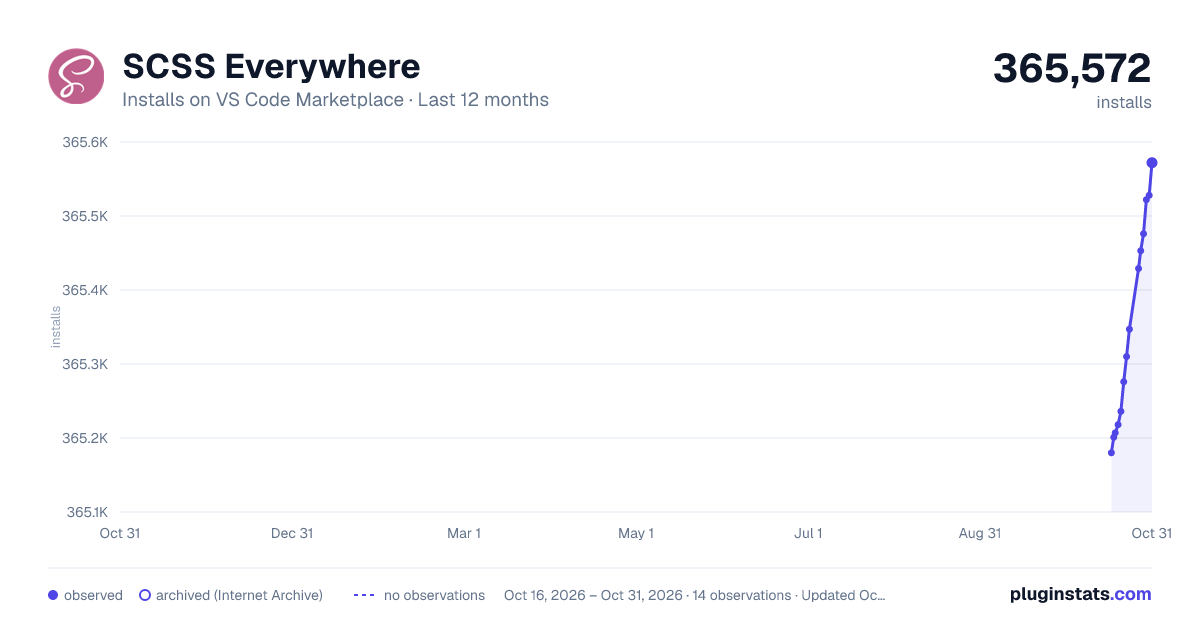
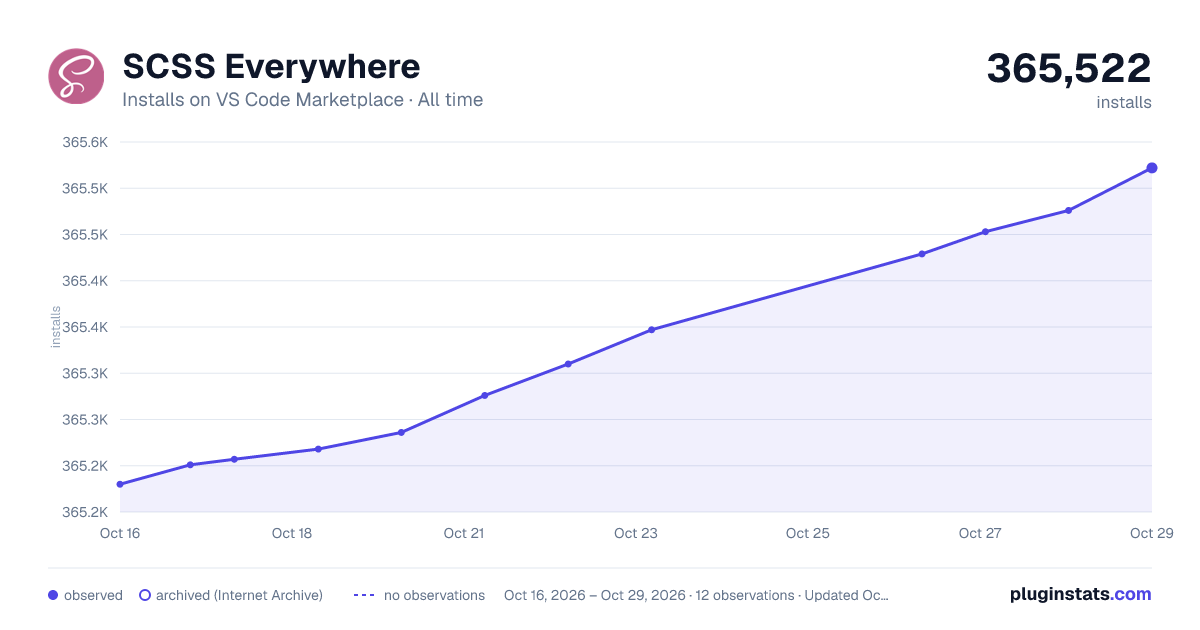

Adoption over time


7/30/90-day growth


Ranking history


Filled points are observed values; hollow points come from Internet Archive snapshots of the listing page. Dashed segments span periods with no observations — values between points are not interpolated.
Recent observations
Full history (3)Similar VS Code Marketplace Programming Languages plugins
Data source
Install counts, average rating, and rating counts come from the public Visual Studio Marketplace gallery API. Installs are cumulative and exclude updates.
Listing: https://marketplace.visualstudio.com/items?itemName=gencer.html-slim-scss-css-class-completion. First seen Oct 16, 2026; last successful collection Oct 18, 2026. See the methodology.