 PluginStats
Better C++ Syntax installs statistics
By Jeff Hykin (4 listings) · VS Code Marketplace · Programming Languages
The bleeding edge of the C++ syntax
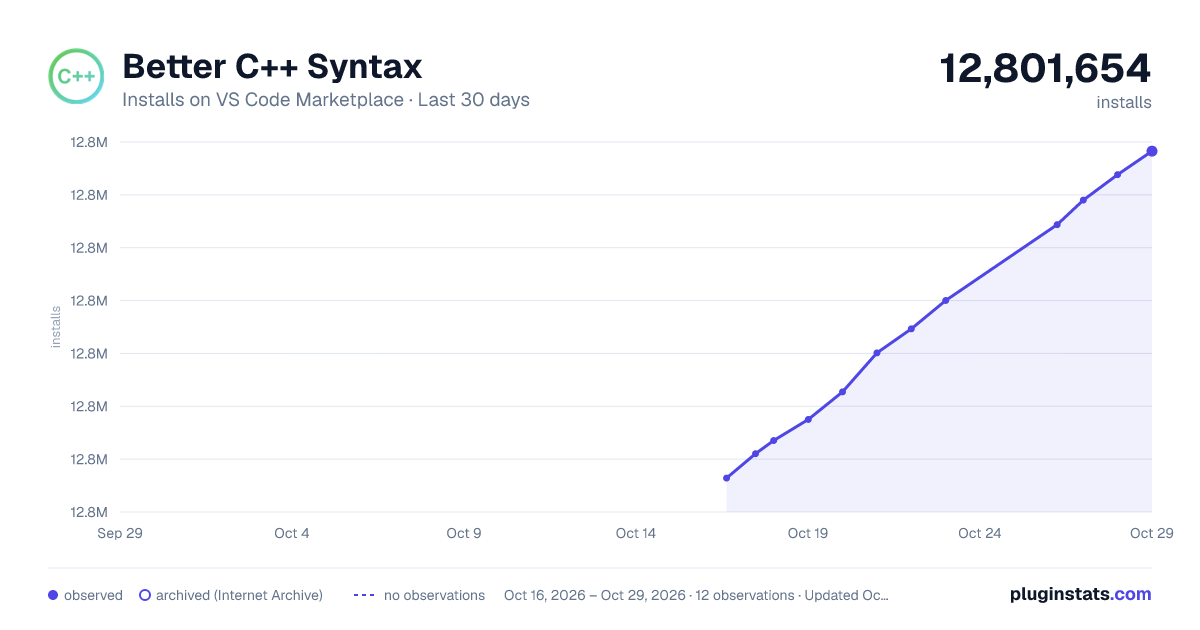
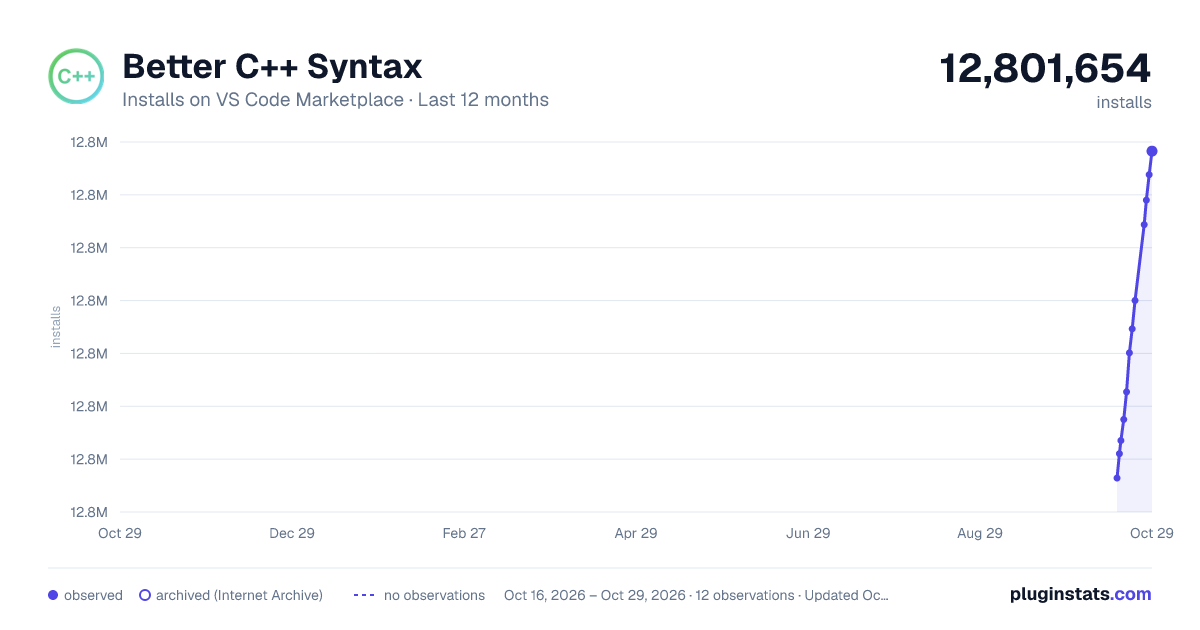
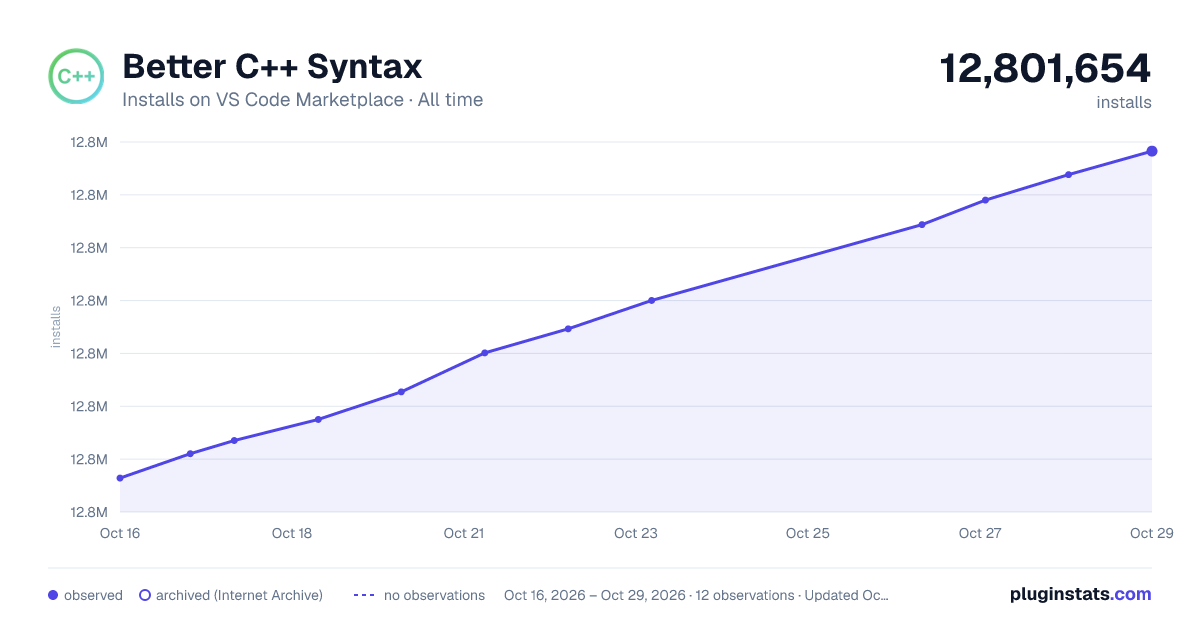
Better C++ Syntax has 12,792,545 recorded installs on VS Code Marketplace, ranking #84 of 2,501 tracked listings.
Rating: 4.88 / 5 from 16 ratings
About Better C++ Syntax
Sponsors
<table> <thead> <tr> <th> <a href="https://bit.ly/3BdYRfu"> <img src=https://storage.googleapis.com/gitduck/img/duckly-sponsor-vsc-opt.png > </a> </th> <th> <p align="left"> Easy pair programming with any IDE. Duckly enables you to talk, share your code in real-time, server and terminal with people using different IDEs. <br> <a href="https://bit.ly/3BdYRfu">Try it out for free</a> </p> </th> </tr> </thead> </table> <!-- <img src=https://user-images.githubusercontent.com/17692058/153651656-2607a088-4b85-4729-9118-fe721246eb27.svg > --> <br>What does this extension do?
This will get you the bleeding-edge syntax highlighting for C++. Which means your theme will be able to color your code better. This used to be a fix, but then VS Code starting using it as the official source for C and C++ highlighting.
NOTE: The default VS Code theme does not color much. Switch to the Dark+ theme (installed by default) or use a theme like one of the following to benefit from the changes:
- XD Theme
- Noctis
- Kary Pro Colors
- Material Theme
- One Monokai Theme
- Winteriscoming
- Popping and Locking
- Syntax Highlight Theme
- Default Theme Enhanced
How do I use the extension?
Just install the VS Code extension and the changes will automatically be applied to all relevant files. <br>Link: https://marketplace.visualstudio.com/items?itemName=jeff-hykin.better-cpp-syntax
Comparison (Material Theme)
<img width="2794" alt="compare" src="https://user-images.githubusercontent.com/17692058/153653793-3685ffd5-cf96-43c3-a883-da79ba33d037.png">How do I use the grammar? (as an upstream for my non-vs code editor)
- Watch the the "Major Changes" thread here to know when I change licenses, the codebase structure, or just major highlighting changes.
- I support non-VS Code usecases. E.g. yes, you are welcome to open issues like this one that don't affect VS Code.
What is different from atom/language-c?
It fixes:
- The issue of single quotes inside #error and #warning being highlighted when then shouldn't be
- The issue of initialization functions only highlighting the first parenthesis
- The bug that treats the 'and' and 'or' operator as functions (instead of operators) when they are followed by ()'s
- Old C99 function highlighting that broke the standard function highlighting
- The failure of highlighting for the semicolon after namespaces
- The missing operator overloading symbols
- The failure to tag operator overloading functions as functions
- The failure to tag implicit operator overrides
- The marking of some %'s as invalid inside of strings https://github.com/atom/language-c/issues/289
- The highlighting of namespaces with ::'s https://github.com/atom/language-c/issues/260
- The issue of the C++ syntax depending on (and getting screwed up by) the C syntax
- multiple inheritance https://github.com/atom/language-c/issues/245
- And many many more issues (#318, #309, #270, #246, etc)
It adds:
- Parameter highlighting
- Highlighting of embedded assembly code (if you have an assembly syntax installed)
- Function-pointer highlighting
- Lambda highlighting
- C++14 literal support (
100'000ms) - Template definition syntax highlighting (including C++ 2020 syntax)
- Better object identification
- Improved scope resolution
::syntax - Highlighting of templated function calls
aFunction<int>(arguments) - Additional specificity for many existing tags
- Many other features
Like this extension?
<ul> <li> You'll probably like this as well: <a href="https://marketplace.visualstudio.com/items?itemName=jeff-hykin.better-syntax">My "Better Syntax" Megapack</a> </li> </ul>Contributing
If you'd like to help improve the syntax, take a look at main/main.rb. And make sure to take a look at documentation/CONTRIBUTING.md to get a better idea of how the code works.
Planned future fixes/features:
- Add tagging for type-casting statements
- Add tagging for custom types words
- Better support for dereferenced/pointer tagging
- Full C++ 2020 support (module imports, arrow return types, etc.)
- Improving template types
What if I see a highlighting bug?
Let me know! Post an issue on https://github.com/jeff-hykin/better-cpp-syntax I love regular expressions, and PR's are always welcome.…
Description from the VS Code Marketplace listing.
- c++
- color
- coloring
- cpp
- highlighting
- syntax
- textmate
README badge
Show your rank in a README or on your website. The badge updates automatically.
Charts
Images: 30d · 1y · all time · 1600×900 dark

Adoption over time
7/30/90-day growth
Ranking history
Ratings over time
Listing placement
Listing placement
Filled points are observed values; hollow points come from Internet Archive snapshots of the listing page. Dashed segments span periods with no observations — values between points are not interpolated.
Each band is one page of 20. Installs on a linear scale. Placement is projected from installs, so it can differ from the marketplace's own sort order. Hover a dot to see the listing.
Recent observations
Full history (5)Similar VS Code Marketplace Programming Languages plugins
All 20 Better C++ Syntax alternativesData source
Install counts, average rating, and rating counts come from the public Visual Studio Marketplace gallery API. Installs are cumulative and exclude updates.
Listing: https://marketplace.visualstudio.com/items?itemName=jeff-hykin.better-cpp-syntax. First seen Oct 16, 2026; last successful collection Oct 20, 2026. See the methodology.