 PluginStats
Vue (Official) installs statistics
By Vue · VS Code Marketplace · Programming Languages
Language Support for Vue
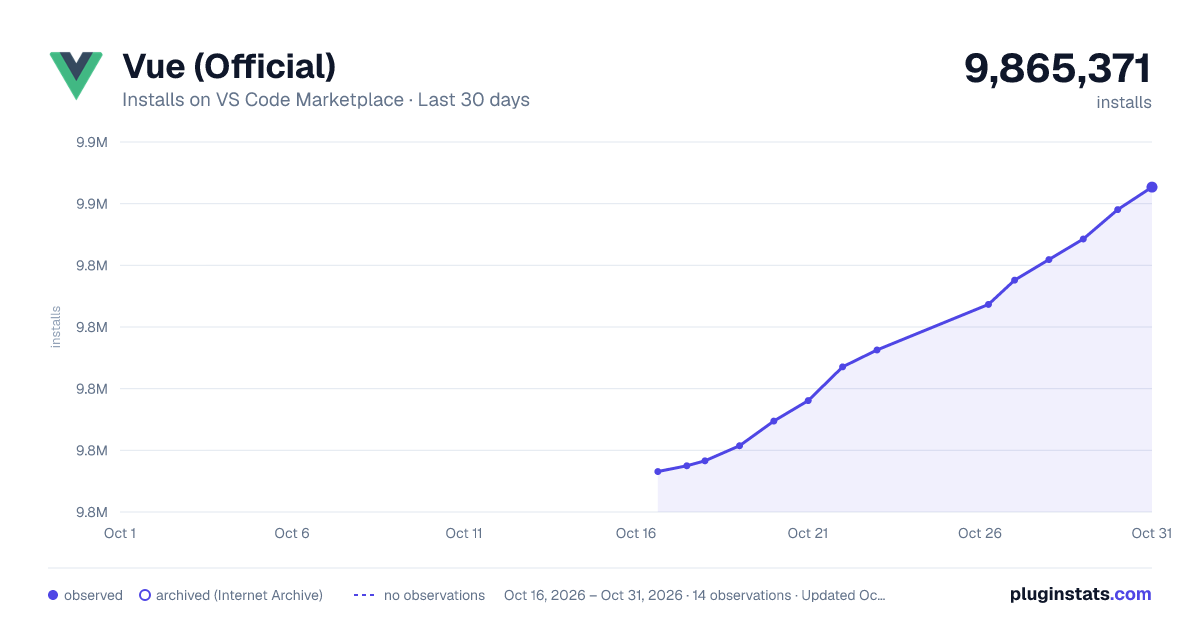
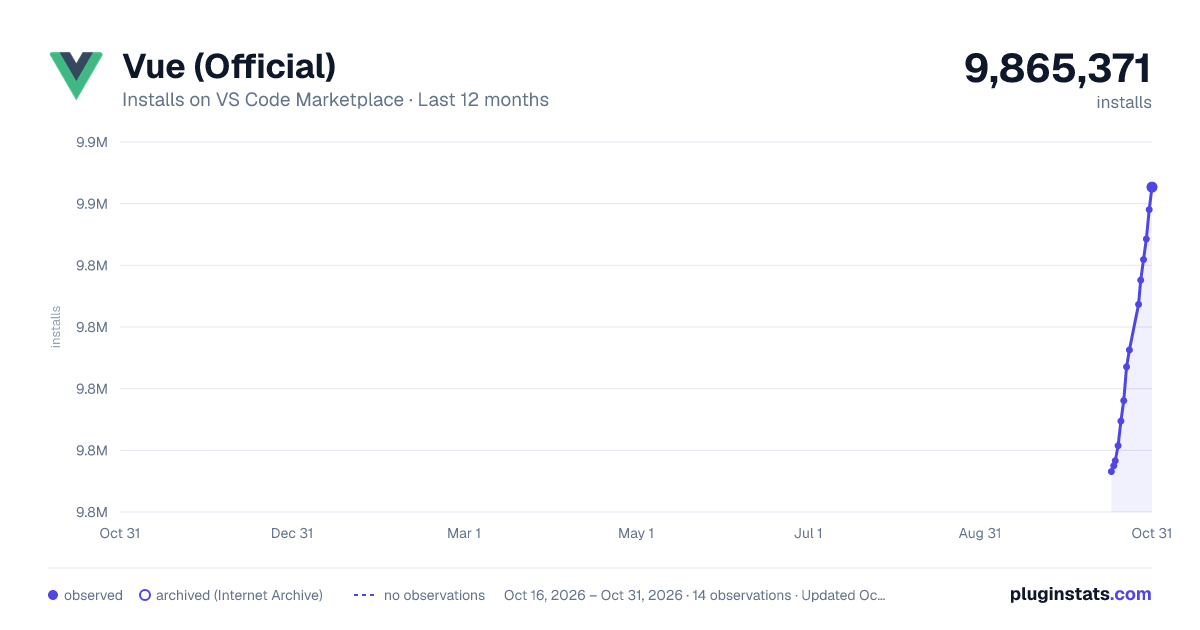
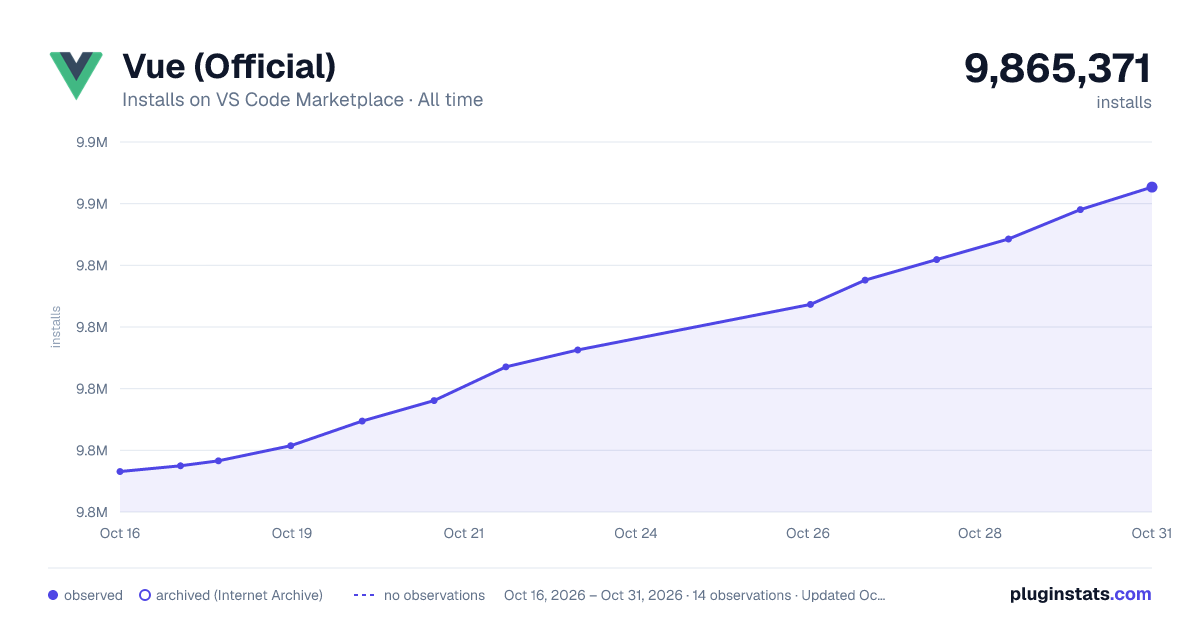
Vue (Official) has 9,781,492 recorded installs on VS Code Marketplace.
It ranks #102 of 2,501 tracked VS Code Marketplace listings by installs.
It is rated 3.1 out of 5 from 152 ratings.
PluginStats has 4 daily observations since Oct 16, 2026; the latest is from Oct 19, 2026.
Rating: 3.13 / 5 from 152 ratings
About Vue (Official)
Vue (Official)
Vue language support extension for VSCode, providing a full development experience for Vue Single File Components (SFCs).
Features
• Syntax Highlighting - Supports HTML, CSS, JavaScript, TypeScript, Pug, SCSS, Less, etc. in Vue SFCs • Intelligent Completion - Auto-completion for components, props, events, slots, and directives • Type Checking - Full TypeScript type inference, including expressions in templates • Error Diagnostics - Real-time display of Vue compiler errors • Code Navigation - Go to definition, find references • Refactoring - Rename, extract component • Formatting - Format SFCs by block
Installation
Search for Vue (Official) or Vue.volar in the VSCode extension marketplace and click install.
Configuration
Editor Settings
| Option | Type | Default | Description |
| vue.editor.focusMode | boolean | false | Enable focus mode | | vue.editor.reactivityVisualization | boolean | true | Show reactivity variable visualization | | vue.editor.templateInterpolationDecorators | boolean | true | Show template interpolation decorators |
Completion Settings
| Option | Type | Default | Description |
| vue.suggest.componentNameCasing | string | preferPascalCase | Component name casing style (preferKebabCase, preferPascalCase, alwaysKebabCase, alwaysPascalCase) | | vue.suggest.propNameCasing | string | preferCamelCase | Prop name casing style (preferKebabCase, preferCamelCase, alwaysKebabCase, alwaysCamelCase) | | vue.suggest.defineAssignment | boolean | true | Suggest assignments for defineProps, etc. |
Auto-Insert Settings
| Option | Type | Default | Description |
| vue.autoInsert.dotValue | boolean | false | Auto-insert .value | | vue.autoInsert.bracketSpacing | boolean | true | Auto-insert spaces in {{ }} |
Inlay Hints Settings
| Option | Type | Default | Description |
| vue.inlayHints.destructuredProps | boolean | false | Show types for destructured props | | vue.inlayHints.inlineHandlerLeading | boolean | false | Show parameters for inline handlers | | vue.inlayHints.missingProps | boolean | false | Show missing required props | | vue.inlayHints.optionsWrapper | boolean | false | Show Options API wrapper | | vue.inlayHints.vBindShorthand | boolean | false | Show v-bind shorthand hints |
Formatting Settings
| Option | Type | Default | Description |
| vue.format.script.enabled | boolean | true | Enable script block formatting | | vue.format.template.enabled | boolean | true | Enable template block formatting | | vue.format.style.enabled | boolean | true | Enable style block formatting | | vue.format.wrapAttributes | string | auto | Attribute wrapping style |
Server Settings
| Option | Type | Default | Description |
| vue.server.path | string | - | Custom language server path | | vue.server.includeLanguages | string[] | ["vue"] | Language IDs to process | | vue.trace.server | string | off | Server trace level |
Commands
| Command | Description |
| Vue: Welcome | Open the welcome page | | Vue: Restart Server | Restart the language server |
Using Workspace TypeScript
It is recommended to use the TypeScript version from your project instead of the one built into VSCode:
1. Create .vscode/settings.json in your project root 2. Add the following settings:
Troubleshooting
If you encounter any issues, you can try the following steps:
1. Reload Window: Run the Developer: Reload Window command in VSCode 2. Check vue-tsc: Run npx vue-tsc --noEmit in the command line to check for type errors 3. Check Output Channel: In VSCode's "Output" panel, select Vue Language Server to see if there are any error messages
If the problem persists, feel free to open an issue on GitHub Issues.
❤️ Sponsors
This project's continued development is made possible by our generous sponsors:
License
MIT License
Description from the VS Code Marketplace listing.
- html
- jade
- json
- markdown
- vue
Where Vue (Official) sits in the listing
Each band is one page of 20. Installs on a log scale. Placement is projected from installs, so it can differ from the marketplace's own sort order. Hover a dot to see the listing.


Charts
Images: 30d · 1y · all time · 1600×900 dark

Adoption over time


7/30/90-day growth


Ranking history


Filled points are observed values; hollow points come from Internet Archive snapshots of the listing page. Dashed segments span periods with no observations — values between points are not interpolated.
Recent observations
Full history (4)Similar VS Code Marketplace Programming Languages plugins
Data source
Install counts, average rating, and rating counts come from the public Visual Studio Marketplace gallery API. Installs are cumulative and exclude updates.
Listing: https://marketplace.visualstudio.com/items?itemName=Vue.volar. First seen Oct 16, 2026; last successful collection Oct 19, 2026. See the methodology.