 PluginStats
Pylance installs statistics
By Microsoft (223 listings) · VS Code Marketplace · Programming Languages
A performant, feature-rich language server for Python in VS Code
Pylance has 208,289,811 recorded installs on VS Code Marketplace.
It ranks #2 of 2,500 tracked VS Code Marketplace listings by installs.
It is rated 3.0 out of 5 from 286 ratings.
PluginStats has 3 daily observations since Oct 16, 2026; the latest is from Oct 18, 2026.
Rating: 2.95 / 5 from 286 ratings
About Pylance
Pylance =====================
Fast, feature-rich language support for Python
Pylance is an extension that works alongside Python in Visual Studio Code to provide performant language support. Under the hood, Pylance is powered by Pyright, Microsoft's static type checking tool. Using Pyright, Pylance has the ability to supercharge your Python IntelliSense experience with rich type information, helping you write better code faster.
Pylance is the default language support for Python in Visual Studio Code and is shipped as part of that extension as an optional dependency.
The Pylance name is a small ode to Monty Python's Lancelot who was the first knight to answer the bridgekeeper's questions in the Holy Grail.
Quick Start ============ 1. Install the Python extension from the marketplace. Pylance will be installed as an optional extension. 1. Open a Python (.py) file and the Pylance extension will activate.
Note: If you've previously set a language server and want to try Pylance, make sure you've set "python.languageServer": "Default" or "Pylance" in your settings.json file using the text editor, or using the Settings Editor UI.
Features =========
Pylance provides some awesome features for Python 3, including:
• Docstrings • Signature help, with type information • Parameter suggestions • Code completion • Auto-imports (as well as add and remove import code actions) • As-you-type reporting of code errors and warnings (diagnostics) • Code outline • Code navigation • Type checking mode • Native multi-root workspace support • Jupyter Notebooks compatibility • Semantic highlighting • Generate Dependency File command for workspace roots, Explorer folders, and Python scripts (Pylance: Generate Dependency File) • Toggle Block Comment command for Python (Pylance: Toggle Block Comment) • Install Matching Type Stubs command that finds and installs type stub packages for your installed dependencies (Pylance: Install Matching Type Stubs) • Copilot Chat skills for fact-grounded Python help, type inference, inline type annotations, finding reviewed third-party stubs, stub authoring, Pylance docs, refactoring, profiling, improving Pylance type-evaluation performance, and adding or dropping Python version support
See the changelog for the latest release.
Settings and Customization =============== Pylance provides users with the ability to customize their Python language support via a host of settings which can either be placed in the settings.json file in your workspace, or edited through the Settings Editor UI.
• python.analysis.languageServerMode • Offers predefined configurations to help users optimize Pylance's performance based on their development needs. It controls how many IntelliSense features Pylance provides, allowing you to choose between full language service functionality or a lightweight experience optimized for performance. • Default value: default • Available values: • light • default (default) • full • Description: • default: Provides a balanced experience with many useful features enabled by default. It ensures that the language server delivers sufficient functionality for most users without overloading the system. Advanced features can be enabled as needed, allowing for further customization at the cost of performance. • light: Designed for users seeking a lightweight, memory-efficient setup. This mode disables various features to make Pylance function more like a streamlined text editor. Ideal for those who do not require the full breadth of IntelliSense capabilities and prefer Pylance to be as resource-friendly as possible. • full: Designed for users seeking the most extensive feature set. This mode enables most of Pylance's features, offering the richest IntelliSense experience. Ideal for those who want access to the full range of available functionality. • Individual settings can be configured to override the defaults set by languageServerMode. • Default settings based on mode are:
| Mode | light | default | full |
| python.analysis.exclude | ["**"] | [] | [] | | python.analysis.useLibraryCodeForTypes | false | true | true | | python.analysis.enablePytestSupport | false | true | true | | python.analysis.indexing | false | true | true | | python.analysis.userFileIndexFollowSymlinkedFolders | true | true | true | | python.analysis.autoImportCompletions | false | false | true | | python.analysis.showOnlyDirectDependenciesInAutoImport | false | false | true | | python.analysis.packageIndexDepths | See | settings | below | | python.analysis.regenerateStdLibIndices | false | false | true | | python.analysis.userFileIndexingLimit | 2000 | 2000 | -1 | | python.analysis.includeAliasesFromUserFiles | false | false | true | | python.analysis.functionReturnTypes | false | false | true | | python.analysis.pytestParameters | false | false | true | | python.analysis.supportRestructuredText | false | true | true | | python.analysis.supportDocstringTemplate | false | false | true | | python.analysis.nodeExecutable | "" | "" | "auto" |…
Description from the VS Code Marketplace listing.
- json
- python
Where Pylance sits in the listing
Each band is one page of 20. Installs on a log scale. Placement is projected from installs, so it can differ from the marketplace's own sort order. Hover a dot to see the listing.


Charts
Images: 30d · 1y · all time · 1600×900 dark
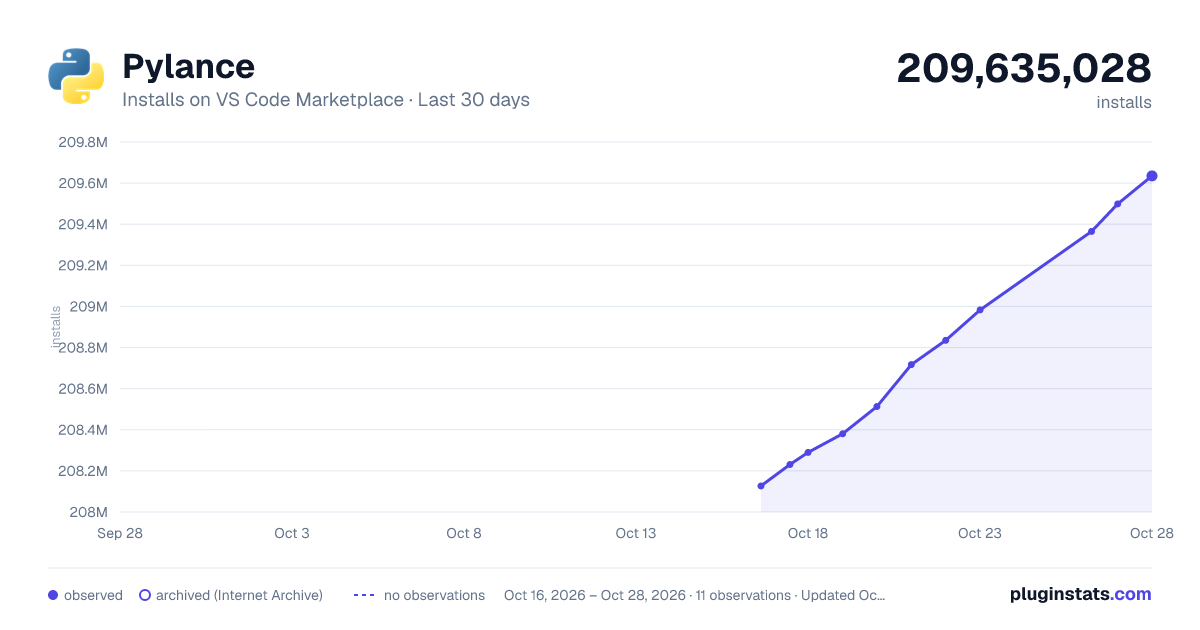
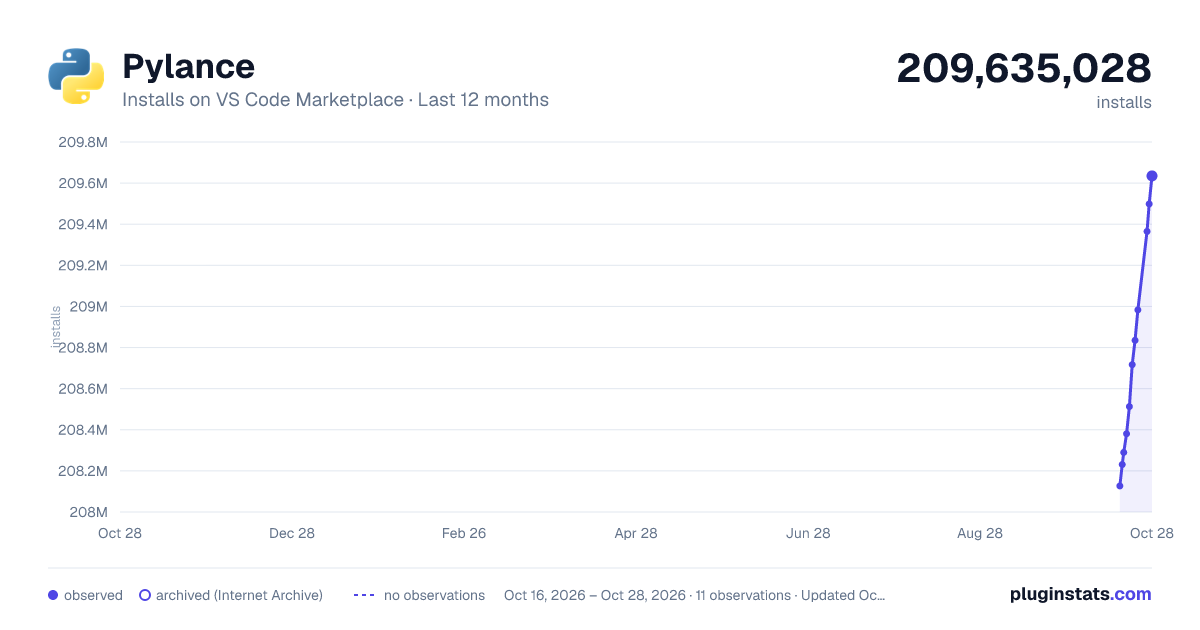
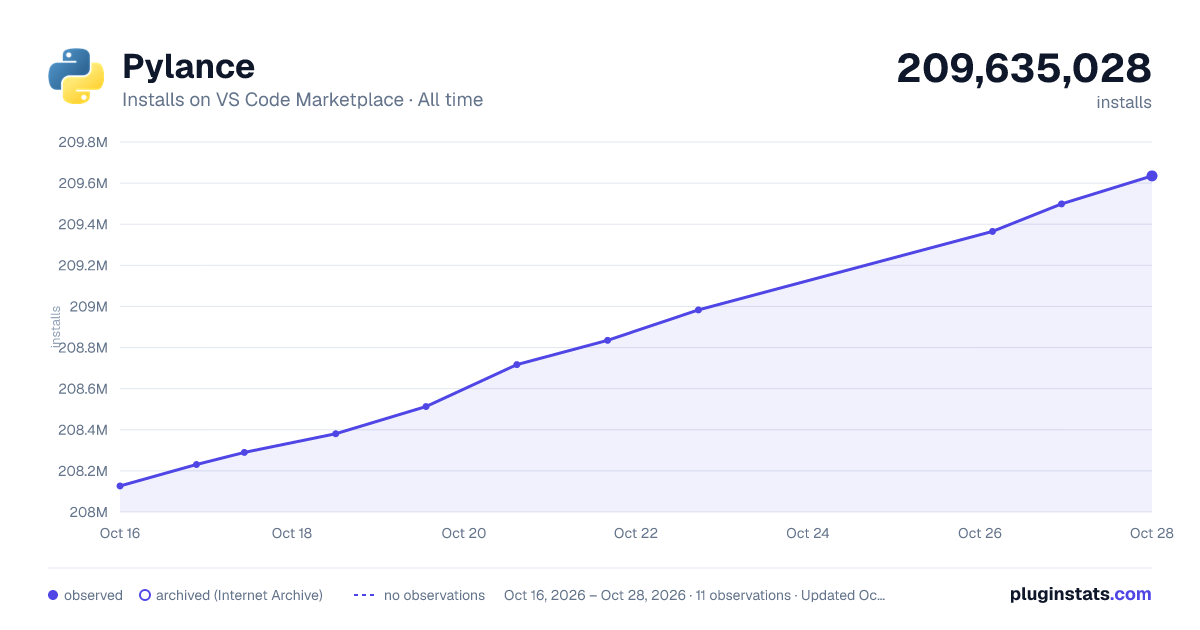

Adoption over time


7/30/90-day growth


Filled points are observed values; hollow points come from Internet Archive snapshots of the listing page. Dashed segments span periods with no observations — values between points are not interpolated.
Recent observations
Full history (3)Similar VS Code Marketplace Programming Languages plugins
Data source
Install counts, average rating, and rating counts come from the public Visual Studio Marketplace gallery API. Installs are cumulative and exclude updates.
Listing: https://marketplace.visualstudio.com/items?itemName=ms-python.vscode-pylance. First seen Oct 16, 2026; last successful collection Oct 18, 2026. See the methodology.